
Are you running an online store with WooCommerce and ever wondered how to tailor what your customers see based on their specific needs? Imagine being able to create a personalized shopping experience by hiding certain products from users who don’t need to see them, whether it’s based on their purchase history or user role. It’s not just a smart strategy to declutter your site; it’s a powerful way to enhance customer satisfaction and drive conversions. In this article, we’ll explore how to effortlessly hide products by user role in WooCommerce. By the end, you’ll have the tools and knowledge to create a more focused and engaging shopping journey for your customers. Let’s dive in and unlock the potential of targeted product visibility!
Understanding User Roles in WooCommerce
In WooCommerce, understanding user roles is vital for tailoring the shopping experience. Different roles come with specific permissions and capabilities, allowing store owners to create customized interactions for varied customer segments. By categorizing users into roles such as Administrator, Shop Manager, Customer, and Subscriber, you can define what each user can see and do within your store.
For instance, an Administrator has full control over the website, managing products, orders, and settings without restrictions. On the other hand, a Customer has a more limited view, primarily focused on purchasing products and managing their account. Understanding these distinctions allows you to implement restrictions like hiding specific products based on user roles, ensuring that each user sees only what is relevant to them.
Here’s a quick overview of common WooCommerce user roles and their capabilities:
| User Role | Capabilities |
|---|---|
| Administrator | Full control over the store |
| Shop Manager | Manage products and orders |
| Customer | Purchase items and view order history |
| Subscriber | Manage their profile and subscriptions |
By leveraging these roles, store owners can enhance their WooCommerce setup. For example, if you have products that are aimed at a specific audience—like wholesale items or exclusive collections—you can restrict visibility to only those customers with the appropriate user role. This not only streamlines the purchasing process but also creates an air of exclusivity.
Utilizing plugins designed for role management can simplify the process of hiding products. Many of these tools allow for quick adjustments, enabling you to specify which products are visible to which roles with minimal effort. With a strategic approach to user roles, you can elevate the user experience, drive sales, and maintain better control over your inventory.
The Importance of Hiding Products for Different User Groups
In the dynamic world of eCommerce, understanding your audience is crucial. Different user groups often have distinct needs and preferences. By strategically hiding products, you can tailor the shopping experience to meet these varying demands, ultimately enhancing customer satisfaction and loyalty.
Consider a scenario where your online store offers premium products aimed at a specific audience. Making these items visible only to certain user roles—such as wholesalers or premium members—can create a sense of exclusivity. This not only fosters a more personalized shopping experience but also encourages users to upgrade their accounts to access hidden products.
Moreover, hiding products can serve a practical purpose in managing inventory and sales strategies. For instance, if you’re running a seasonal promotion, you might choose to hide certain items for non-registered users while showcasing them to those who have signed up for your newsletter. This tactic can effectively drive sign-ups and engage your audience more actively.
Furthermore, segmenting your products based on user roles allows you to present tailored marketing strategies. By utilizing personalized promotions for different groups, you can improve conversion rates. Imagine offering a unique discount on a product only to VIP customers while keeping it hidden from casual browsers. This enhances the perceived value of the VIP status, motivating more users to aspire to that level.
To illustrate the benefits of this strategy, here’s a simple table that outlines potential user roles and corresponding product visibility:
| User Role | Visible Products |
|---|---|
| Guest | Basic Products |
| Registered User | Basic + Sale Items |
| VIP Member | All Products + Exclusive Offers |
| Wholesale Buyer | Bulk Products + Discounts |
effectively hiding products based on user roles is not merely a technical feature but a strategic tool that can significantly influence user experience and business outcomes. Adapting your product visibility to align with user needs creates a more engaging and tailored shopping environment, leading to better customer retention and increased sales.
Step-by-Step Guide to Configure Product Visibility
Configuring product visibility in WooCommerce based on user roles can significantly enhance your online store’s functionality and user experience. To get started, you’ll first need to install a suitable plugin that allows you to manage user roles effectively. Look for plugins such as User Role Editor or WooCommerce Role Based Pricing. Once installed, you can easily set up rules that dictate which products are visible to different user roles.
After activating your chosen plugin, navigate to the product settings. Here, you’ll find options to manage visibility. You might want to create specific user roles if you haven’t done so already. Consider the following roles for better segmentation:
- Regular Customers – Access to standard products.
- Wholesale Buyers – Access to discounted or bulk products.
- Guests – Limited access to select products.
- VIP Members – Exclusive product access and offers.
Next, it’s time to define the visibility settings for each product. When editing a product, locate the visibility settings section. Here, you can select which user roles should see the product. For example, if you wish to hide a premium item from regular customers, simply uncheck that role. This straightforward process can be repeated for each product as needed.
To visualize your configurations, you can create a table that outlines which products are visible to each user role. Here’s a simple representation:
| User Role | Visible Products |
|---|---|
| Regular Customers | Standard Products A, B, C |
| Wholesale Buyers | Discounted Products D, E |
| Guests | Limited Products F |
| VIP Members | Exclusive Products G, H |
don’t forget to test the visibility settings. Log in as different user roles to ensure that the configurations are functioning as intended. This step is crucial to guarantee that users are only seeing products tailored for them, enhancing their shopping experience and potentially increasing your store’s conversion rate.

Using Plugins to Simplify Product Hiding
Using plugins can dramatically streamline the process of hiding products based on user roles in WooCommerce. Instead of manually adjusting product visibility settings, you can leverage powerful plugins that offer user-friendly interfaces and customizable options. This means you won’t need to dive into complex coding or spend hours managing your inventory. Here are some key benefits of adopting these tools:
- Time-Saving: Automate the visibility settings for multiple products at once.
- User-Friendly: Most plugins come with intuitive dashboards that make it easy for anyone to use.
- Flexible Customization: Tailor your product visibility rules to fit various user roles seamlessly.
One of the standout features of these plugins is the ability to set specific rules based on user roles. For example, you can create a set of products that are exclusively available to premium members, while standard users can only see basic offerings. This not only enhances user experience but also encourages customers to upgrade their memberships.
Here’s a simple comparison of popular plugins that can help you achieve this:
| Plugin Name | Key Features | Price |
|---|---|---|
| WooCommerce Members Only | Restrict product visibility, customizable rules | $49/year |
| WooCommerce Catalog Visibility Options | Hide prices, disable cart, user role customization | $39/year |
| User Role Editor | Edit roles, manage capabilities, product visibility | Free/$49 (Pro version) |
Implementing these plugins not only simplifies the product hiding process but also provides you with valuable insights into user behavior. By analyzing which products are being accessed by specific user roles, you can better tailor your marketing strategies and inventory to meet customer needs. So whether you’re running a membership site or simply want to segment your audience, investing in the right plugin can transform your WooCommerce store into a more efficient and user-friendly platform.
Custom Coding for Advanced Users: A Beginner’s Guide
Hiding products by user role in WooCommerce can significantly enhance user experience and streamline your online store. By customizing visibility based on user permissions, you can ensure that customers see only the products relevant to them. This not only helps in managing your inventory more efficiently but also provides a tailored shopping experience that can lead to higher conversion rates.
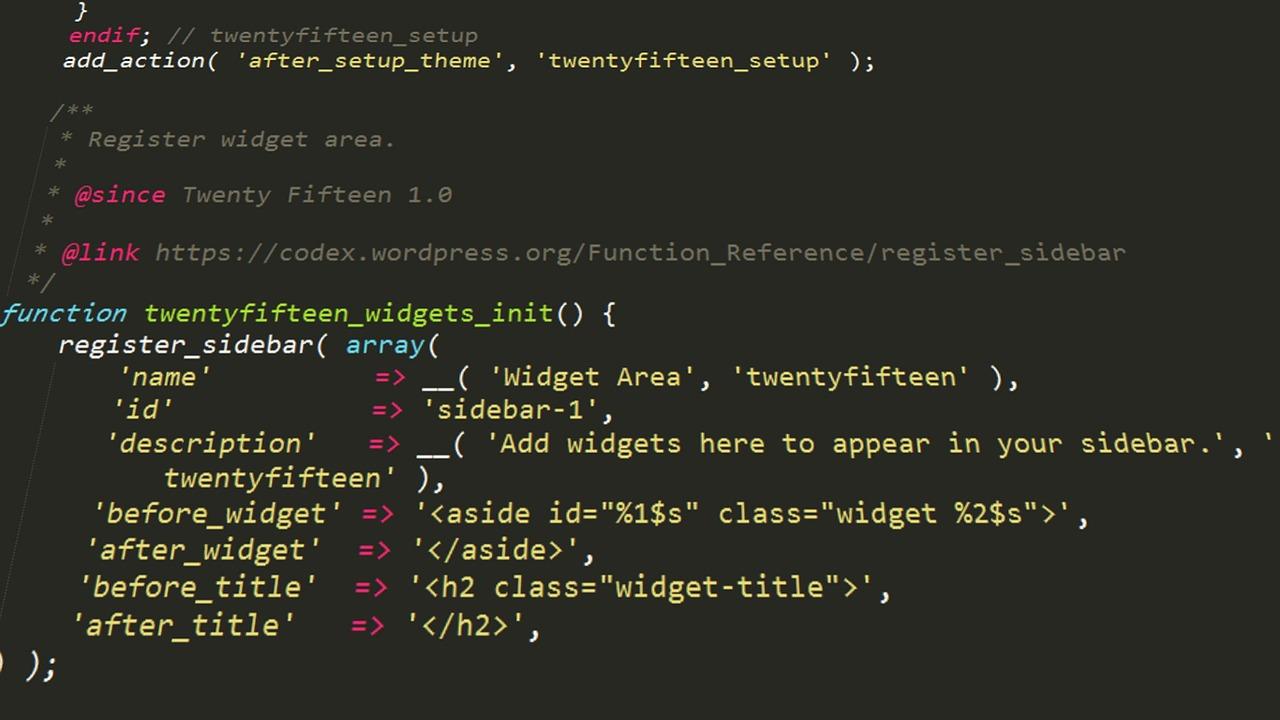
To accomplish this, you’ll need a basic understanding of PHP and WooCommerce hooks. Here’s a simple approach to guide you through the process:
- Identify User Roles: Determine the different user roles in your WooCommerce setup, such as Customer, Subscriber, and Administrator.
- Use a Child Theme: Always make changes in a child theme to prevent losing your customizations when the theme updates.
- Editing Functions.php: Add custom code in your theme’s
functions.phpfile to control product visibility.
Below is a sample code snippet that demonstrates how you can hide specific products for users with the Subscriber role:
function hide_product_for_subscriber( $query ) {
    if ( ! is_admin() && $query->is_main_query() && is_shop() ) {
        if ( current_user_can( 'subscriber' ) ) {
            $query->set( 'post__not_in', array( 123, 456 ) ); // Replace with your product IDs
        }
    }
}
add_action( 'pre_get_posts', 'hide_product_for_subscriber' );
In this code:
- Function: The
hide_product_for_subscriberfunction modifies the main query on the shop page. - Condition: It checks if the current user has the Subscriber role.
- Product IDs: Replace
123, 456with the actual IDs of the products you want to hide.
Once the code is added, products specified will no longer appear to users with the Subscriber role. You can adapt this approach for other user roles or even conditionally hide products based on additional criteria, such as membership levels or purchase history. The flexibility of WooCommerce allows you to create a customized shopping experience tailored to your customers’ needs.
Best Practices for Managing User Role Visibility
When managing user role visibility in WooCommerce, it’s essential to establish clear guidelines that align with your business objectives. Here are some best practices to consider:
- Define User Roles Clearly: Ensure that each user role is well-defined. This includes understanding which users should have access to certain products and why. By mapping out the permissions associated with each role, you can create a more structured approach to visibility.
- Limit Visibility to Relevant Products: Only show users the products they need to see. Overloading a user with unnecessary options can lead to frustration and a poor shopping experience. Focus on tailoring the product list to enhance user engagement.
- Utilize Roles Effectively: Take advantage of WooCommerce’s built-in user roles, like Customer, Subscriber, and Shop Manager. You can also create custom roles for more granular control, allowing you to tailor the shopping experience based on user needs.
Implementing these practices can lead to a more efficient user experience. For instance, consider using conditional logic to show or hide products based on user roles. Tools and plugins like WooCommerce Members or Groups for WooCommerce can help streamline this process.
| Role | Product Visibility |
|---|---|
| Customer | Visible only to registered customers |
| Guest | Limited selection of products |
| Wholesale | Exclusive access to wholesale pricing |
regularly review and update user roles and product visibility settings. As your business evolves, so do the needs of your users. Staying proactive in managing these settings will ensure a seamless shopping experience while maintaining a competitive edge in your market.

Testing Your Changes to Ensure They Work Perfectly
Once you’ve implemented changes to hide products based on user roles in WooCommerce, it’s essential to test your modifications thoroughly to ensure that everything functions as expected. Proper testing not only guarantees that your customers have a seamless shopping experience but also helps you catch any potential issues before they impact your site.
Start by checking the visibility of products for different user roles. Create test accounts for various user types, such as:
- Customer
- Shop Manager
- Subscriber
- Guest
Log in to each account type and navigate through the store. This will help you confirm whether products are displayed or hidden as intended.
Next, assess the impact of your changes on product categories. For instance, if certain products should only be visible to specific user roles, ensure that they are appropriately categorized and that visibility settings are consistent across similar items. You can use an HTML table to summarize your findings:
| User Role | Expected Visibility | Actual Visibility |
|---|---|---|
| Customer | Visible | Visible |
| Subscriber | Hidden | Hidden |
| Shop Manager | Visible | Visible |
| Guest | Hidden | Visible |
After completing your checks, don’t forget to test the user experience on both desktop and mobile devices. This ensures that no matter how your customers access your site, they will have a consistent experience. If any discrepancies arise, revisit your settings and make the necessary adjustments.
gather feedback from real users. Sometimes, the best insights come from those who interact with your site daily. Encourage them to report any issues they encounter or any products they believe should be visible to them. This approach not only improves functionality but also enhances customer satisfaction.
Boosting Sales Through Targeted Product Visibility
In the competitive landscape of eCommerce, effective product visibility can be a game-changer for driving sales. By customizing the visibility of products based on user roles in WooCommerce, you can ensure that specific customer segments see the items that are most relevant to them. This tailored approach not only improves the shopping experience but also increases conversion rates. Imagine the power of showing exclusive products to loyal customers while keeping new arrivals hidden until customers meet certain criteria.
One of the most effective ways to implement targeted product visibility is by utilizing plugins that allow you to control what different user roles can see. Here are some benefits of employing this strategy:
- Enhanced User Experience: Customers are more likely to engage with your store when they only see products that suit their preferences or purchasing history.
- Increased Sales Potential: By showcasing special collections or promotions to specific user roles, you can create a sense of exclusivity that drives purchases.
- Optimized Inventory Management: Hiding less popular products from certain users can streamline the shopping process and help manage stock more effectively.
Implementing product visibility controls in WooCommerce can be straightforward. Consider the following approach:
| User Role | Visible Products | Purpose |
|---|---|---|
| Guest | Basic Products | Encourage exploration and sign-ups |
| Registered Users | Standard & Special Offers | Reward loyalty and increase engagement |
| Wholesale Customers | Bulk Items & Discounts | Maximize sales through volume buying |
With these strategies, you can effectively hide or reveal products based on user roles through simple adjustments in your WooCommerce settings. The result? A cleaner, more focused shopping experience that aligns with your business goals. By making your products visible to the right audience, you not only boost your sales potential but also build stronger customer relationships.
Common Mistakes to Avoid When Hiding Products
When it comes to hiding products in WooCommerce based on user roles, there are some common pitfalls that can easily derail your efforts. First and foremost, failing to understand user roles can lead to significant errors. Each user role has different capabilities, and not knowing how these roles function may result in hiding products from users who should actually have access. Always ensure that you’re familiar with the default roles in WordPress and any custom roles you may have created.
Another mistake often made is not testing your configurations thoroughly. After setting up your rules for hiding products, always log in as different user roles to verify that the restrictions are working as intended. This simple step can save you from potential customer frustration and enhance the user experience. If a product is supposed to be visible to a specific group but isn’t, you risk losing sales.
Additionally, be cautious about overcomplicating your hiding criteria. While it may be tempting to create intricate rules that cater to multiple segments, this can lead to confusion and errors in your settings. Keep it simple; focus on the core user roles that matter most to your business. Clear and straightforward rules are easier to manage and less likely to cause unintended access issues.
Don’t overlook the importance of proper documentation when setting up your product visibility rules. Whether you’re using a plugin or custom code, keeping a log of changes made will help you track your decisions and revert back if needed. A well-maintained documentation can serve as a reference for both current and future adjustments.
Lastly, consider the long-term implications of your hiding strategy. As your store grows, your customer base will evolve, and so will their expectations. Regularly revisit your hiding rules to ensure they still align with your business goals and customer needs. This proactive approach not only enhances customer satisfaction but also fosters loyalty.
Final Thoughts: Tailoring Your Store for a Better User Experience
Creating a tailored shopping experience in your WooCommerce store is essential for enhancing user satisfaction and increasing conversion rates. By hiding products based on user roles, you can offer a more personalized experience that aligns with the needs and preferences of different customer segments. This not only reduces clutter but also helps guide users toward the products that matter most to them.
To successfully implement these changes, consider the following strategies:
- Understand Your Customer Segments: Take the time to define your user roles clearly. Whether it’s wholesale buyers, retail customers, or members of a loyalty program, knowing who your audience is will help you determine which products to display or hide.
- Utilize Role-Based Product Visibility: Leverage plugins that enable you to set product visibility based on user roles. This allows you to seamlessly manage what each group can see, making it easier to promote exclusive items or discounts to specific users.
- Test and Iterate: Regularly analyze user behavior and feedback. Use tools like A/B testing to see how hiding certain products impacts sales and engagement. Fine-tuning your approach based on real data can markedly improve user experience.
Additionally, consider the layout and design of your store. A clean, organized interface is crucial for keeping your customers engaged. Here’s a simple table that highlights key elements of a user-friendly layout:
| Element | Importance |
|---|---|
| Clear Navigation | Helps users find products quickly |
| Responsive Design | Ensures accessibility on all devices |
| Product Filters | Allows users to refine their search based on preferences |
Lastly, don’t underestimate the power of personalized marketing. Send tailored emails or notifications to users based on their roles, featuring products that are relevant to them. This creates a sense of exclusivity and value, encouraging users to return to your store. By focusing on these elements, you can craft a shopping experience that not only meets but exceeds customer expectations.
Frequently Asked Questions (FAQ)
Q&A: How to Hide Products by User Role in WooCommerce?
Q1: Why would I want to hide products by user role in my WooCommerce store?
A: Great question! Hiding products based on user roles can enhance your store’s customer experience by showing only relevant products. For instance, if you have exclusive items for wholesale buyers or members, hiding those from regular customers can avoid confusion and streamline the shopping process. Plus, it adds an air of exclusivity—who doesn’t love feeling special?
Q2: Is it really that easy to hide products by user role?
A: Absolutely! With WooCommerce, you have a couple of options. You can use plugins designed for this purpose or even custom code if you’re feeling adventurous. Many plugins allow you to set visibility rules with just a few clicks—no coding required. You’ll be surprised at how straightforward it is!
Q3: What plugins do you recommend for hiding products by user role?
A: There are several fantastic plugins out there. WooCommerce Memberships and Product Visibility by User Role for WooCommerce are popular choices. They provide robust features, enabling you to control product visibility easily based on user roles. You’ll find that a small investment in a good plugin pays off by enhancing your store’s functionality.
Q4: Do I need coding skills to implement this?
A: Not at all! While some solutions may involve a bit of coding, most plugins come with user-friendly interfaces that guide you through the setup process. You can have your products hidden from specific user roles in no time—no tech wizardry required!
Q5: How can hiding products improve my sales?
A: By tailoring the shopping experience to different user roles, you can drive targeted marketing and improve conversion rates. Customers are more likely to engage with products that resonate with their specific interests. Plus, exclusive products can encourage user sign-ups, turning casual visitors into loyal customers.
Q6: What if I want to hide entire categories instead of individual products?
A: Great thinking! Many plugins allow you to hide entire categories based on user roles, which can simplify your management process. Just think about it—if a user doesn’t have access to a specific category, they won’t be overwhelmed by options irrelevant to them. It’s a win-win!
Q7: Can hiding products affect my SEO?
A: That’s a valid concern! Hiding products from certain users does not directly impact your SEO as search engines won’t index these hidden products for those users. However, ensure that your site structure remains user-friendly and that you’re not hiding too much valuable content. Balancing visibility and exclusivity is key!
Q8: What’s the first step I should take to get started?
A: Start by identifying which products you want to hide and from whom. Once you’ve got a clear strategy, choose a plugin that fits your needs and start experimenting! The setup process is often intuitive, so you can jump right in and see the results quickly.
Wrap-Up:
Hiding products by user role in WooCommerce is not just a functional enhancement; it’s a strategic move that can elevate your entire online store experience. By creating a targeted shopping environment, you can foster customer loyalty, boost sales, and ultimately build a more successful business. So, why wait? Start customizing your product visibility today and watch your sales soar!
In Conclusion
Conclusion: Elevate Your WooCommerce Experience
In the world of eCommerce, personalization is key. By mastering the art of hiding products based on user roles in WooCommerce, you’re not just enhancing the shopping experience; you’re also creating a tailored environment that resonates with your customers. Imagine a store where each visitor feels like the offerings are curated just for them—this is the power of segmentation!
Implementing this strategy is simpler than you might think. With the right tools and a bit of creativity, you can ensure that your loyal customers see exclusive products while new visitors are gently guided through what you’ve got to offer.
Don’t wait to set your WooCommerce store apart from the competition. Start utilizing user roles to create a more engaging and effective shopping experience today! Your customers will appreciate the thoughtful curation, and you’ll likely see improvements in conversion rates and overall satisfaction. So roll up your sleeves, dive in, and watch your store transform into a personalized shopping haven. Happy selling!