
Are you ready to take your educational website to the next level without the hassle of complicated page builders? If you’re seeking a seamless, user-friendly approach to designing your online learning platform, then you’re in the right place! In this article, we’ll dive into the five best Gutenberg education WordPress themes that empower you to create stunning, functional sites with ease. These themes harness the power of the Gutenberg editor—WordPress’s block-based content system—allowing you to build a visually appealing site that’s both intuitive and engaging. Whether you’re running a school, a tutoring service, or an online course, you’ll find the perfect theme that meets your needs and resonates with your audience. So, grab a cup of coffee and let’s explore these top-notch themes that require no page builder, just your creativity and the power of Gutenberg!
The Power of Gutenberg: Why It’s the Future of Education Websites
In the rapidly evolving landscape of education, the need for intuitive and engaging online platforms has never been more critical. Enter Gutenberg, WordPress’s revolutionary block editor that is reshaping the way websites are constructed and managed. By utilizing this innovative tool, educators and institutions can create dynamic websites that are not only visually appealing but also easy to navigate and update. This is particularly important for educational websites, where the clarity of information is paramount.
One of the standout features of Gutenberg is its block-based structure. This allows users to easily assemble content without the need for complex coding or third-party page builders. With a simple drag-and-drop interface, you can mix and match various content types—text, images, videos, and more—creating a truly customized experience for your audience. Imagine a teacher being able to effortlessly build a lesson page that includes multimedia resources, embedded quizzes, and engaging visuals all in one go!
Moreover, Gutenberg promotes a faster loading time for educational websites. Unlike traditional page builders that often bloat the website with unnecessary code, Gutenberg’s streamlined approach ensures that your site remains lightweight and efficient. This is vital in maintaining user engagement, as students and parents are more likely to abandon a site that takes too long to load. Accessibility and performance are key, and Gutenberg excels in both areas.
Additionally, Gutenberg’s flexibility extends to responsive designs, ensuring that your website looks great on any device—be it a desktop, tablet, or smartphone. In an era where mobile learning is on the rise, having a responsive website is no longer just an option; it’s a necessity. With the right Gutenberg education themes, you can provide seamless access to learning materials, enhancing the overall educational experience for users.
As you explore your options, consider themes that leverage Gutenberg’s strengths without the complication of a page builder. Here are some aspects to look for in a theme that embraces Gutenberg’s potential:
| Feature | Benefit |
|---|---|
| Customizable Blocks | Easy content structuring |
| SEO-Friendly | Improved search visibility |
| Regular Updates | Long-term reliability |
| Community Support | Access to resources and help |
With these features in mind, it’s clear that choosing a Gutenberg education theme is not just a trend; it’s a proactive step towards future-proofing your educational website. You’ll empower your institution to adapt to the digital age, ensuring that students and educators alike can thrive in a well-structured, engaging online environment.
Selecting the Right Theme: Key Features to Look For
Choosing the ideal theme for your educational WordPress site can significantly impact user experience and engagement. When sifting through options, it’s essential to focus on a few key features that will enhance your site’s functionality and aesthetics.
First and foremost, look for a responsive design. With more users accessing websites via mobile devices, a theme that adapts seamlessly to various screen sizes is crucial. Google also prioritizes mobile-friendly sites in search rankings, making this feature a must-have for any educational platform.
Another vital aspect to consider is customization options. A good theme should offer a variety of layout choices and color schemes, allowing you to create a unique visual identity for your institution. Look for themes that provide intuitive options for modifying headers, footers, and content sections without requiring any coding skills. This flexibility ensures that your website reflects your brand’s personality while remaining user-friendly.
Integration with learning management systems (LMS) can transform your website into a comprehensive educational hub. Choose a theme that supports popular plugins like LearnDash or LifterLMS, enabling you to offer courses, quizzes, and student management tools directly from your platform. This feature not only streamlines the learning experience but also enhances engagement by providing students with everything they need in one place.
Lastly, prioritize SEO optimization. A theme that comes with built-in SEO features or is compatible with SEO plugins can help improve your site’s visibility in search engines. Look for clean code structure, fast loading times, and schema markup support, as these elements contribute to better search rankings and increased traffic to your educational content.
| Feature | Description |
|---|---|
| Responsive Design | Adapts to any device screen size for optimal viewing. |
| Customization Options | Allows easy modification of layout and color schemes. |
| LMS Integration | Supports popular learning management systems. |
| SEO Optimization | Built-in features to enhance search engine visibility. |
Exploring the Top Choices: Themes That Shine for Educational Purposes
When it comes to creating an educational website, selecting the right theme can make all the difference. With Gutenberg’s powerful block editor, you can harness the beauty of simplistic design while ensuring functionality and ease of use. Here are some standout themes that are perfect for educational purposes, designed to shine without the need for heavy page builders.
Key Features to Look For
- Mobile Responsiveness: Ensure your theme adapts beautifully to all devices, as a significant portion of users will access your site via mobile.
- Customizability: Look for themes that allow easy customization, enabling you to tailor the look and functionality to meet your specific needs.
- Accessibility: An accessible theme ensures that all users, regardless of ability, can easily navigate your content.
Top Candidates for Educational Themes
Here are some of the best Gutenberg-friendly themes that can elevate your educational site:
| Theme Name | Key Feature | Best For |
|---|---|---|
| Education Hub | Custom Course Listings | Schools and Universities |
| LearnPress | Integrated LMS | Online Learning Platforms |
| Academy | User-Friendly Interface | Tutors and Individual Educators |
| Scholar | Event Management | Workshops and Seminars |
| EduLMS | Customizable Layouts | All Educational Institutions |
Each of these themes offers something unique, catering to different educational needs. From managing courses to organizing events, the right theme can streamline your operations and enhance the learning experience for your users. Plus, with Gutenberg’s block-based editing system, you can quickly create engaging content without the hassle of additional plugins.
choosing a theme that aligns with your educational goals is crucial. The themes mentioned not only provide aesthetic appeal but also functionality that supports the diverse needs of educators and learners alike. With the right choice, you can build a website that not only informs but also inspires and engages your audience.
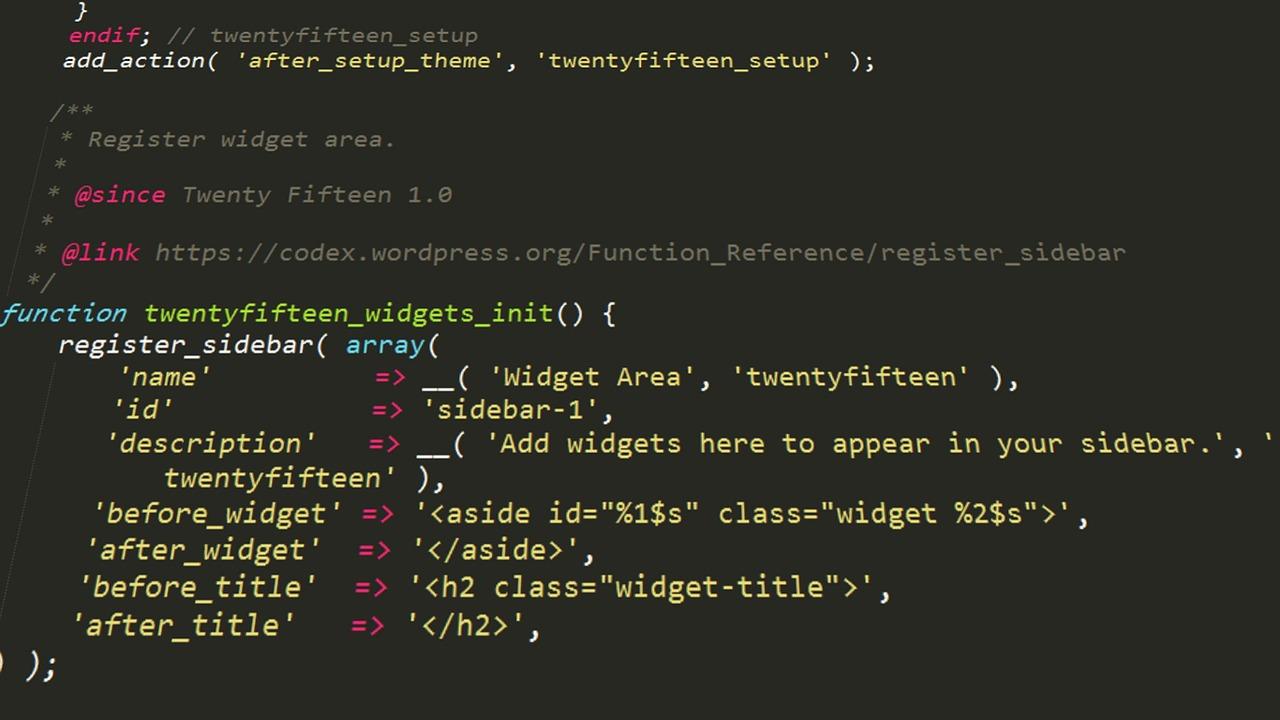
Customization Made Easy: Personalize Without a Page Builder
Gone are the days when you needed a page builder to make your website truly yours. With the evolution of Gutenberg, customizing your education WordPress theme has become a walk in the park. The block-based editor allows you to create stunning layouts and make adjustments effortlessly, so you can focus on what really matters: delivering quality education content to your audience.
Imagine having the power to adjust your theme’s look and feel without the hassle of complex drag-and-drop interfaces. With Gutenberg, you can:
- Drag and drop blocks: Add, move, or remove content blocks in real-time to see how your page will look on the fly.
- Customize styles: Change fonts, colors, and layouts directly within the editor, ensuring your site reflects your brand identity.
- Utilize reusable blocks: Save your favorite configurations and layouts as reusable blocks to streamline future posts or pages.
Moreover, the clean code that Gutenberg produces ensures that your website runs smoothly and efficiently. This means faster load times, optimized performance, and a better experience for your users. By avoiding bulky page builders, you not only enhance site speed but also simplify future updates and maintenance.
If you’re concerned about SEO, fear not! Gutenberg is built with best practices in mind, so the content you create is optimized for search engines from the get-go. This gives you the confidence to not only engage your audience visually but also rank better in search results, making it easier for potential students to find you.
| Feature | Benefit |
|---|---|
| Block Editor | Intuitive customization without learning curves. |
| Responsive Design | Looks great on all devices, ensuring accessibility. |
| Performance Optimization | Faster loading times for better user experience. |
With the right Gutenberg education WordPress theme, you can experience the joy of seamless customization. Embrace this modern approach to web design, and you’ll see just how easy and rewarding it can be to make your content shine without the clutter of unnecessary tools.

Responsive Design: Ensuring Your Site Looks Great on Any Device
In today’s digital landscape, responsive design is not just a trend—it’s a necessity. With a diverse range of devices accessing the internet, ensuring your website looks great on mobile phones, tablets, and desktop computers is crucial for user engagement and retention. A well-designed site adapts seamlessly to different screen sizes, providing an optimal viewing experience that keeps visitors happy and coming back for more.
When selecting a Gutenberg education theme, consider options that prioritize responsiveness right out of the box. Many themes today come equipped with features that automatically adjust layouts and elements based on the user’s device. Here are some key features to look for in responsive themes:
- Fluid Grid Layouts: This allows your content to resize and rearrange itself beautifully on different screen sizes.
- Flexible Images: Images that scale appropriately without losing quality make for a polished look.
- Mobile-Friendly Navigation: Simplified menus and touch-friendly buttons enhance usability on smaller screens.
Moreover, testing your site’s responsiveness across various devices is essential. Utilize tools like Google’s Mobile-Friendly Test or built-in browser developer tools to preview how your site appears on different screen sizes. This practice not only helps in identifying layout issues but also enhances the overall user experience by ensuring functionality remains intact regardless of the device used.
With Gutenberg’s block editor, creating a responsive layout can be straightforward. By leveraging various content blocks—such as columns, galleries, and buttons—you can craft engaging pages that look stunning on any device. Incorporating media queries in your CSS can further refine how elements display, allowing for specific adjustments that cater to unique screen characteristics.
| Device Type | Key Considerations |
|---|---|
| Mobile | Focus on touch-friendly design, large fonts, and accessible navigation. |
| Tablet | Utilize larger images and multi-column layouts for better engagement. |
| Desktop | Employ more complex layouts and additional features without overcrowding the design. |
Embracing responsive design not only improves aesthetics but also boosts your SEO rankings. Search engines favor sites that provide a great user experience, so investing in a theme that performs well across all devices will pay off in the long run. Choose wisely, and watch your educational site flourish on every screen!

User Experience Matters: Themes That Create Engaging Learning Environments
In today’s digital landscape, creating a captivating learning environment online is essential. A well-designed theme not only enhances aesthetics but also significantly impacts usability and user engagement. The right Gutenberg education WordPress themes can transform the experience for students, educators, and institutions alike, providing an intuitive interface that fosters learning.
When selecting an education theme, consider features that prioritize your users’ needs. Here are some key elements to look for:
- Responsiveness: Ensure the theme adapts seamlessly across devices, allowing learners to access content anytime, anywhere.
- Customizable Layouts: Look for themes that offer flexible layouts, enabling you to structure content in a way that enhances understanding and retention.
- Engaging Multimedia Support: Themes that support images, videos, and interactive content can make learning more engaging and enjoyable.
- Accessibility Features: A theme that adheres to accessibility standards ensures that all learners, regardless of ability, can navigate your site effectively.
Moreover, user experience is closely tied to how easily learners can find the information they seek. A clean and intuitive navigation system is crucial. Implementing clear menus and search functionalities can significantly reduce bounce rates and keep users engaged. Here’s a quick comparison of some standout Gutenberg themes that excel in user experience:
| Theme Name | Key Features | User Rating |
|---|---|---|
| Eduma | Responsive, Drag & Drop, Course Management | 4.8/5 |
| Education Hub | Customizable, SEO Friendly, Multimedia Support | 4.5/5 |
| LearnPress | Integrated LMS, Easy Setup, User Management | 4.7/5 |
| Academy | Minimal Design, Fast Loading, Course Reviews | 4.6/5 |
| Masterstudy | Event Management, Quiz Builder, Student Dashboard | 4.9/5 |
remember that consistent updates and support from theme developers can greatly enhance the longevity of your website. Themes that are regularly updated not only incorporate the latest design trends but also ensure compatibility with WordPress updates, thereby maintaining a smooth user experience over time. Investing in a quality theme is investing in the future of your educational platform.
SEO-Friendly Options: Boost Your Visibility with the Right Theme
When it comes to enhancing your online presence, choosing the right WordPress theme is crucial. A theme that is optimized for SEO not only improves your website’s visibility but also enhances user experience. Here are some key considerations to keep in mind when selecting a Gutenberg education theme that caters to your needs:
- Fast Loading Times: Themes that are lightweight and well-coded help in reducing loading times, which is a significant factor for both SEO and user retention.
- Mobile Responsiveness: With more users accessing websites via mobile devices, a theme that adjusts seamlessly to different screen sizes will keep visitors engaged.
- Schema Markup Support: Look for themes that support schema markup. This helps search engines understand your content better, which can lead to rich snippets in search results.
- Clean and Validated Code: A theme with clean code not only improves loading times but also minimizes errors that can affect your SEO performance.
- Customization Options: Choose a theme that allows you to customize meta tags, heading structures, and alt texts for images. This flexibility is essential for optimizing content for search engines.
Additionally, consider the integrations and plugins that come with the theme. A theme that readily supports popular SEO plugins, such as Yoast SEO or All in One SEO Pack, provides you with tools to enhance your site’s search engine optimization capabilities further. These plugins can guide you in optimizing each post and page, ensuring that you’re following best practices.
| Feature | Importance for SEO |
|---|---|
| Fast Loading Speed | Reduces bounce rate and improves user engagement. |
| Mobile Optimization | Crucial for ranking well in mobile search results. |
| SEO Plugin Compatibility | Enhances content optimization capabilities. |
Remember, the aesthetics of your chosen theme also play a role in user experience, which indirectly affects your SEO. A visually appealing design encourages users to stay longer, explore more, and ultimately, convert. Prioritize themes that offer a balance of beauty and functionality, ensuring that your educational content is not only accessible but also engaging.

Community Support and Updates: Choosing Themes That Grow With You
In the ever-evolving landscape of education and online learning, selecting a WordPress theme that not only meets your current needs but also adapts as you grow is essential. A Gutenberg-compatible theme can help you streamline content creation while ensuring your website remains visually appealing and functional. Here are several key factors to consider when choosing the right theme:
- Responsive Design: Ensure your theme looks great on all devices. A mobile-friendly design is critical, as students and educators increasingly access content on their smartphones and tablets.
- Customization Options: Look for themes that offer a variety of customization settings, allowing you to tailor the look and feel of your site without needing to touch code.
- Performance and Speed: Opt for themes that are optimized for speed. A fast-loading site enhances user experience and can improve SEO rankings.
- Support and Updates: Choose a theme from a reputable developer that provides regular updates and reliable support. This ensures compatibility and security as WordPress evolves.
Consider how your educational platform might expand in the future. Will you be adding more courses, integrating e-commerce for selling materials, or even crafting a community forum? A theme that grows with you should offer:
| Feature | Why It Matters |
|---|---|
| Custom Post Types | Allows for creating different content types, like courses or testimonials. |
| Plugin Compatibility | Ensures integration with essential plugins like LMS or payment systems. |
| SEO Friendliness | Helps your content be more discoverable in search engines. |
Finding a theme that aligns with your vision requires careful consideration. Engage with your community—ask for feedback on themes from peers or check forums for recommendations. Remember, a theme should not just meet your initial needs but also provide a solid foundation for your educational endeavors. Make your selection wisely, and watch your platform flourish!

Final Thoughts: Making the Right Choice for Your Educational Institution
Choosing the right WordPress theme for your educational institution is a decision that can significantly impact your online presence. A well-designed theme not only enhances the visual appeal of your website but also ensures a seamless user experience for students, parents, and faculty alike. With the rise of Gutenberg, many themes are now optimized for this block editor, allowing for intuitive content creation without the need for complex page builders. This shift empowers you to focus on what truly matters: delivering quality education.
When evaluating themes, consider the following key factors:
- Responsiveness: Your theme should look great on all devices, from desktops to smartphones.
- Customization Options: Look for themes that offer flexibility to tailor the design to your branding.
- SEO-Friendly: A theme optimized for search engines helps improve your visibility to prospective students.
- Support and Updates: Ensure that the theme is regularly updated and comes with reliable support.
Don’t overlook the importance of user experience. A straightforward navigation structure and clear call-to-action buttons can guide visitors effortlessly through your site. Think about how potential students will interact with your content. Are they looking for course details, faculty information, or admissions guidelines? Your theme should facilitate easy access to this information.
Furthermore, consider integrating features that enhance learning and engagement. A built-in calendar for events, an interactive blog for sharing news, and course management tools can significantly enrich the user experience. Some themes even offer custom widgets for recent posts, testimonials, or social media feeds, keeping your content fresh and engaging.
| Theme Name | Key Features | Best For |
|---|---|---|
| EduPro | Responsive, SEO-optimized | Universities and Colleges |
| SchoolZone | Custom Widgets, Event Calendar | K-12 Schools |
| LearnPress | Course Management, BuddyPress Integration | Online Learning Platforms |
Ultimately, the right theme can transform your educational institution’s website into a powerful tool for communication, engagement, and recruitment. Take the time to explore the options, and don’t hesitate to leverage demos to assess how well a theme aligns with your vision. Remember, a well-chosen theme reflects your commitment to excellence in education and leaves a lasting impression on your audience.
Frequently Asked Questions (FAQ)
Q&A: 5 Best Gutenberg Education WordPress Theme Choices (No Page Builder Needed)
Q: Why should I choose a Gutenberg-compatible theme for my education website?
A: Great question! Gutenberg is WordPress’s built-in block editor, which means it’s designed to be user-friendly and efficient. By opting for a Gutenberg-compatible theme, you can create stunning layouts and designs without the need for complex page builders. This makes it easy for anyone—regardless of technical skill—to manage and update their site, saving you time and hassle!
Q: What are some key features to look for in an education theme?
A: When selecting an education theme, focus on features like course management, event calendars, responsive design, and easy integration with learning management systems (LMS). Look for themes that offer customizable block patterns, so you can truly make your site your own, while ensuring it remains practical for your students and faculty.
Q: Can I really create a professional-looking site without a page builder?
A: Absolutely! The beauty of Gutenberg is its flexibility. With blocks, you can easily add text, images, videos, and more to your pages in a way that feels natural. The themes we recommend not only leverage this functionality but are also designed with attractive layouts and color schemes, ensuring your site looks professional without the added complexity of a page builder.
Q: Why is it important to have a mobile-responsive theme?
A: In today’s world, many users access websites from their smartphones or tablets. A mobile-responsive theme ensures that your site looks great and functions well on all devices. This is especially important for educational sites, as students may need to access materials on the go. A responsive design improves user experience, which can positively impact student engagement and retention.
Q: How do I know if a theme is right for my specific educational needs?
A: It’s all about aligning the theme’s features with your goals. For example, if you’re running an online course, look for themes that support e-learning plugins. If you’re promoting events, ensure the theme includes an events calendar or scheduling functionality. Our top picks highlight themes that cater to various educational institutions, so you’re sure to find one that fits your vision!
Q: What if I want to customize the theme later? Is that possible?
A: Definitely! One of the advantages of using Gutenberg is its ease of customization. You can tweak colors, fonts, and layouts without losing the essence of your original design. Most of the themes listed in our article also offer additional options for customization, allowing you to adapt your site as your needs change over time.
Q: Are these themes suitable for both beginners and advanced users?
A: Yes, indeed! Our top five Gutenberg themes strike a perfect balance between simplicity and functionality. Beginners will appreciate the straightforward setup and user interface, while more advanced users will find plenty of options for customization and expansion. Whether you’re just starting or have experience, there’s something for everyone!
Q: What’s your top recommendation for those just starting out?
A: If you’re new to the world of WordPress, we highly recommend starting with [Theme Name]. Its intuitive design, robust feature set, and excellent support make it the perfect choice for beginners. Plus, it effectively showcases your educational content, helping you engage with students from day one.
Q: How do I get started with one of these themes?
A: Getting started is easy! Simply choose the theme that resonates with your educational goals, download it, and install it on your WordPress site. From there, you can begin customizing it to fit your needs. Our article provides step-by-step tips to guide you through the process so you can focus more on what you do best—educating!
Remember, choosing the right theme is a crucial step towards creating an impactful online presence for your educational institution. So take your time, explore the options, and get ready to build something amazing!
The Way Forward
choosing the right theme for your educational website can significantly impact how effectively you engage with your students and showcase your content. The five Gutenberg education WordPress themes we’ve explored not only offer stunning designs and user-friendly interfaces but also eliminate the need for complex page builders. This means you can focus more on what truly matters—delivering high-quality education and connecting with your audience.
Whether you’re launching a new online course, revamping your school’s website, or creating a learning hub, these themes provide the flexibility and functionality to bring your vision to life. By selecting one of these top picks, you’re opting for an efficient, streamlined experience that aligns perfectly with the modern demands of the educational landscape.
So why wait? Dive into the world of Gutenberg and choose a theme that empowers you to create a captivating learning environment. Your students deserve the best, and with these exceptional themes, you’re well on your way to achieving just that. Happy building!