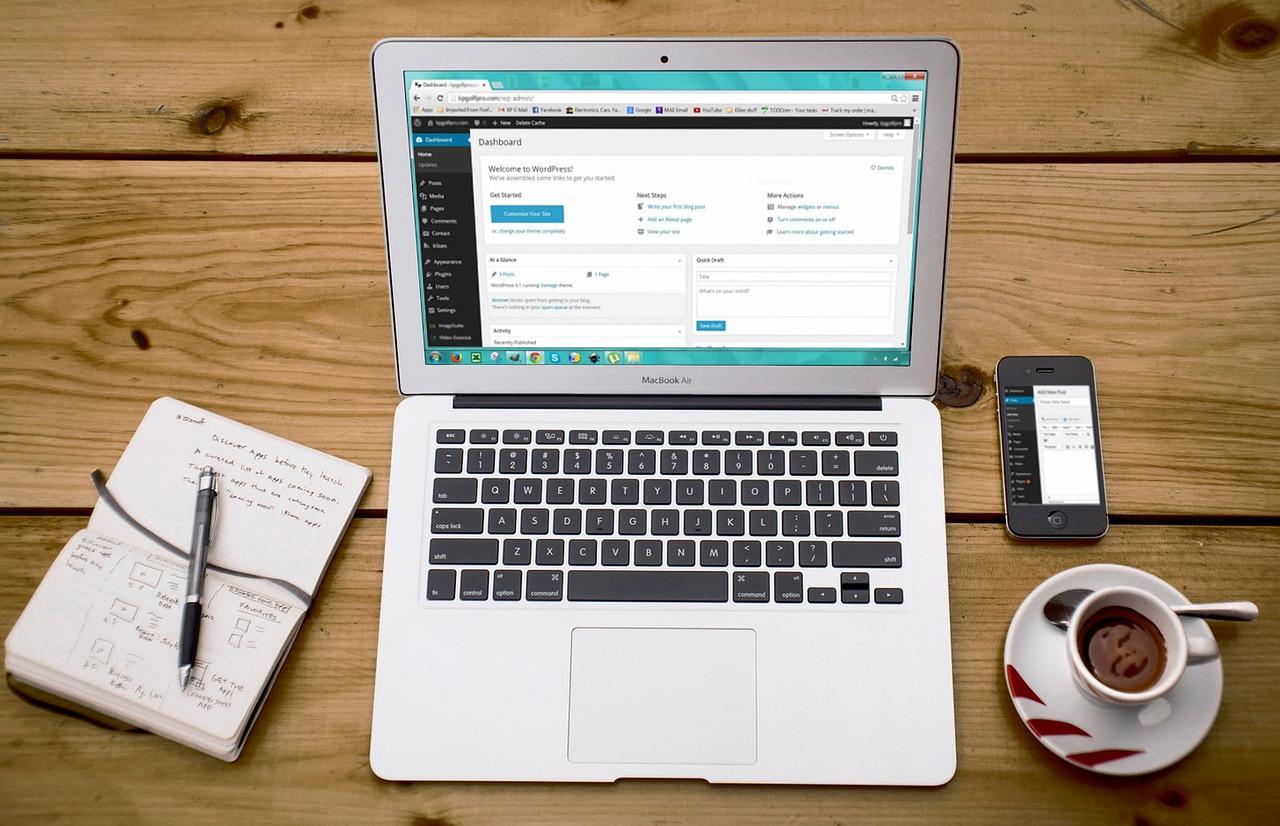
In today’s digital age, the way we educate has transformed dramatically, and as a WordPress educator, you have a unique opportunity to enhance your teaching experience and streamline your workflow like never before. Imagine a world where managing course materials and documents is not just a mundane task, but a seamless and engaging part of your teaching journey. With an array of browser-based tools at your fingertips, you can elevate your WordPress courses, making them more interactive and organized, while also saving precious time. Whether you’re struggling to keep track of student submissions, searching for the perfect way to share resources, or simply looking to create a more collaborative online environment, the right tools can make all the difference. In this article, we’ll explore the essential browser-based tools that every WordPress educator should consider, empowering you to take control of your course materials and enhance the learning experience for your students. Let’s dive into the digital toolbox that will transform your teaching landscape!
Essential Features to Look for in Browser-Based Tools for WordPress Educators
When selecting browser-based tools for managing course materials and documents, educators should prioritize features that enhance usability and engagement. A tool that is intuitive and user-friendly can significantly reduce the learning curve for both instructors and students. Look for tools that offer a simple interface where users can easily navigate through different sections and functionalities without feeling overwhelmed.
Collaboration features are another essential aspect to consider. Educators often need to work with other teachers or students on projects and assignments. Tools that allow for real-time collaboration, such as shared editing capabilities and comment sections, can foster a more interactive learning environment. Be sure to check for options like:
- Real-time document editing
- Commenting and feedback systems
- Version history tracking
Integration capabilities are crucial as well. The best browser-based tools seamlessly integrate with existing platforms such as your WordPress site, Google Drive, or learning management systems. This ensures that you can centralize your resources without the hassle of juggling multiple applications. Look for tools that support:
- Plugins for WordPress
- External file storage options
- APIs for custom integrations
Security is a non-negotiable element in any online tool, especially when handling sensitive student data and course materials. Ensure that the platform employs robust security measures, including encryption, user authentication, and regular backups. A reliable tool should also comply with educational regulations like FERPA (Family Educational Rights and Privacy Act) to protect student privacy.
Lastly, consider the support and resources available for the tool. A responsive customer support team and a wealth of tutorials or community forums can make a significant difference when you run into issues or seek to maximize the tool’s potential. Classes, webinars, or documentation can also greatly enhance your experience and help you stay updated with the latest features.
| Feature | Importance |
|---|---|
| User-friendly Interface | Reduces learning curve |
| Collaboration Tools | Enhances interaction |
| Integration Capabilities | Centralizes resources |
| Security Measures | Protects sensitive data |
| Customer Support | Ensures smooth usage |
Enhancing Student Engagement with Interactive Course Materials
In today’s digital learning environment, creating interactive course materials is no longer just a nice-to-have; it’s essential for engaging students effectively. Utilizing browser-based tools allows educators to provide resources that resonate with diverse learning styles and foster a more dynamic educational experience.
Interactive content holds the key to capturing students’ attention. By incorporating elements such as quizzes, polls, and multimedia presentations, you can transform traditional course materials into engaging resources that invite participation. Consider using tools like:
- Kahoot! – For fun, competitive quizzes that can be completed in real-time.
- H5P – To create interactive videos, presentations, and games directly within your WordPress site.
- Padlet – A collaborative platform where students can post their ideas and feedback in a visually appealing format.
Moreover, integrating these tools into your WordPress site is seamless. The plugins available are specifically designed to enhance user interaction without overwhelming the instructor or the student. For instance, the H5P plugin allows educators to embed interactive content directly into lesson pages, making the learning process more fluid.
Another excellent strategy is to employ gamification techniques. By setting up leaderboards, rewards, and progress tracking, you can motivate students to engage deeply with the material. Tools like Classcraft or Gamify can help you build an immersive learning environment that encourages students to participate actively.
Utilizing these approaches not only enhances student engagement but also provides valuable insights into learning patterns and preferences. This data can be leveraged to tailor your teaching methods, ensuring that all students have the opportunity to thrive. Here’s a quick comparison table of some popular interactive tools:
| Tool | Features | Best For |
|---|---|---|
| Kahoot! | Real-time quizzes; Competitive atmosphere | Engaging large groups |
| H5P | Interactive videos and quizzes | Embedding within courses |
| Padlet | Collaborative boards; Visual layout | Idea sharing |
| Classcraft | Gamification; Progress tracking | Enhancing motivation |
By embracing these interactive course materials, you can significantly enhance the learning experience, making it more enjoyable and impactful for your students. The goal is to create a vibrant, collaborative atmosphere that not only captures attention but also fosters a community of learners eager to explore and grow.
Streamlining Document Management: Top Tools Every Educator Should Use
In today’s fast-paced educational environment, efficient document management is key for educators striving to provide the best learning experience. Whether you’re organizing course materials, handouts, or multimedia resources, using the right tools can make all the difference. Here are some browser-based tools that can help streamline the way you manage your documents online.
Google Drive stands out as a top choice for educators due to its seamless integration with other Google services. Not only can you store documents, but you can also create, share, and collaborate in real time. This is particularly beneficial for group projects, where students can contribute and edit simultaneously. The ability to categorize files into folders helps keep everything organized, making it easy to find what you need when you need it.
Dropbox Paper offers a unique blend of document creation and management. It allows educators to create rich documents with embedded media, checklists, and even task assignments. The collaboration features enable you to invite students to edit and comment directly on the documents, fostering an interactive learning environment. The platform’s integration with Dropbox ensures that all your files are securely stored and accessible from anywhere.
For those who prefer a more structured approach, consider Notion. This all-in-one workspace tool allows you to create a personalized dashboard for your course materials. You can make use of databases, kanban boards, and wikis to organize information effectively. The flexibility of Notion makes it easy to adapt it to various teaching styles, whether you need to track student progress or curate learning resources.
Microsoft OneNote is a fantastic tool for educators looking to blend note-taking with document management. Its notebook structure allows you to categorize information easily, while you can draw or write directly on the page, making it perfect for those who prefer a more visual approach. The cloud syncing feature ensures that your notes are always up to date across all devices, allowing you to access your materials anytime, anywhere.
| Tool | Key Features | Best For |
|---|---|---|
| Google Drive | Real-time collaboration, file organization | Group projects |
| Dropbox Paper | Embedded media, interactive documents | Collaborative assignments |
| Notion | Custom dashboards, databases | Personalized learning management |
| Microsoft OneNote | Notebook structure, sketching | Visual learners |
By leveraging these tools, educators can enhance their document management processes, ensuring that both teaching and learning are more streamlined and effective. Experiment with these options to discover which ones best suit your teaching style and workflow.

Collaborative Platforms for Team Teaching and Course Development
In today’s educational landscape, collaboration is key to successful course development and team teaching. Various browser-based tools are revolutionizing how educators work together, breaking down geographical barriers and fostering a dynamic learning environment. With the right platforms, instructors can seamlessly share resources, collaborate on course materials, and engage with students more effectively.
Google Workspace is a powerhouse for collaboration. With tools like Google Docs, Sheets, and Slides, multiple educators can work in real-time, ensuring that course content is not only up-to-date but also reflective of diverse perspectives. This collaborative approach fosters creativity and enriches the educational experience for students. Plus, the integrated chat feature allows for instant feedback during the development process.
Another excellent option is Trello. This visual project management tool allows teams to organize tasks and deadlines in an intuitive board format. Educators can create boards for each course, assign tasks, and track progress visually. The ability to attach documents, links, and comments directly to cards ensures that all necessary materials are within reach, streamlining communication and enhancing productivity.
Consider using Moodle as your course management system. This robust platform not only supports course delivery but also enhances collaboration among educators. Faculty members can create groups for sharing teaching materials and feedback, fostering a community of practice. Moodle’s grading and assessment tools also make it easy to align course outcomes with collaborative projects.
| Tool | Key Features | Best For |
|---|---|---|
| Google Workspace | Real-time collaboration, integrated chat, cloud storage | Document sharing and editing |
| Trello | Visual task management, deadline tracking, assignment features | Project organization |
| Moodle | Course management, grading tools, community building | Course delivery and collaboration |
Lastly, don’t overlook Slack for communication. This messaging platform allows for organized conversations in channels, file sharing, and integration with other tools. Instructors can create dedicated channels for different courses or projects, making it easier to keep discussions focused and accessible. With Slack, team members can communicate asynchronously, ensuring that even the busiest teachers can contribute their insights.

Effortless File Sharing: The Best Cloud Storage Options for Educators
For educators, the ability to share resources seamlessly can make a world of difference in enhancing the learning experience. While traditional methods of file sharing are often cumbersome and time-consuming, cloud storage solutions provide an effortless way to manage and distribute course materials. Here are some of the best cloud storage options that can help educators streamline their workflow and focus on what truly matters: teaching.
One standout option is Google Drive. With its user-friendly interface and robust integration with other Google services, it’s perfect for educators looking to keep everything organized. Teachers can easily create folders for different subjects, share documents with students, and collaborate in real-time. The ability to access files from any device ensures that important resources are always within reach, whether in the classroom or on the go.
Another fantastic choice is Dropbox. Known for its simplicity and reliability, Dropbox allows educators to quickly upload, share, and sync files across multiple devices. Its selective sync feature is particularly useful for those who want to manage storage space while keeping important documents readily accessible. With easy sharing options, including the ability to set permissions, Dropbox ensures that sensitive materials remain secure while still being available to the right people.
For those seeking a more education-focused solution, Microsoft OneDrive offers seamless integration with Microsoft Office tools. This cloud storage service is ideal for educators who regularly use Word, Excel, or PowerPoint, as it allows for easy saving and sharing of documents. With features like version history and collaborative editing, teachers can work together on projects without the hassle of emailing back and forth.
| Feature | Google Drive | Dropbox | OneDrive |
|---|---|---|---|
| Real-Time Collaboration | ✔️ | ✔️ | ✔️ |
| Office Integration | ✔️ | ❌ | ✔️ |
| File Versioning | ✔️ | ✔️ | ✔️ |
| Free Storage (Basic Plan) | 15 GB | 2 GB | 5 GB |
Ultimately, the right cloud storage tool can significantly enhance an educator’s productivity and effectiveness. By embracing these technologies, teachers can foster a more collaborative learning environment, ensuring that students have access to the resources they need, when they need them. With options like Google Drive, Dropbox, and OneDrive, effortless file sharing is just a click away, allowing educators to focus on what they do best—teaching.
Automating Administrative Tasks: Tools to Save You Time and Stress
In the fast-paced world of education, every minute counts. As a WordPress educator, automating your administrative tasks can significantly reduce the stress of managing course materials and documents. Thankfully, several browser-based tools can alleviate this burden, providing seamless integration with your existing WordPress framework. Here are some essential tools worth your consideration:
Consider implementing Trello or Asana for project management. These tools allow you to streamline your course creation process by organizing tasks into boards or lists. You can set deadlines, assign responsibilities, and even track the progress of your projects visually. By automating reminders and notifications, you’ll keep both yourself and your students on track without the constant need for manual check-ins.
For document management, Dropbox Paper offers a fantastic alternative. It enables you to create a central repository for all your course documents, making it easy to collaborate and ensure that everyone has access to the latest materials. Plus, with its built-in commenting feature, feedback can be given directly on the document, reducing back-and-forth emails and preserving context.
| Tool | Functionality | Benefits |
|---|---|---|
| Google Workspace | Document creation and storage | Real-time collaboration and accessibility |
| Trello | Project management | Visual task tracking and organization |
| Dropbox Paper | Document management | Centralized feedback and collaboration |
don’t underestimate the power of automation plugins available for WordPress itself. Tools like WPForms can help you automate data collection through forms, while Zapier can integrate various apps to automate workflows. By taking advantage of these resources, you can focus more on teaching and engaging with your students, leaving the tedious administrative tasks behind.

Maximizing Your WordPress Site with Essential Plugins for Educators
As educators, efficiently managing course materials and documents is crucial for creating an engaging and streamlined learning experience. WordPress offers a range of powerful plugins that can transform your site into a robust educational hub. Here are some essential plugins that will help you enhance your WordPress site and simplify your workflow:
- LearnDash – This popular Learning Management System (LMS) plugin allows you to create and sell courses, track student progress, and integrate quizzes seamlessly.
- WP Courseware – Perfect for those looking to create comprehensive learning experiences, WP Courseware offers drag-and-drop course creation tools and supports multimedia content.
- Google Drive Embedder – Easily integrate Google Drive files into your WordPress site, allowing students to access course materials, presentations, and documents directly from your pages.
- MemberPress – Control access to your content and offer membership plans for students, enhancing the monetization capabilities of your educational site.
- TablePress – Create beautiful tables to organize course schedules, grading rubrics, or any other relevant data without needing to write any code.
When managing course materials online, organization is key. Consider using a plugin like WP Document Revisions, which allows you to manage and version control your documents easily. This is especially useful for maintaining updated course outlines, syllabi, and other important resources. Plus, it simplifies collaboration with colleagues by allowing them to access and edit shared documents efficiently.
| Plugin Name | Key Features | Best For |
|---|---|---|
| LearnDash | Course creation, quizzes, tracking | Online courses |
| WP Courseware | Drag-and-drop, multimedia integration | Comprehensive learning experiences |
| MemberPress | Membership control, content restriction | Monetizing educational content |
To further enhance communication with students, consider using BuddyPress, which allows you to create a vibrant community where learners can interact, collaborate, and share resources. Engaging your students in discussions and forums can significantly improve their learning experience. Combine this with tools like Gravity Forms to create customizable forms for feedback, assignments, or surveys, making it easier to gather insights and improve your courses continually.

Creating a Seamless Learning Experience: Integrating Multimedia Tools
In today’s fast-paced digital landscape, integrating multimedia tools into your educational content can elevate the learning experience significantly. Educators can harness the power of these tools to create engaging and interactive environments that cater to diverse learning styles. Whether you’re sharing course materials or facilitating discussions, the use of multimedia can enhance comprehension and retention among students.
Video tutorials and webinars are fantastic ways to impart knowledge in a visually stimulating manner. With platforms like YouTube or Vimeo, you can easily embed videos directly into your WordPress site, providing students with easy access to visual explanations. Consider using screen recording tools such as Loom or Camtasia to create personalized content that addresses specific queries or complex topics. This not only makes learning more relatable but also fosters a sense of community and responsiveness.
Incorporating infographics and interactive presentations can break down complex information into digestible pieces. Tools like Canva and Prezi allow educators to design visually appealing graphics that simplify data, making it easier for students to grasp key concepts. By embedding these visuals into your course materials, you support varied learning preferences and enhance engagement.
Additionally, leveraging audio content can be a game-changer. Podcasts or audio summaries can accommodate auditory learners who benefit from listening rather than reading. Tools like Anchor and Audacity enable you to create and share audio clips, ensuring your content reaches every learner effectively.
| Multimedia Tool | Purpose | Benefits |
|---|---|---|
| YouTube | Video Tutorials | Visual learning, accessibility |
| Canva | Infographics | Simplifies complex data |
| Loom | Screen Recording | Personalized instruction |
| Anchor | Audio Content | Engages auditory learners |
By strategically selecting and integrating these multimedia tools, you can create an enriching learning environment that not only delivers content more effectively but also keeps students motivated and eager to learn. Remember, the goal is to make the educational experience as smooth and enjoyable as possible, ensuring that your learners can thrive in a digital classroom setting.

Tracking Progress and Feedback: Must-Have Assessment Tools for Your Courses
Monitoring student progress and gathering feedback are essential components of effective teaching. Utilizing the right assessment tools not only enhances the learning experience but also provides insights that can help you refine your courses. Here are some must-have browser-based tools that will elevate your course management game on WordPress:
- Google Forms: Create quizzes, surveys, and feedback forms effortlessly. The real-time data collection and analysis make it a favorite among educators. Plus, it integrates seamlessly with Google Sheets for advanced tracking.
- Quizlet: Ideal for creating interactive flashcards and quizzes, Quizlet helps students engage with the material in a dynamic way. Monitor their progress through built-in analytics to adjust your teaching strategies accordingly.
- Edpuzzle: Transform your video lectures into interactive learning experiences. Edpuzzle allows you to embed questions within videos, providing immediate feedback to students and giving you valuable insights on comprehension.
- Padlet: A collaborative space that encourages student interaction. Use it for peer feedback sessions or to track group assignments. The visual layout makes it easy to see progress at a glance.
In addition to these tools, consider utilizing a comprehensive Learning Management System (LMS) such as Moodle or LearnDash. These platforms offer built-in assessment features that allow you to create courses with quizzes, assignments, and grading systems. Here’s a quick comparison of some popular LMS options:
| LMS Tool | Key Features | Best For |
|---|---|---|
| Moodle | Customizable, open-source, extensive plugins | Flexible learning environments |
| LearnDash | Advanced quizzing, reporting, and drip-feed content | Professional course creation |
| Teachable | Easy course setup, marketing tools | Entrepreneurs and small businesses |
Lastly, consider leveraging analytics tools like Google Analytics for your WordPress site. Understanding how students interact with your course materials can help you identify areas for improvement. By analyzing engagement metrics, you can tailor your content to better meet your students’ needs.

Building an Online Community: Forums and Communication Tools for Educators
Creating a vibrant online community among educators can significantly enhance the learning experience, allowing for collaboration, sharing of resources, and mutual support. By integrating forums and communication tools into your WordPress site, you can cultivate a space where educators feel engaged and empowered to exchange ideas and best practices.
When selecting tools, consider options that facilitate easy communication and foster community engagement. Here are some excellent choices:
- bbPress: A powerful plugin for creating forums directly on your WordPress site, allowing educators to start discussions, post questions, and share answers.
- BuddyPress: This plugin enhances your WordPress site to include social networking features like user profiles, activity streams, and private messaging, perfect for building connections among educators.
- Slack: While not a WordPress plugin, integrating a Slack channel can provide real-time communication and quick sharing of resources, making collaboration seamless.
- Discord: Similar to Slack, Discord offers voice, video, and text communication, ideal for interactive sessions and informal discussions among educators.
Consider implementing a structured approach to your forums and communication tools. A clear guideline can help maintain a respectful and productive environment. Here’s a simple framework to outline community expectations:
| Guideline | Description |
|---|---|
| Be Respectful | Engage with others in a constructive manner, valuing diverse opinions. |
| Stay On Topic | Ensure discussions remain relevant to education and instructional practices. |
| Share Resources | Encourage sharing of materials and tools that can benefit others in the community. |
| Encourage Participation | Invite quieter members to share their thoughts and experiences. |
Additionally, consider hosting regular events such as webinars or Q&A sessions to foster deeper connections among community members. These events can be promoted through your forums and communication tools, driving engagement and participation while providing valuable professional development opportunities.
always seek feedback from your community about the effectiveness of the forums and tools in use. Continuous improvement based on user experiences will ensure your online community remains dynamic and responsive to the needs of educators, thus enhancing the overall teaching and learning experience.
Frequently Asked Questions (FAQ)
Essential Browser-Based Tools for WordPress Educators: Managing Course Materials and Documents Online
Q&A
Q1: Why should I consider using browser-based tools for managing my course materials on WordPress?
A: Great question! Browser-based tools offer flexibility and accessibility that traditional methods simply can’t match. Imagine being able to manage your course materials from anywhere, whether you’re at home, in a café, or at a conference. These tools often integrate seamlessly with WordPress, making it easier for you to update and organize content without the hassle of complicated software installations. Plus, they usually come with collaborative features, allowing you to work with colleagues or students in real-time!
Q2: What are some essential tools I should consider for managing my WordPress courses?
A: There are several fantastic tools out there that can streamline your course management processes. Here are a few must-haves:
- Google Drive: Perfect for storing and sharing documents, presentations, and spreadsheets. It also allows for easy collaboration.
- Trello or Asana: These project management tools help you organize tasks, set deadlines, and keep track of progress, ensuring you stay on top of your course creation.
- Slack: A great communication tool that helps you keep in touch with your students and fellow educators, facilitating discussions and feedback.
- Canva: If you need to create engaging visuals or infographics for your courses, Canva is super user-friendly and offers a range of templates.
- Zoom: For those live sessions or guest lectures, Zoom is a reliable platform that integrates well with WordPress for embedding links to your course content.
Q3: How can these tools enhance student engagement and learning outcomes?
A: When you use browser-based tools, you’re not just simplifying your own workflow; you’re also creating a more interactive learning environment for your students. Tools like Google Docs allow for collaborative note-taking and peer feedback, which can boost engagement. Project management tools can help students track their assignments and deadlines, making them more accountable. Plus, incorporating visual tools like Canva can make your course materials more appealing, helping to maintain student interest and improving retention of information.
Q4: Are these tools easy to integrate into my existing WordPress site?
A: Absolutely! Most of these tools offer straightforward integration options. For example, you can easily embed Google Docs or Slides into your WordPress posts or pages with a simple link. Plugins are also available to help with integrations, making it convenient to pull in content from tools like Trello or Slack. Plus, many of these tools have dedicated WordPress plugins that make the process even easier!
Q5: What if I encounter technical issues while using these tools?
A: No worries! Most browser-based tools come with robust support resources, including tutorials, FAQs, and customer service chat options. Additionally, the WordPress community is incredibly supportive. If you run into an issue, chances are someone has faced it before and can help. Online forums, blogs, and even video tutorials can be great resources for troubleshooting.
Q6: How do I ensure my students are using these tools effectively?
A: The key is to introduce the tools gradually and provide clear, concise instructions. Consider hosting a brief workshop or creating tutorial videos that walk them through the basics. Encourage them to ask questions and share their own tips and tricks as they become more comfortable. The more they engage with these tools, the more effective their learning experience will be!
Q7: Any final tips for WordPress educators looking to leverage these tools?
A: Definitely! Start small—choose one or two tools that resonate with your teaching style and integrate them into your course. Ask for feedback from your students as you go along; their insights can help you refine your approach. Also, don’t forget to stay updated on the latest features and trends in educational technology. The landscape is always evolving, and staying informed will help you provide the best learning experience possible!
By utilizing these browser-based tools, you’ll not only enhance your productivity but also create a dynamic learning environment for your students. So, why wait? Start exploring these essentials today!
The Way Forward
As we wrap up our exploration of essential browser-based tools for WordPress educators, it’s clear that the right resources can transform the way we manage course materials and engage with our students. Whether you’re organizing documents, streamlining communication, or enhancing collaborative learning, leveraging these tools can save you time and energy, allowing you to focus on what truly matters—providing a rich and fulfilling educational experience.
So why not take the plunge? Start experimenting with these tools today and watch as your teaching methods evolve and your students thrive. Remember, the world of online education is constantly changing, and staying ahead means being open to new ideas and technologies.
Embrace these tools, adapt them to your unique style, and empower your students to succeed. After all, the more effectively you manage your resources, the more impactful your teaching will be. Happy teaching, and here’s to a future filled with innovative learning experiences!