Are you ready to transform your ideas into a stunning online presence without breaking the bank? In today’s digital world, having a website is essential—whether you’re a small business owner, a creative professional, or simply someone who wants to showcase their passion projects. Enter Canva, the user-friendly design platform that not only allows you to create beautiful graphics but also empowers you to build and publish your very own website. Whether you’re eyeing a free domain to get started or dreaming of a custom domain that reflects your unique brand, this article will guide you through the simple steps to get your Canva website live. So grab your favorite beverage, get comfortable, and let’s dive into the exciting world of website publishing with Canva! Your online journey starts here, and trust us, it’s going to be a fun ride.
Choosing the Right Template for Your Canva Website
When diving into the world of Canva websites, selecting the perfect template is crucial to crafting your online presence. The right template not only enhances your site’s aesthetic appeal but also improves user experience and engagement. With a variety of designs available, consider the following factors to narrow down your choices:
- Purpose: Identify the primary goal of your website. Are you showcasing a portfolio, running an online store, or creating a blog? Choose a template that aligns with your objectives.
- Brand Identity: Your website should reflect your brand’s personality. Opt for templates that resonate with your color scheme, fonts, and overall vibe.
- Functionality: Look for templates that offer features like contact forms, galleries, or e-commerce capabilities, depending on your needs.
- Responsiveness: Ensure the template is mobile-friendly. A significant portion of users access websites on their smartphones, so a responsive design is essential.
Once you have a shortlist, it’s time to dive deeper. Consider customizing the template to suit your unique style. Canva allows you to tweak various elements, from colors to layouts, ensuring your site stands out. Personalization can turn an already appealing template into something that truly represents you.
Don’t forget to explore community feedback and reviews on specific templates. Seeing how others have utilized a design can provide valuable insights into its strengths and weaknesses. This can help you avoid common pitfalls and maximize the potential of your chosen template.
Lastly, remember that templates are merely a starting point. Your creativity and content will breathe life into the design. Take advantage of Canva’s user-friendly interface to make adjustments, and don’t hesitate to experiment until your website looks just right.
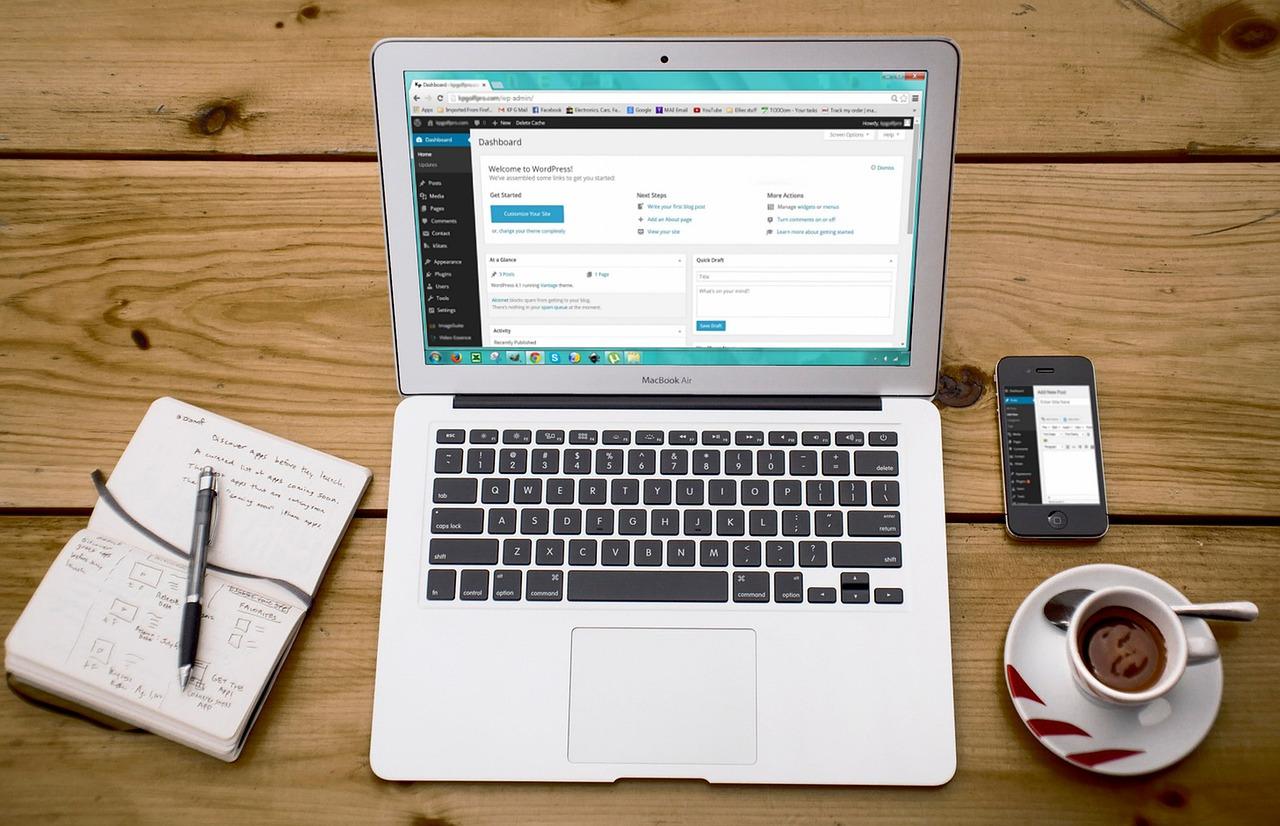
Step-by-Step Guide to Designing Your Website in Canva
Publishing Your Canva Website: A Simple Process
Once you’ve designed your stunning website in Canva, the next thrilling step is publishing it online. Thankfully, Canva makes this process straightforward, whether you opt for a free or custom domain. Let’s dive into the essential steps to get your website live!
Choosing Your Domain
Before hitting the publish button, consider how you want your audience to access your site. You have two options:
- Free Domain: Canva will provide a domain like yourusername.canva.site. This is a great way to get started without any costs.
- Custom Domain: If you want a more professional look, you can purchase a custom domain through any domain registrar and connect it to your Canva site.
Publishing Your Website
To publish your Canva website, follow these simple steps:
- Click on the “Share” button located in the upper right corner of the Canva editor.
- Select “Publish as a website” from the dropdown options.
- Choose between “Presentation” or “Scrolling” format based on your design preference.
- Decide on your domain option—either free or custom—and follow the prompts.
- Click on “Publish” to make your website live!
Connecting a Custom Domain
If you’ve chosen to go with a custom domain, you’ll need to follow additional steps to ensure everything is connected seamlessly:
| Step | Description |
|---|---|
| 1 | Purchase your desired domain from a registrar. |
| 2 | Access your registrar’s DNS settings. |
| 3 | Add a CNAME record pointing to your Canva domain. |
| 4 | Return to Canva and enter your custom domain in the settings. |
| 5 | Verify the connection and make your site live! |
Final Touches
After publishing, don’t forget to promote your new website! Share it across your social media channels, include it in your email signature, and encourage friends or colleagues to visit. Engaging your audience will help drive traffic to your site and promote your brand effectively.

Understanding the Difference Between Free and Custom Domains
When it comes to publishing your Canva website, one of the key decisions you’ll face is whether to opt for a free domain or a custom domain. Each option offers distinct advantages and drawbacks, which can significantly influence your website’s professionalism and discoverability.
A free domain, often linked to platforms like Canva, is a great starting point, especially for beginners or those exploring their creative ideas without financial commitment. Here are some points to consider:
- Cost-effective: You can launch your website without any upfront costs.
- Easy setup: With simple steps, you can quickly get your site up and running.
- Ideal for experimentation: Perfect for personal projects or testing your designs.
However, a free domain does come with limitations. Your website URL will often include the platform’s name, which can affect your brand’s credibility. On the other hand, a custom domain — your own unique web address — can offer numerous benefits:
- Enhanced professionalism: A unique domain builds trust and makes you appear more established.
- SEO advantages: Custom domains can improve your search engine visibility, making it easier for potential visitors to find you.
- Brand identity: It allows you to create a strong brand presence, crucial for future growth.
To help you weigh your options, here’s a quick comparison of the two:
| Feature | Free Domain | Custom Domain |
|---|---|---|
| Cost | Free | Annual fee |
| Professionalism | Less professional | Highly professional |
| SEO | Limited | Better opportunities |
| Branding | Basic branding | Strong brand identity |
Ultimately, the choice between a free and a custom domain should align with your goals. If you’re serious about building a lasting online presence, investing in a custom domain might be the way to go. It not only reflects your commitment but also paves the way for future growth and recognition in an ever-competitive digital landscape.
Setting Up Your Free Domain: What You Need to Know
When it comes to establishing your online presence, one of the crucial first steps is securing a domain name. Whether you opt for a free domain or decide to invest in a custom one, understanding the nuances can make a significant difference in your website’s credibility and visibility.
Here are some key points to consider when setting up your domain:
- Free Domains: Typically offered by website builders, free domains often come with extensions like
.canva.comor.wordpress.com. While they are great for personal projects or experimentation, they might not convey the professionalism needed for business. - Custom Domains: Investing in a custom domain like
yourbrand.comenhances your website’s trustworthiness and SEO. It’s easier for customers to remember and share. - Domain Availability: Use domain registration sites to search for your desired domain. It’s essential to find a name that reflects your brand while being easy to spell and pronounce.
- Registration Duration: Domains can typically be registered for one year or longer. Always check renewal fees, as they can vary significantly.
- Domain Privacy Protection: Consider adding privacy protection to keep your personal information safe from public access. This is often offered by domain registrars for an additional fee.
To give you a clearer picture, here’s a simple comparison of the two options:
| Feature | Free Domain | Custom Domain |
|---|---|---|
| Cost | Free | $10-$20/year |
| Professionalism | Lower | Higher |
| SEO Potential | Limited | Enhanced |
| Control | Minimal | Full |
while free domains may serve as a good starting point, transitioning to a custom domain is a wise investment as your website grows. With the right domain in place, you can confidently publish your Canva website, knowing you’re setting the stage for success.
How to Connect Your Custom Domain with Canva
Connecting your custom domain with your Canva website is a straightforward process that can elevate your online presence. This step allows you to showcase your brand more professionally and ensure that your audience finds you easily. Here’s how you can seamlessly link your domain to your Canva creation.
First, you’ll need to obtain a domain name if you haven’t done so already. You can purchase a domain from various registrars such as GoDaddy, Namecheap, or Google Domains. Once you have your domain, follow these steps to connect it to your Canva website:
- Log into your Canva account and navigate to the website you want to publish.
- Select the “Publish” option and choose “Website.”
- Click on “Custom domain” and enter your domain name.
- Canva will provide you with DNS records. Access your domain registrar’s dashboard to update your DNS settings.
- Once updated, confirm the changes in Canva, and you’re all set!
When configuring your DNS settings, it’s crucial to understand what each record means. Here’s a simple table to clarify the common types of DNS records you might need to modify:
| DNS Record Type | Description |
|---|---|
| A Record | Points your domain to an IP address. |
| CNAME Record | Redirects one domain to another, often used for subdomains. |
| TXT Record | Used to provide additional information, such as verification for email. |
After updating your DNS settings, it may take a few hours for the changes to propagate. During this time, you can check the status of your website by entering your custom domain into a web browser. If everything is set up correctly, your Canva site will appear under your unique domain name.
Keep in mind that having a custom domain not only enhances your brand’s credibility but also helps in search engine optimization (SEO). By investing a little time in this connection, you’re making a significant leap toward establishing a solid online identity.
Essential Tips for Optimizing Your Website for Search Engines
When optimizing your website for search engines, it’s essential to focus on both on-page and off-page elements. Here are some fundamental strategies to enhance your site’s visibility:
- Keyword Research: Identify the right keywords that resonate with your audience. Use tools like Google Keyword Planner to find relevant terms that can drive traffic.
- Content Quality: Create engaging, high-quality content that answers users’ questions. Search engines favor content that is informative and valuable.
- Meta Tags: Don’t forget to optimize your title tags and meta descriptions. These elements are crucial as they appear in search results and significantly influence click-through rates.
- Responsive Design: Ensure your website is mobile-friendly. A responsive design improves user experience and is favored by search engines.
- Page Speed: Optimize loading times by compressing images and minimizing code. A faster website enhances user satisfaction and search engine rankings.
Link-building is another critical aspect of SEO. It helps establish your site’s authority and can significantly impact your ranking. Consider the following:
- Guest Blogging: Write articles for reputable websites in your niche. This not only builds backlinks but also increases your exposure to a broader audience.
- Social Media Promotion: Share your content on social media platforms to drive traffic and attract natural backlinks from users who find your content useful.
- Collaborations: Partner with influencers or other content creators to amplify your reach and credibility.
Lastly, don’t overlook the importance of analytics. Utilize tools like Google Analytics to monitor your website’s performance. This data can provide valuable insights:
| Metric | Description | Importance |
|---|---|---|
| Traffic Sources | Identify where your visitors are coming from. | Helps to focus marketing efforts. |
| Bounce Rate | The percentage of visitors who leave after viewing one page. | Indicates content relevance and user engagement. |
| Conversion Rate | Percentage of visitors who take a desired action (e.g., sign-ups). | Measures the effectiveness of your site in achieving goals. |
By implementing these essential tips, you can ensure that your website not only attracts visitors but also retains them, fostering a loyal audience that keeps coming back for more.
Making Your Website Mobile-Friendly with Canva
In today’s digital age, having a mobile-friendly website is essential for reaching a broader audience. With Canva, creating a stunning website that looks great on smartphones and tablets is easier than ever. The platform provides a user-friendly interface that allows even those with little design experience to craft beautiful, responsive sites.
One of the first steps in ensuring your Canva website is mobile-friendly is to utilize the responsive templates available. These templates automatically adjust to different screen sizes, making it simpler for visitors to navigate your content, whether they’re using a desktop or a mobile device. Here are some tips to maximize the mobile experience:
- Keep It Simple: Avoid cluttered designs. Use clear headings and concise text.
- Optimize Images: Ensure images are not too large, which can slow down loading times.
- Test Navigation: Make sure buttons are easy to tap, and links are not too close together.
Another crucial aspect is the font size and style. On mobile devices, users often zoom in to read text that is too small. Choose legible fonts and ensure that they are at least 16px in size for body text. Headings should be distinct and easy to read, enhancing the overall user experience.
Don’t forget about the call-to-action buttons! On a mobile screen, these buttons must be prominent and easy to click. Use contrasting colors to make them stand out, and ensure they lead visitors to the next step, whether it’s signing up for a newsletter or making a purchase. Here’s a quick overview of effective button design:
| Color | Purpose | Best Uses |
|---|---|---|
| Green | Go/Proceed | Sign-up, Purchase |
| Red | Alert/Stop | Delete, Cancel |
| Blue | Informational | Learn More, Read More |
By focusing on these elements, you can create a mobile-friendly website that not only attracts visitors but also keeps them engaged. Canva’s intuitive tools make it easy to preview your design on different devices, allowing you to make necessary adjustments before publishing. This ensures your website not only looks great but functions seamlessly across all platforms.

Promoting Your Canva Website: Strategies for Success
Once you’ve crafted a stunning website using Canva, the next crucial step is to get it noticed. Building a visually appealing site is just the beginning; effective promotion is essential to drive traffic and engage your audience. Here are some strategies that can help elevate your Canva website to new heights:
- Leverage Social Media: Share your Canva website across various social media platforms like Instagram, Facebook, Twitter, and Pinterest. Create eye-catching posts that highlight your best content, and don’t forget to use relevant hashtags to broaden your reach.
- Engage with Your Audience: Encourage interaction by asking questions, initiating polls, or hosting giveaways. Building a community around your website will drive organic traffic and foster loyalty.
- SEO Optimization: Optimize your website for search engines by incorporating keywords relevant to your niche. Use engaging titles, meta descriptions, and alt text for images to improve your site’s visibility.
- Email Marketing: Collect email addresses from visitors and create a newsletter to keep them updated with your latest content and promotions. Personalized emails can significantly increase engagement.
Consider collaborating with influencers or bloggers in your niche. A shout-out or a guest post can introduce your website to a new audience. Make sure to choose influencers who align with your brand for the best results. Additionally, you can explore paid advertising options on social media or through Google Ads to target your ideal audience more effectively.
Another effective way to promote your website is through creating quality content. Regularly updating your blog with valuable articles, how-tos, or tips can establish you as an authority in your field. Not only does this enhance user engagement, but it also improves your SEO rankings over time.
| Promotion Strategy | Benefits |
|---|---|
| Social Media Marketing | Increases brand awareness and audience engagement. |
| Email Campaigns | Builds a loyal subscriber base and drives repeat traffic. |
| SEO Techniques | Enhances visibility and attracts organic search traffic. |
| Collaborations | Expands reach and taps into new audiences. |
Lastly, ensure that your website remains user-friendly and mobile-responsive. A seamless browsing experience will encourage visitors to stay longer and explore more. As you implement these strategies, monitor your analytics to understand what works best for your audience and refine your approach accordingly.

Tracking Your Website Performance: Tools and Tips
Understanding how your website is performing is essential to ensuring it meets the needs of your visitors and achieves your goals. With the right tools, you can gain valuable insights into various metrics that matter most. Here are some tools and tips to help you track your Canva website performance effectively.
First and foremost, using Google Analytics is a game changer. This powerful tool provides an in-depth look at your website’s traffic, including the number of visitors, page views, and bounce rates. By setting up Google Analytics on your Canva site, you can:
- Monitor real-time visitor activity.
- Analyze where your traffic is coming from.
- Understand user behavior on your site.
Another fantastic tool is Google Search Console. This free service helps you monitor your site’s presence in Google search results. It allows you to track website performance metrics such as:
- Search queries that bring visitors to your site.
- Index status and potential issues with your pages.
- Mobile usability errors.
Additionally, consider using heatmap tools like Hotjar or Crazy Egg. These tools visually represent where users click, scroll, and spend their time on your website. This data can guide you in optimizing your layout and content placement for better user engagement. For instance, you might find that visitors are clicking on a call-to-action button that’s buried at the bottom of the page, indicating you may need to reposition it for better visibility.
| Tool | Purpose | Key Feature |
|---|---|---|
| Google Analytics | Traffic Analysis | Real-time monitoring |
| Google Search Console | Search Performance | Search query tracking |
| Hotjar | User Behavior | Heatmaps |
Lastly, don’t overlook the importance of monitoring your website’s loading speed. Tools like GTmetrix and Pingdom can help you diagnose performance issues that may frustrate users. A slow-loading site can lead to higher bounce rates, so optimizing site speed should be a priority. Take advantage of these insights to improve your website’s overall experience and boost customer satisfaction.
Updating and Maintaining Your Canva Website Like a Pro
Once your Canva website is live, the journey doesn’t end there. Regular updates and maintenance are essential to keep your site fresh, engaging, and functional. Here are some strategies to ensure your website always shines brightly:
- Regular Content Updates: Refresh your content regularly to keep it relevant. This could involve adding new blog posts, updating images, or modifying existing text to reflect the latest trends or information.
- Check Links and Functionality: Periodically verify that all links work correctly. Broken links can frustrate visitors and hurt your site’s credibility.
- Optimize for SEO: Keep an eye on SEO best practices. Update meta descriptions, tags, and alt texts for images to improve visibility on search engines.
- Monitor Performance: Utilize tools to track your website’s performance. Analytics can provide insights into visitor behavior, helping you make data-driven updates.
One of the benefits of using Canva for your website is its user-friendly interface, which simplifies the design and updating process. Here are some tips to make the most of it:
- Utilize Canva’s Templates: Canva offers a variety of templates that can be repurposed for different seasons or promotions. This keeps your website looking fresh without the need for extensive redesigns.
- Engage with Your Audience: Incorporate feedback and suggestions from visitors. Engage through comments or surveys to understand what they enjoy and what could be improved.
- Consistent Branding: Ensure that your website reflects your brand identity consistently. Update color schemes, fonts, and logos as necessary to maintain brand integrity.
To facilitate these updates, consider creating a maintenance schedule. Here’s a simple table to help outline what tasks to perform monthly versus quarterly:
| Frequency | Task |
|---|---|
| Monthly | Update blog content, check link functionality, review analytics |
| Quarterly | Redesign sections as needed, refresh SEO strategies, assess overall site performance |
By actively engaging in these updating and maintenance practices, you not only enhance user experience but also position your Canva website for long-term success. Keeping your content dynamic and your design fresh can lead to higher visitor retention and increased brand loyalty.
Frequently Asked Questions (FAQ)
Q&A: How to Publish a Canva Website? (Free or Custom Domain)
Q: Why should I consider using Canva to create my website?
A: Canva is not just for graphic design anymore! It’s a user-friendly platform that allows anyone—regardless of technical skill—to create stunning websites. With its drag-and-drop interface, you can easily customize layouts, add images, and incorporate text to match your unique style. Plus, you can start for free, making it a perfect option for beginners or small businesses looking to establish an online presence without breaking the bank!
Q: What are the first steps to creating my Canva website?
A: First, sign up for a free Canva account if you haven’t already. Once you’re in, select “Website” from the design options. Choose a template that resonates with your vision. Canva offers an array of beautiful templates tailored for various purposes—be it portfolios, blogs, or landing pages. From there, personalize it by adjusting colors, fonts, and adding your content. This is where your creativity really shines!
Q: Can I publish my Canva website for free? What are the limitations?
A: Absolutely! You can publish your Canva website for free using a Canva subdomain (e.g., yourname.canva.site). While this is a fantastic start, keep in mind that a subdomain may not convey the same professionalism as a custom domain. Additionally, some advanced features might be limited unless you opt for a premium subscription. However, for many, the free version is more than sufficient to get your feet wet!
Q: How do I get a custom domain for my Canva website?
A: Securing a custom domain gives your website a more polished look and builds credibility. First, purchase a domain from a registrar like GoDaddy or Namecheap. Once you have your domain, head back to Canva. In the “Publish as Website” section, select “Custom Domain.” Just follow the provided instructions to link your new domain to your Canva site. Don’t worry; Canva offers step-by-step guidance to make the process seamless!
Q: What are the benefits of using a custom domain?
A: A custom domain elevates your brand! It makes your website easier to remember and appears more trustworthy to visitors. This is especially important if you’re running a business, as it enhances your professional image. Additionally, a custom domain allows for better search engine optimization (SEO), helping your site rank higher in search results. Ultimately, it’s an investment in your brand’s future!
Q: Is it easy to update my Canva website after publishing?
A: Definitely! One of the best features of Canva is how effortlessly you can make changes. Whether you want to update your content, change images, or tweak design elements, just log in to your Canva account, make your desired edits, and republish. It’s as simple as that! Keeping your website fresh and engaging has never been easier.
Q: What if I encounter issues while publishing my website?
A: Don’t panic! Canva has a robust support system, including tutorials and a help center filled with FAQs. Additionally, the Canva community is active and often shares tips and solutions. If you run into a snag, you’re likely not alone, and there’s a wealth of resources to help you troubleshoot!
Q: Can I track the performance of my Canva website?
A: Yes! While Canva doesn’t have built-in analytics, you can easily integrate tools like Google Analytics with your custom domain. This allows you to track visitor statistics, engagement, and more. Understanding how your audience interacts with your site is crucial for making informed decisions about content and design changes.
Q: Is Canva the best option for everyone wanting to create a website?
A: While Canva is an excellent choice for many, it may not be suitable for every scenario. If you need extensive functionality, like e-commerce features or complex databases, you might want to explore dedicated website builders. However, for personal portfolios, small businesses, and simple blogs, Canva is more than capable of delivering a stunning and effective website.
Conclusion:
Creating and publishing your website with Canva is straightforward, whether you choose the free option or invest in a custom domain. With its user-friendly tools and beautiful templates, you can build a professional-looking site that truly reflects your vision. So why wait? Dive into Canva today and take the first step toward making your online presence known!
Insights and Conclusions
publishing your Canva website is not just a possibility—it’s an exciting opportunity to showcase your creativity and make your mark online. Whether you choose to go with a free domain or invest in a custom one, the process is straightforward and designed to empower you. Remember, your website is a reflection of your unique vision and personality, and with Canva’s user-friendly tools, bringing that vision to life has never been easier.
So, why wait? Start crafting your online presence today! Dive into Canva, explore the myriad of design options, and watch your ideas unfold. Whether you’re launching a portfolio, a blog, or a small business site, every moment you spend designing is a step toward establishing your digital footprint.
And don’t forget: the internet is a vast playground waiting for your voice. Dive in, experiment, and let your creativity shine. Happy designing, and here’s to your future online success!