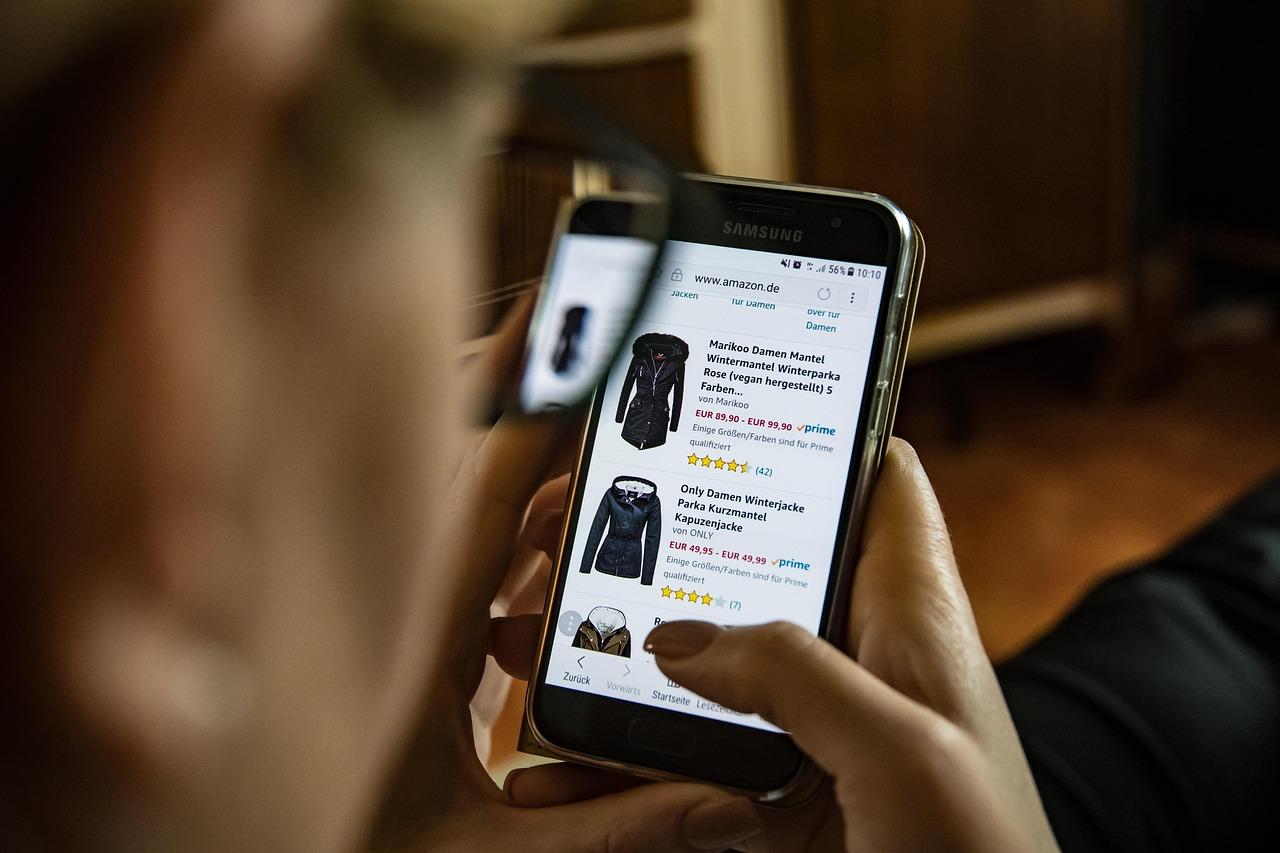
Are you ready to turn your entrepreneurial dreams into reality? If you’ve been contemplating launching your own online store but don’t know where to begin, you’re in the right place! Enter Shopify, a powerful e-commerce platform that has revolutionized the way people sell online. Whether you’re a seasoned business owner or a total beginner, Shopify makes it easy to set up shop, showcase your products, and start making sales—all without needing to be a tech wizard.
In this article, we’ll walk you through the ins and outs of Shopify, from the initial setup to making your very first sale. We’ll break down every step in a friendly, accessible way, ensuring you feel confident as you embark on this exciting journey. So grab a cup of coffee, and let’s dive into how Shopify can empower you to create a thriving online business!
Getting Started with Shopify: Your Step-by-Step Setup Guide
Setting up your Shopify store is a straightforward process that can take as little as a few hours. Here’s how to navigate the essentials:
1. Sign Up and Choose Your Plan
Begin by visiting the Shopify website and clicking on the “Start free trial” button. You will be prompted to enter your email address, password, and store name. After this, you can select a pricing plan based on your business needs. Here’s a quick overview of what each plan offers:
| Plan | Monthly Cost | Best For |
|---|---|---|
| Basic | $29 | New businesses |
| Shopify | $79 | Growing businesses |
| Advanced | $299 | Large businesses |
2. Customize Your Store
Once your account is set up, it’s time to make your store visually appealing. Shopify offers a wide range of themes, both free and paid. Choose a theme that fits your brand and start customizing:
- Logo and Colors: Upload your logo and select your brand colors for consistency.
- Navigation: Set up menus to help customers find products easily.
- Homepage Layout: Customize sections such as banners, featured products, and testimonials.
3. Add Your Products
Next, it’s time to showcase what you’re selling. Navigate to the Products section and click on Add product. Here are some crucial tips for adding products:
- High-Quality Images: Use multiple images to give customers a clear view of the product.
- Compelling Descriptions: Write engaging descriptions that highlight features and benefits.
- Pricing: Set a competitive price, considering your costs and your target market.
4. Configure Payment and Shipping Options
Your store needs to be ready to accept payments and ship products. In the Settings section, navigate to Payments to set up payment gateways like Shopify Payments, PayPal, or other options. For shipping:
- Shipping Rates: Determine your shipping costs based on weight, price, or location.
- Shipping Providers: Choose carriers that align with your business needs.
5. Launch Your Store
After setting everything up, it’s time to go live! Before officially launching, ensure you:
- Test Your Checkout: Go through the purchasing process to catch any issues.
- SEO Optimization: Optimize product titles, meta descriptions, and URLs for search engines.
With everything in place, hit the Launch Website button and get ready to make your first sale!
Choosing the Right Shopify Plan for Your Business Needs
When it comes to selecting a Shopify plan, the options can be overwhelming. You want to ensure that you’re not only getting the best value for your money but also the features that align with your business goals. Shopify offers a variety of plans, each tailored to different business needs and sizes, making it crucial to understand what each tier offers before making a decision.
Here’s a quick breakdown of key features to consider for each plan:
| Plan | Monthly Cost | Key Features |
|---|---|---|
| Basic Shopify | $39 |
|
| Shopify | $105 |
|
| Advanced Shopify | $399 |
|
Before making your choice, consider these factors:
- Your business size: If you’re just starting, the Basic Shopify plan may suffice. As you grow, upgrading to a higher tier can provide additional features to support your expansion.
- Your sales volume: Evaluate your projected sales. Higher plans often come with lower transaction fees, which can save you money in the long run if you expect significant sales.
- Required features: Think about the functionalities you need, such as gift cards or professional reporting. These features can help you manage your business more effectively and create a better customer experience.
take advantage of Shopify’s 14-day free trial. It’s an excellent way to explore the platform and test its features without committing to a financial plan right away. You can assess which plan aligns with your business model and needs before making a final decision. Making the right choice can empower your business to thrive in the competitive e-commerce landscape.
Designing Your Online Store: Tips for a Stunning Visual Experience
Creating a Memorable First Impression
Your online store’s design is like a digital storefront; it needs to captivate and engage visitors immediately. A stunning visual experience begins with a clean and organized layout. Use plenty of white space to avoid overwhelming customers and to guide their eyes where you want them to focus.
Choosing the Right Color Palette
Colors play a crucial role in brand identity and customer perception. When selecting your palette, consider:
- Brand Personality: Reflect your brand’s values and essence.
- Target Audience: Understand the emotions colors evoke in your market.
- Contrast: Ensure text is legible and buttons stand out for better usability.
High-Quality Images are Key
In the world of e-commerce, visuals matter. Invest in high-resolution images that showcase your products effectively. Include images that highlight:
- Different angles of the product
- Close-ups of unique features
- Contextual images showing the product in use
Consider implementing a zoom feature for product images, allowing customers to inspect details before making a purchase.
Simplifying Navigation
A well-organized navigation menu ensures that customers can find what they’re looking for without frustration. Keep it intuitive by:
- Using clear categories and subcategories
- Incorporating a search bar
- Adding filters for product attributes
It’s essential to test your navigation system to make sure it aids rather than hinders the shopping experience.
Engaging Call-to-Actions
Effective call-to-action (CTA) buttons can significantly boost your conversion rates. Design them to be eye-catching with:
- Contrasting Colors: Make sure they stand out from the rest of your site.
- Persuasive Text: Use action-oriented language like “Buy Now” or “Get Yours Today”.
Position your CTAs prominently on product pages, in your headers, and within your content to lead customers through their shopping journey.

Adding Products Made Easy: Best Practices for Product Listings
Creating compelling product listings is essential for converting visitors into customers. When you set up your Shopify store, the quality of your product descriptions can significantly impact your sales. To maximize your chances of success, follow these best practices:
- Write Engaging Descriptions: Focus on the benefits of the product. Instead of just listing features, explain how the product solves a problem or enhances the customer’s life. Use language that resonates with your target audience.
- High-Quality Images: Invest in professional photography. Ensure that your images are clear, well-lit, and showcase the product from various angles. A zoom feature can work wonders, allowing customers to see the fine details.
- SEO Optimization: Optimize your product titles and descriptions with relevant keywords. This will help improve your visibility in search engines, driving more organic traffic to your store.
Additionally, consider incorporating user-generated content such as customer reviews and photos. This not only builds trust but also encourages other buyers to make a purchase. Displaying ratings prominently can further influence potential customers.
| Element | Best Practice |
|---|---|
| Title | Use descriptive and keyword-rich titles. |
| Description | Highlight benefits; keep it concise. |
| Images | Use multiple angles; include zoom capability. |
| Pricing | Consider psychological pricing tactics. |
| CTA | Use clear, compelling calls to action. |
Lastly, never underestimate the power of urgency. Limited-time offers or low stock notifications can motivate customers to act quickly. By implementing these strategies, you’ll create product listings that not only attract attention but also drive conversions, making your journey from setup to first sale smoother than ever.

Setting Up Payment and Shipping Options: What You Need to Know
When launching your Shopify store, one of the most critical steps is choosing the right payment and shipping options. These elements not only affect your sales but also your customers’ experience. Here’s what you need to know to set them up effectively.
Payment Options: Offering multiple payment methods can significantly boost conversion rates. Consider integrating the following:
- Credit and Debit Cards: Most customers prefer using their credit or debit cards due to the convenience and security they provide.
- Digital Wallets: Payments via platforms like PayPal, Apple Pay, or Google Pay are increasingly popular, allowing for faster transactions.
- Buy Now Pay Later Services: Options like Klarna or Afterpay can attract customers who may hesitate to make larger purchases upfront.
Shopify makes it easy to set up these payment methods through their built-in settings. You can navigate to the Settings section in your Shopify admin and select Payment Providers. From there, you can enable the payment options that best fit your target audience.
Shipping Options: Just as important as payment methods, your shipping strategy can make or break a sale. Consider the following when setting up your shipping options:
- Flat Rate Shipping: This straightforward method offers simplicity for both you and your customers, making it clear what to expect.
- Free Shipping: If possible, consider offering free shipping on orders over a certain amount. This can encourage customers to add more items to their cart.
- Real-Time Carrier Rates: Integrating real-time shipping rates from carriers like UPS or FedEx can provide transparency and save customers from unexpected shipping costs at checkout.
To configure your shipping settings, go to the Settings section and select Shipping and Delivery. From here, you can define your shipping zones, rates, and methods, ensuring you cater to your customers’ needs efficiently.
Lastly, don’t forget to communicate your shipping policies clearly on your site. Using a table format is a great way to display shipping options at a glance:
| Shipping Method | Cost | Delivery Time |
|---|---|---|
| Standard Shipping | $5.00 | 3-5 Business Days |
| Free Shipping | Free on orders over $50 | 3-7 Business Days |
| Express Shipping | $15.00 | 1-2 Business Days |
By carefully considering your payment and shipping options, you can enhance the shopping experience, reduce cart abandonment, and ultimately drive sales. Make these selections wisely to ensure smooth transactions from the moment a customer lands on your site to the moment their order arrives at their doorstep.
Mastering Shopify Apps: Enhance Your Store’s Functionality
When it comes to creating a successful Shopify store, the right apps can make all the difference. With thousands of options available, you can easily enhance your store’s functionality, streamline operations, and improve customer experience. Whether you’re looking to boost sales, simplify inventory management, or optimize your marketing efforts, there’s an app tailored just for that.
Here are some essential categories of Shopify apps that can elevate your online store:
- Sales Optimization: Apps that help you recover abandoned carts or offer upsells and cross-sells can significantly increase your conversion rates.
- Customer Engagement: Tools for email marketing, personalized recommendations, and loyalty programs keep your customers coming back for more.
- Inventory Management: Automate stock tracking, set alerts for low inventory, and manage suppliers with ease.
- Shipping Solutions: Integrate shipping apps for real-time rates, label printing, and easier returns to enhance customer satisfaction.
- Analytics and Reporting: Insights into your store’s performance can guide your decision-making and strategy for growth.
Implementing the right apps not only saves you time but also allows you to focus on what you do best: creating great products and providing excellent service. Here’s a quick table showcasing some top-rated Shopify apps and their key features:
| App Name | Key Features |
|---|---|
| Oberlo | Automated dropshipping, product import, order fulfillment |
| Klaviyo | Email marketing automation, advanced segmentation, and analytics |
| Yotpo | Customer reviews, photos, and ratings integration |
| Bold Upsell | Upsell and cross-sell options at checkout |
| ShipStation | Multi-carrier shipping solutions, real-time tracking |
Integrating these apps can transform your Shopify store from a basic setup into a robust eCommerce powerhouse. By strategically choosing the right tools, you can create a seamless shopping experience that not only attracts customers but also turns them into loyal advocates of your brand. The path to your first sale is paved with smart decisions, and leveraging the right apps is one of the most impactful steps you can take.
Optimizing for SEO: How to Get Found Online
To increase your chances of being discovered online, it’s vital to understand the principles of SEO. For those diving into the world of Shopify, implementing effective SEO strategies can help transform your store from a hidden gem into a bustling marketplace.
Keywords are the cornerstone of SEO. Start by researching terms that potential customers might use to find products similar to yours. Tools like Google Keyword Planner or Ubersuggest can help identify high-volume search terms. Once you’ve compiled a list of relevant keywords, integrate them into:
- Product titles
- Descriptions
- Meta tags
- Image alt texts
Another critical aspect is content creation. Regularly update your store with fresh content to engage your audience and improve rankings. Consider starting a blog where you can share insights about your products or industry trends. This not only helps with SEO but also builds trust with your audience.
Don’t overlook the importance of site speed and mobile optimization. A fast-loading, mobile-friendly website enhances user experience, which translates to better SEO rankings. Tools like Google PageSpeed Insights can help you assess your site’s performance and provide actionable suggestions.
| SEO Strategy | Description |
|---|---|
| Keyword Optimization | Research and implement high-value keywords in your store content. |
| Content Marketing | Create engaging, informative blog posts to attract and retain customers. |
| Site Performance | Ensure your Shopify store loads quickly and is mobile-friendly. |
Lastly, don’t shy away from leveraging social media. Share your products and content across various platforms to generate traffic back to your Shopify store. Engage with your audience, respond to comments, and encourage sharing your posts to broaden your reach. Remember, the more visibility you create, the higher your chances of making that first sale!
Marketing Your Store: Proven Strategies to Drive Traffic
To effectively market your Shopify store, you need to harness a variety of strategies that not only attract visitors but also convert them into loyal customers. Here are some proven methods to drive traffic to your online store:
- Leverage Social Media: Platforms like Instagram, Facebook, and Pinterest can be powerful tools to showcase your products. Share engaging content, use eye-catching visuals, and encourage user-generated content to create buzz around your brand.
- Search Engine Optimization (SEO): Optimize your website content with relevant keywords to enhance visibility in search engine results. This includes crafting compelling product descriptions, optimizing images, and ensuring a fast-loading website.
- Email Marketing: Build an email list from day one. Use targeted campaigns to promote new products, special offers, and personalized recommendations, which can encourage repeat visits and purchases.
Another effective strategy is to collaborate with influencers in your niche. Influencer marketing allows you to tap into existing audiences who trust these figures, offering a level of credibility that can lead to increased traffic and sales. Choose influencers whose values align with your brand for genuine engagement.
Consider running paid advertising campaigns as well. Platforms such as Google Ads and Facebook Ads can help you reach a larger audience quickly. Experiment with different ad formats, such as carousel ads for showcasing multiple products, and analyze their performance to refine your strategy.
Lastly, don’t underestimate the power of content marketing. Create valuable content like blog posts, tutorials, or videos related to your products. This not only positions you as an expert in your field but also helps attract organic traffic. By providing solutions and answering common questions, you can build trust and encourage visitors to explore your store further.
| Strategy | Benefits |
|---|---|
| Social Media Engagement | Increases brand awareness and customer interaction. |
| SEO Optimization | Enhances visibility and organic traffic. |
| Email Campaigns | Encourages repeat business and customer loyalty. |
| Influencer Partnerships | Access to new audiences and increased credibility. |
| Content Marketing | Builds authority and attracts organic traffic. |

Making Your First Sale: Essential Tips to Close the Deal
Getting your first sale is an exhilarating milestone that every new Shopify entrepreneur looks forward to. To pave your way to success, consider these essential tips that can help you close the deal and turn casual buyers into loyal customers.
Understand Your Target Audience: Knowing who your ideal customer is can significantly impact your sales strategy. Conduct research to identify their preferences, behaviors, and pain points. This insight allows you to tailor your product listings, promotions, and marketing messages effectively.
Optimize Your Product Listings: Create compelling product descriptions that not only highlight features but also emphasize benefits. Use high-quality images that showcase your products from different angles. Remember, a well-presented product is more likely to capture a buyer’s interest. Here are some key elements to include in your listings:
- Clear Titles: Make them descriptive and relevant to improve search visibility.
- High-Quality Images: Invest in good photography or graphic design to create an appealing visual experience.
- Customer Reviews: Encourage buyers to leave feedback, as social proof can boost credibility.
Utilize Effective Marketing Strategies: Leverage social media platforms to promote your products and engage with potential customers. Paid ads can also help you reach a wider audience. Consider offering special promotions or discounts for first-time buyers as an incentive to complete their purchases.
Implement a Smooth Checkout Process: Ensure that the checkout process on your Shopify store is user-friendly. A complicated or lengthy process can lead to cart abandonment. Here’s how to streamline it:
| Tip | Description |
|---|---|
| Guest Checkout | Allow users to purchase without creating an account to reduce barriers. |
| Multiple Payment Options | Offer various payment methods to accommodate customer preferences. |
| Clear Progress Indicators | Show customers where they are in the checkout process to keep them informed. |
By applying these strategies, you’ll not only set the stage for your first sale but also build a strong foundation for ongoing success in your Shopify venture. Remember, every sale is a stepping stone to greater achievements.
Analyzing Your Success: Using Shopify Analytics to Grow Your Business
When it comes to scaling your business, understanding the data behind your store’s performance is essential. Shopify Analytics provides a treasure trove of insights that can guide your decisions and strategies. With just a few clicks, you can access metrics that reveal how customers interact with your store, what products are selling, and which marketing strategies are most effective.
One of the first metrics you’ll want to explore is your traffic sources. This data shows where your visitors are coming from, whether it’s social media, organic search, or paid ads. By analyzing these sources, you can allocate your marketing budget more effectively. For instance:
- Organic Search: Optimize your SEO efforts to drive more organic traffic.
- Social Media: Identify which platforms yield the highest engagement and sales.
- Paid Ads: Adjust your campaigns based on conversion rates from different channels.
Don’t overlook the importance of customer behavior analytics. Understanding how visitors navigate your site can lead to better user experiences and higher conversion rates. Key metrics to monitor include:
- Page Views: Learn which products are getting attention, helping you identify trends.
- Average Session Duration: Gauge how engaged users are with your content.
- Abandonment Rates: Address areas where customers drop off in the purchasing process.
To truly capitalize on your findings, consider setting up automatic reports. This feature allows you to receive regular updates on key performance indicators (KPIs) without the hassle of manual checks. You can customize these reports based on your business goals, whether it’s tracking sales, customer acquisition, or inventory levels. A simple table can help visualize your progress:
| Metric | This Month | Last Month | Change (%) |
|---|---|---|---|
| Total Sales | $5,000 | $4,500 | +11% |
| New Customers | 150 | 120 | +25% |
| Website Visitors | 10,000 | 9,000 | +11% |
Incorporating these insights into your business strategy will not only enhance your decision-making but also empower you to make data-driven adjustments that align with your goals. With Shopify Analytics at your fingertips, you have the tools to analyze your success and take actionable steps to propel your business forward.
Frequently Asked Questions (FAQ)
Q: What is Shopify?
A: Shopify is a powerful e-commerce platform that allows anyone to create an online store with ease, no matter their technical skills. It simplifies the process of setting up a store, managing inventory, and accepting payments, making it the go-to choice for entrepreneurs looking to sell products online.
Q: How easy is it to set up a Shopify store?
A: Setting up a Shopify store is a breeze! With its user-friendly interface, you can get your online shop up and running in just a few clicks. Shopify offers a variety of customizable templates that make it simple to design your store without needing to know any coding. Plus, their setup wizard guides you through the process step-by-step, ensuring you won’t miss a thing.
Q: What features does Shopify offer for managing my online store?
A: Shopify is loaded with features designed to make your life easier. You can manage your products, track orders, and handle customer data all in one place. It also provides tools for inventory management, marketing, and customer engagement. Plus, with integrated analytics, you can track your store’s performance and make informed decisions to drive sales.
Q: Can I sell on multiple platforms with Shopify?
A: Absolutely! Shopify allows you to expand your reach by selling on various platforms like Facebook, Instagram, Amazon, and eBay. This multi-channel selling feature helps you tap into different customer bases and increase your sales potential. Imagine the possibilities when you can showcase your products everywhere your customers are!
Q: How does Shopify handle payments?
A: Shopify makes payment processing straightforward and secure. You can choose from over 100 payment gateways, including Shopify Payments, PayPal, and Stripe. This means you’ll have flexibility in how you accept payments, and your customers will appreciate the variety of options available to them. Plus, Shopify’s built-in security features ensure that every transaction is safe.
Q: What about shipping and fulfillment?
A: Shipping and fulfillment are made simple with Shopify. You can set shipping rates, print labels, and even integrate with shipping carriers right from your dashboard. Shopify also offers tools to help you manage your inventory and fulfillment processes efficiently, so you can focus on what really matters—growing your business.
Q: How can I promote my Shopify store to make my first sale?
A: Getting the word out about your Shopify store is key to making your first sale! Utilize social media to share your products, run targeted ads, and engage with potential customers. Consider sending out email newsletters to build a loyal following. Shopify also offers built-in SEO tools to help your store rank higher in search engine results, driving even more traffic your way.
Q: What if I need help while using Shopify?
A: No worries at all! Shopify offers 24/7 customer support through chat, email, and phone. Additionally, there’s a vast community of users and a wealth of resources, including tutorials and forums, to help you navigate any challenges you might encounter. You’ll never be alone on your journey to success!
Q: Is Shopify worth the investment?
A: Definitely! While there’s a monthly fee associated with using Shopify, the potential for revenue far outweighs the cost. With its robust features, ease of use, and strong support system, Shopify equips you with all the tools you need to build and grow a successful online business. Investing in Shopify is investing in your entrepreneurial dream—why not take the leap today?
Future Outlook
As we wrap up our journey through the ins and outs of Shopify, it’s clear that setting up your online store and making your first sale is not just a dream—it’s an achievable reality! With its user-friendly interface, robust features, and a wealth of resources at your fingertips, Shopify empowers anyone, regardless of technical skill, to launch a thriving e-commerce business.
Remember, the path to your first sale may come with its challenges, but with the strategies we’ve discussed, you’re well-equipped to navigate them. Embrace the learning curve, experiment with your store’s design, and don’t shy away from reaching out to the vibrant Shopify community for support.
So, why wait? If you’ve got a product or passion to share, take that leap today. Your online empire is just a few clicks away. Dive into Shopify and watch your entrepreneurial dreams come to life. Happy selling!