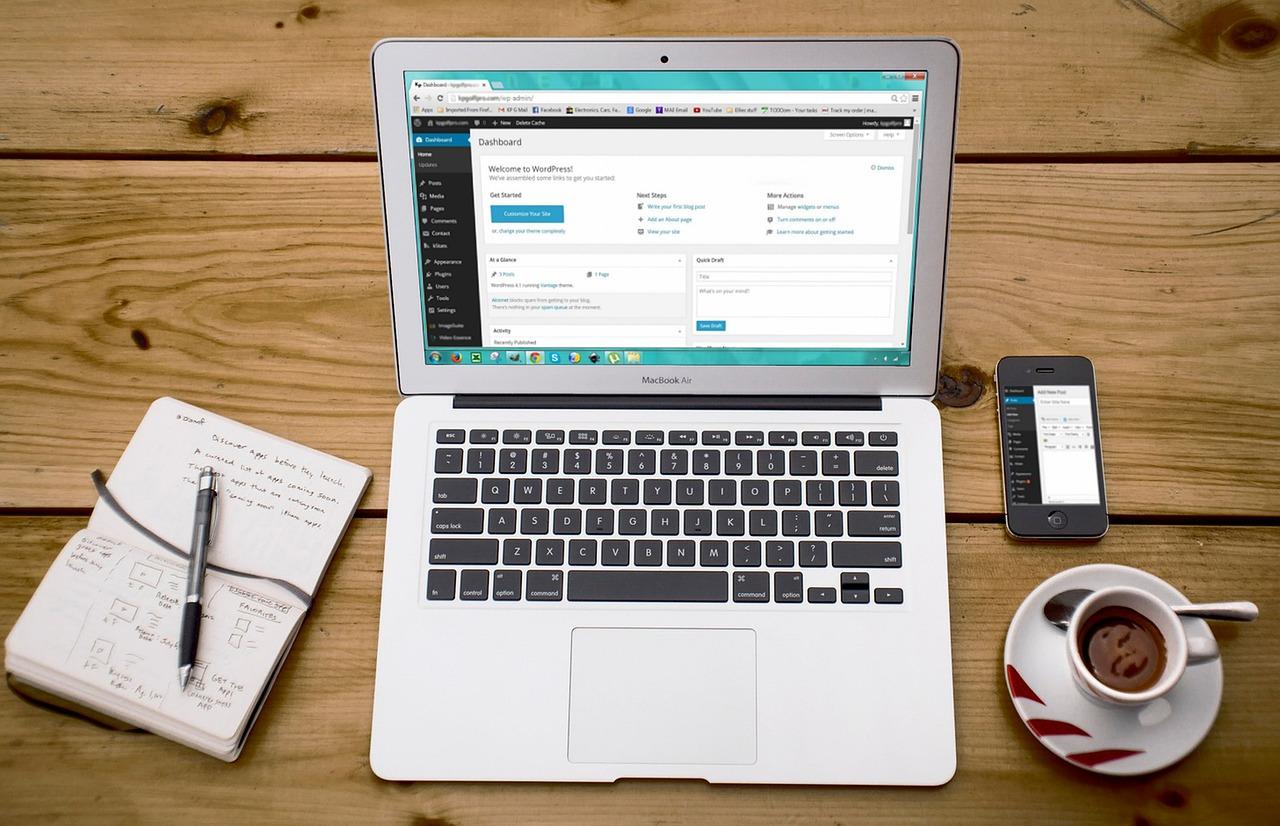
Are you looking to engage your audience on a deeper level and keep them updated with your latest content? Adding a newsletter to your WordPress website is a fantastic way to do just that! With MailPoet, you can effortlessly create and manage newsletters that not only look great but also deliver your message straight to your subscribers’ inboxes. Whether you’re a blogger, an online store owner, or running a business, building a mailing list can significantly boost your visibility and foster a loyal community around your brand. In this article, we’ll walk you through the simple steps to integrate MailPoet into your WordPress site. By the end, you’ll be ready to start captivating your audience and transforming your visitors into dedicated subscribers. Let’s dive in and unlock the power of email marketing together!
Understanding the Benefits of Adding a Newsletter to Your Website
Adding a newsletter to your website can transform your online presence, creating a direct line of communication with your audience. By integrating this feature, you not only keep your visitors informed but also engage them in a more personal way. Here are some of the remarkable benefits of having a newsletter:
- Builds Relationships: Regularly reaching out via a newsletter fosters a connection with your audience. It allows them to feel involved and informed about your brand’s journey.
- Boosts Traffic: Every newsletter you send is an opportunity to drive traffic back to your website. You can highlight new blog posts, products, or services, encouraging readers to explore more.
- Enhances Brand Awareness: A consistent newsletter helps to keep your brand top-of-mind. When your subscribers see your content regularly, they begin to associate your brand with valuable information and insights.
- Drives Conversions: A well-crafted newsletter can effectively lead to conversions. By including calls-to-action (CTAs) and special offers, you can prompt your audience to take the next step.
Furthermore, with tools like MailPoet, integrating a newsletter into your WordPress site becomes a breeze. You can customize your newsletters, segment your audience for targeted campaigns, and track performance metrics—all within one platform. This level of personalization can significantly increase engagement rates and provide valuable insights into your audience’s preferences.
Consider the following table that outlines the key features of MailPoet, demonstrating how it can enhance your newsletter experience:
| Feature | Description |
|---|---|
| Email Automation | Set up automated welcome emails and follow-ups for new subscribers. |
| Drag-and-Drop Editor | Easily design eye-catching newsletters without any coding skills. |
| Subscriber Management | Effortlessly manage your subscribers and segment them for targeted campaigns. |
| Analytics | Track open rates, click-through rates, and subscriber behavior to refine your strategy. |
Incorporating a newsletter not only enhances your website’s functionality but also serves as a powerful marketing tool. By leveraging the features offered by MailPoet, you can create meaningful content that resonates with your audience, ultimately leading to greater loyalty and increased sales.
Getting Started with MailPoet: Installation and Setup Made Easy
Installing MailPoet on your WordPress website is a breeze, making it simple to create and manage newsletters that engage your audience. First things first, head over to your WordPress dashboard. From there, navigate to Plugins > Add New. In the search bar, type in “MailPoet” and hit enter. Once you see MailPoet in the search results, click Install Now, then activate the plugin. It’s as easy as that!
After activation, you’ll find a new menu item labeled MailPoet on your dashboard. Click on it to start setting up your newsletter. The setup wizard will guide you through a series of steps to configure MailPoet to suit your needs. You’ll need to provide details like your website name, your email address, and other preferences that will help define your newsletter’s identity. Follow the prompts, and you’ll be up and running in no time!
Next, it’s time to create your first newsletter. Go to the MailPoet section and select Newsletters. Here, you can choose from various pre-designed templates or start from scratch. The drag-and-drop editor is incredibly intuitive, allowing you to add text, images, buttons, and more with ease. Don’t forget to personalize your content: tailor your newsletters to reflect your brand’s voice and style to truly connect with your audience.
To grow your subscriber list, integrate MailPoet’s subscription forms directly into your site. You can do this by going to MailPoet > Forms. Choose a form that fits your website’s design, and customize it as needed. Once finished, embed the form on your site using the provided shortcode or block. This strategic placement can help capture visitors’ attention and convert them into subscribers.
Lastly, it’s crucial to test your newsletters before sending them out. MailPoet allows you to send test emails to yourself, ensuring everything looks perfect. Take advantage of this feature to check links, images, and overall design. Once you’re satisfied, schedule or send your newsletter, and watch your audience grow as you share valuable content!
Crafting Engaging Newsletter Content That Captures Attention
To make your newsletter stand out, you need to create content that resonates with your audience. Start by understanding who your subscribers are and what they care about. This insight will help you tailor your content to their interests, making your newsletter more relevant and engaging. Consider the following strategies:
- Tell Stories: People love stories. Share anecdotes or case studies that illustrate your message and connect emotionally with your readers.
- Use Visual Elements: Incorporate images, infographics, or videos to break up text and keep readers visually engaged. A well-placed photo or graphic can significantly enhance your message.
- Include Clear Calls to Action: Encourage your readers to take specific actions, whether it’s visiting your website, signing up for an event, or sharing your content on social media.
To ensure your newsletter remains fresh and engaging, consider implementing a regular section that features something unique each time. This could be:
- Subscriber Spotlights: Feature a subscriber or their story to create a sense of community.
- Expert Tips: Share advice or insights from your industry that your readers may find useful.
- Exclusive Offers: Provide special discounts or promotions only available to newsletter subscribers, making them feel valued.
Another effective approach is to segment your audience based on their preferences or behaviors. This allows you to send tailored content that speaks directly to different groups. For example:
| Segment | Content Focus |
|---|---|
| New Subscribers | Welcome series, tips for getting started |
| Active Users | Advanced tips, product updates |
| Inactive Subscribers | Re-engagement offers, surveys |
Lastly, always keep your tone conversational and friendly. Write as if you are having a chat with a friend. Use simple language, ask questions, and invite feedback. This not only makes your newsletter more inviting but also strengthens the relationship between you and your readers, fostering loyalty and encouraging them to engage with your brand.
Designing Eye-Catching Templates to Reflect Your Brand
Creating visually compelling templates for your newsletter is crucial to ensure that your audience engages with your brand. When designing these templates, it’s essential to keep your brand’s personality in mind. Here are a few key elements to focus on:
- Color Palette: Choose colors that reflect your brand identity. Use your brand colors consistently to create a cohesive look.
- Typography: Select fonts that are easy to read and align with your brand’s voice. Mixing a primary font for headings and a secondary font for body text can create a dynamic feel.
- Imagery: Incorporate high-quality images that resonate with your message. Authentic visuals can significantly enhance your newsletter’s appeal.
- Layout: Utilize a clean layout that guides the reader’s eye. Avoid clutter and ensure there’s ample white space to improve readability.
Consider including interactive elements that promote engagement. For instance, making your call-to-action buttons prominent can lead to higher click-through rates. Experiment with the placement of these buttons within your template to see what resonates best with your audience.
Additionally, don’t forget to reflect your brand’s voice in your content. Whether it’s playful, professional, or somewhere in between, ensure that the tone remains consistent throughout. This will help in building trust and familiarity with your readers.
| Template Element | Tip |
|---|---|
| Header | Include your logo for brand recognition |
| Body | Focus on clear and concise messaging |
| Footer | Add social media links to encourage following |
don’t shy away from testing. Create multiple versions of your newsletter and analyze which template performs better. By iterating on your designs, you’ll be able to refine your approach and create newsletters that not only look great but also effectively communicate your brand’s message.
Building and Managing Your Subscriber List Effectively
Building a robust subscriber list is essential for any successful newsletter strategy. With the right approach, you can turn casual visitors into loyal followers. Here are a few strategies to effectively manage and grow your subscriber list:
- Offer Incentives: Entice visitors with exclusive content, discounts, or free resources in exchange for their email addresses. This can significantly boost your sign-up rates.
- Optimize Sign-Up Forms: Ensure your sign-up forms are easy to find and fill out. Place them prominently on your site, such as in the sidebar, footer, or as a pop-up after a certain time on the page.
- Engage with Quality Content: Regularly deliver valuable content to your subscribers. When they see the benefits of being on your list, they’re more likely to stay subscribed and refer others.
- Segment Your Audience: Use MailPoet’s segmentation features to tailor your messages. By dividing your subscribers into groups based on preferences or behavior, you can send more targeted and relevant emails.
Managing your list doesn’t stop at acquisition. Regular maintenance is crucial to ensure your list remains healthy and engaged. Here are some key practices to consider:
- Clean Your List: Periodically review your subscribers and remove inactive users. This will help improve your open rates and overall engagement.
- Monitor Engagement: Use analytics to track how your subscribers interact with your emails. Pay attention to open and click rates, adjusting your content strategy accordingly.
- Encourage Feedback: Ask your subscribers for their opinions on the content you send. This not only shows you care but can also provide valuable insights to refine your newsletter.
- Automate Your Processes: Utilize MailPoet’s automated features to welcome new subscribers, send follow-ups, and remind inactive ones to engage. This saves time and keeps your audience connected.
| Email List Management Tips | Benefits |
|---|---|
| Incentivize Sign-Ups | Increased conversion rates |
| Segment Your List | More personalized content |
| Regular Clean-Up | Higher engagement metrics |
| Engage with Quality Content | Stronger subscriber loyalty |
By implementing these strategies, you’ll not only grow your subscriber list effectively but also foster a community of engaged readers who look forward to your updates. Remember, the goal is not just to collect email addresses; it’s about building relationships that can lead to conversions and long-term loyalty.
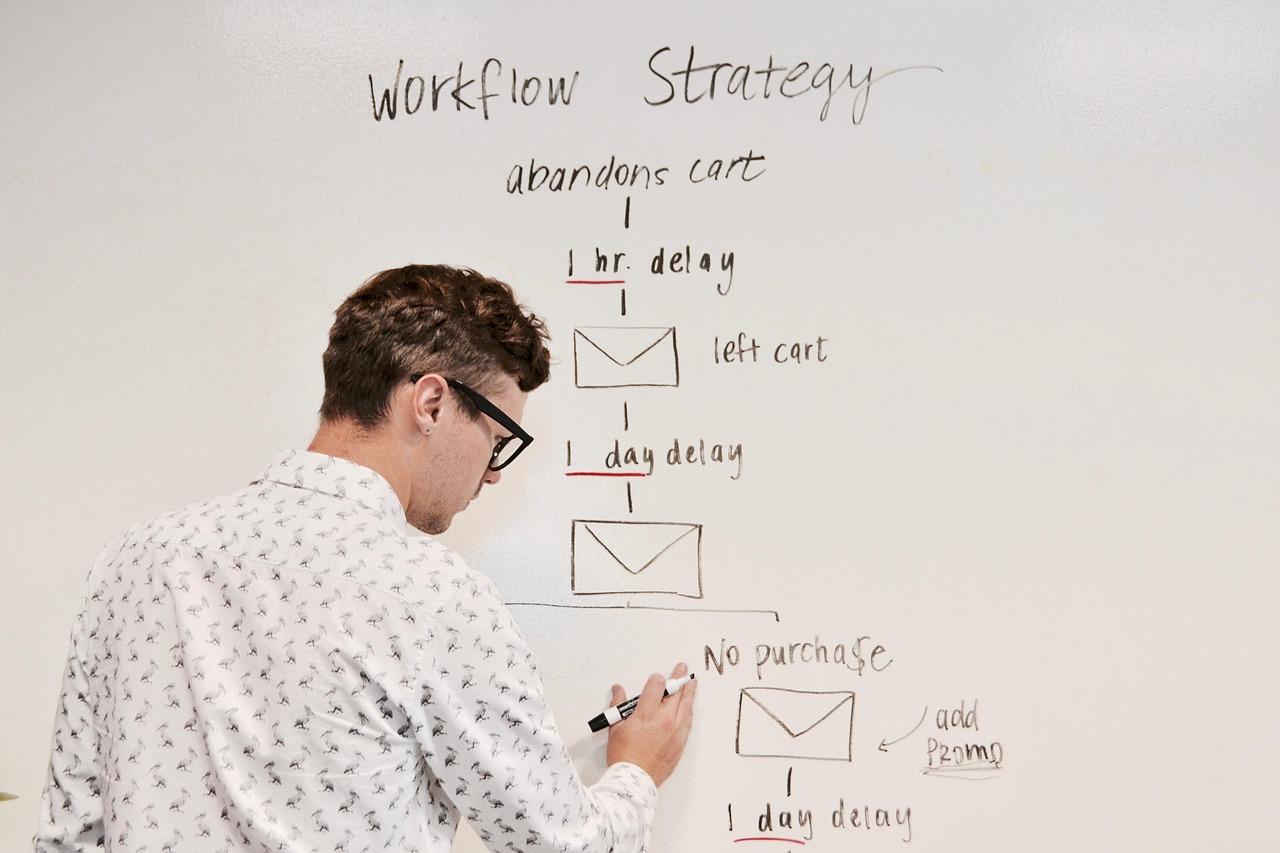
Automating Your Email Campaigns for Effortless Engagement
Are you ready to transform your email marketing strategy? With MailPoet, integrating a newsletter into your WordPress website not only enhances your engagement but also automates the process, allowing you to focus on what truly matters — creating valuable content for your audience.
First, let’s explore the steps to get started:
- Install the MailPoet Plugin: Navigate to your WordPress dashboard, head to the plugins section, and search for MailPoet. Install and activate it to unlock a world of emailing possibilities.
- Create Your Newsletter: After activation, you can easily set up your first newsletter. The drag-and-drop editor makes designing visually appealing emails a breeze, even for those with minimal technical skills.
- Customize Your Signup Form: Tailor the appearance of your signup form to match your brand. You can embed it on your site or use a popup to capture subscribers’ attention effectively.
Now that you have your newsletter set up, let’s talk about automation. With MailPoet, you can automate your email campaigns, ensuring your subscribers receive content consistently without the manual effort. Set up automated emails to welcome new subscribers, send updates, or even create a series of educational content that nurtures your leads over time.
| Email Type | Purpose | Frequency |
|---|---|---|
| Welcome Email | Introduce your brand | Immediately upon signup |
| Weekly Newsletter | Share updates & tips | Weekly |
| Follow-Up Series | Nurture leads | Every few days |
The beauty of automating your campaigns lies in the ability to analyze your results effortlessly. MailPoet provides comprehensive analytics that tracks opens, clicks, and subscriber behavior. This data is invaluable; it allows you to refine your approach, ensuring your content resonates with your audience. The more you understand your subscribers, the better you can engage with them.
By leveraging MailPoet on your WordPress site, you create a seamless experience for your subscribers while freeing up your time. With well-crafted, automated email campaigns, you’ll not only maintain engagement but also build lasting relationships with your audience. So go ahead, make your emails work for you, and watch your subscriber list grow!
Analyzing Newsletter Performance: Metrics That Matter
Once you’ve launched your newsletter using MailPoet, the real work begins: analyzing its performance. Understanding how your newsletter is performing is crucial to optimizing your content and boosting engagement. Here are some key metrics that will provide valuable insights:
- Open Rate: This metric shows the percentage of subscribers who opened your email. A higher open rate often indicates that your subject lines are compelling and your audience is engaged.
- Click-Through Rate (CTR): This tells you how many recipients clicked on links within your newsletter. A high CTR suggests that your content is relevant and encourages reader interaction.
- Unsubscribe Rate: Tracking how many subscribers opt out can help you identify potential issues with your content or frequency. A sudden spike in this rate might signal that you need to reevaluate your approach.
- Conversion Rate: If your newsletter aims to drive specific actions (like purchases or sign-ups), measuring conversion rates is essential. It helps you understand the effectiveness of your calls to action.
To visualize these metrics, creating a simple table may help you track changes over time. Below is an example of how you might structure your performance metrics:
| Metric | Week 1 | Week 2 | Week 3 |
|---|---|---|---|
| Open Rate | 25% | 30% | 28% |
| CTR | 10% | 12% | 15% |
| Unsubscribe Rate | 2% | 1.5% | 1% |
| Conversion Rate | 5% | 7% | 6% |
Regularly reviewing these metrics will not only help you understand your audience better but also guide you in making informed decisions about your content strategy. Consider experimenting with different styles, sending times, and content types based on what the numbers reveal. Remember, the goal is to create a newsletter that resonates with your readers and keeps them coming back for more!
Furthermore, do not hesitate to segment your audience based on their behavior. By analyzing performance metrics within specific groups, you can tailor your newsletters to meet different needs, leading to improved engagement rates. The more personalized your approach, the more likely you are to foster loyalty and growth within your subscriber base.
Troubleshooting Common MailPoet Issues Like a Pro
Even the most user-friendly plugins like MailPoet can sometimes throw a wrench in your newsletter plans. But don’t worry! Here are some common issues you might encounter and how to solve them with ease.
1. Subscription Form Not Appearing
Are you struggling to see your subscription form on the front end of your website? This could be due to:
- Plugin Conflicts: Deactivate other plugins temporarily to see if one is causing the issue.
- Theme Compatibility: Ensure your theme supports MailPoet’s features; consider testing with a default theme.
- Shortcode Misplacement: Double-check that you’re using the correct shortcode in the right place.
2. Emails Not Sending
If your newsletters aren’t hitting inboxes, it might be due to a few common pitfalls:
- SPF & DKIM Settings: Make sure your domain’s SPF and DKIM records are correctly configured to improve email deliverability.
- Sending Limits: Check with your hosting provider for any restrictions on the number of emails you can send per hour.
- SMTP Configuration: Using an SMTP service can enhance delivery rates. Consider integrating a reliable SMTP plugin.
3. Unsubscribes and Bounces
High unsubscribe or bounce rates can hinder your campaign’s success. Here’s how to manage these issues:
- Monitor Analytics: Use MailPoet’s analytics to track engagement and adjust your content accordingly.
- Clean Your List: Regularly remove unengaged subscribers to keep your list healthy and improve open rates.
- Content Relevance: Ensure that your newsletters are valuable to your audience; consider segmenting your list for tailored content.
By addressing these common problems proactively, you’ll not only optimize your MailPoet experience but also enhance your overall email marketing strategy. With the right troubleshooting skills, you’ll have your newsletter up and running flawlessly in no time!
Enhancing Your Strategy with Advanced MailPoet Features
MailPoet offers a suite of advanced features that can take your newsletter strategy to the next level. By leveraging these tools, you can not only improve your communication with subscribers but also enhance your overall marketing effectiveness. Here are some ways to get the most out of MailPoet:
- Automated Newsletters: Set up automatic newsletters that send your latest posts directly to your subscribers. This keeps your audience engaged with fresh content without requiring manual effort.
- Segmentation: Utilize subscriber segmentation to tailor your messages based on interests or behavior. This ensures that your subscribers receive content that resonates with them, increasing engagement rates.
- Customizable Templates: Make use of MailPoet’s drag-and-drop editor to create stunning emails that reflect your brand identity. A well-designed email can significantly boost click-through rates.
- Analytics and Insights: Take advantage of built-in analytics to track open rates, click rates, and overall performance. This data is crucial for refining your strategy and understanding what your audience loves.
Implementing these features can not only save you time but also enhance the effectiveness of your campaigns. Consider using A/B testing on different subject lines or email layouts to see what resonates best with your audience. This iterative approach allows you to continually improve your newsletters based on real feedback.
| Feature | Benefit |
|---|---|
| Automated Sends | Save time and maintain consistent engagement. |
| Advanced Segmentation | Target specific audiences for higher engagement. |
| Performance Analytics | Data-driven insights to optimize your strategy. |
Lastly, always remember to maintain a strong call-to-action (CTA) in your newsletters. Whether you want readers to visit your website, sign up for an event, or purchase a product, a clear CTA guides them to the next steps. By integrating these advanced features into your MailPoet strategy, you’ll ensure your newsletters are not just read but acted upon.
Frequently Asked Questions (FAQ)
Q&A: How to Add a Newsletter to Your WordPress Website Using MailPoet
Q: Why should I add a newsletter to my WordPress website?
A: Great question! Adding a newsletter is one of the most effective ways to stay connected with your audience. It allows you to share updates, promote content, and drive traffic back to your site. Plus, having a direct line to your readers’ inboxes means you get to nurture those relationships over time. Who wouldn’t want to build a loyal community around their brand?
Q: What is MailPoet, and why is it the best choice for my newsletter?
A: MailPoet is a powerful and user-friendly plugin designed specifically for WordPress users. It allows you to create, send, and manage newsletters right from your dashboard. What makes it stand out? Its seamless integration with your WordPress site, intuitive drag-and-drop editor, and impressive automation features. With MailPoet, you can create stunning newsletters without needing any coding skills. Trust me; it’s a game changer!
Q: How do I install MailPoet on my WordPress site?
A: Installing MailPoet is as easy as pie! Just head to your WordPress dashboard, click on “Plugins,” then “Add New.” Search for “MailPoet,” and hit “Install Now.” Once it’s installed, click “Activate,” and voilà! You’re ready to start creating newsletters in no time. If you can install a plugin, you can set up MailPoet!
Q: How do I create my first newsletter using MailPoet?
A: Creating your first newsletter is a breeze! After activating MailPoet, navigate to the MailPoet tab in your dashboard. Click on “Emails” and then choose “New Email.” You can select a newsletter template or start from scratch using the drag-and-drop editor. Add your content, images, and customize the design to match your brand. When you’re happy with it, simply hit “Send” or schedule it for later. Easy peasy!
Q: Can I automatically send newsletters to my subscribers?
A: Absolutely! One of the best features of MailPoet is its automation. You can set up automated emails to be sent to subscribers whenever you publish new posts, or even on specific dates like birthdays or anniversaries. Just think about it—your subscribers will get updates without you having to lift a finger. It’s like having your own personal assistant!
Q: How can I grow my newsletter subscribers?
A: Growing your subscriber list is all about offering value. Start by creating enticing lead magnets, like exclusive content or discounts, to encourage sign-ups. MailPoet includes customizable signup forms you can embed anywhere on your site—think your homepage, blog posts, or even a dedicated landing page. Promote your newsletter on social media and give readers a reason to subscribe. The more genuine value you provide, the more subscribers you’ll attract!
Q: Is MailPoet free? Are there any limitations?
A: MailPoet offers both free and premium plans. The free version is fantastic for beginners and allows you to manage up to 1,000 subscribers. However, if you’re looking for advanced features like additional email templates, premium support, or sending to a larger list, consider upgrading to a premium plan. It’s worth every penny when you see your subscriber base grow!
Q: Any final tips for using MailPoet effectively?
A: Absolutely! Consistency is key. Aim to send out newsletters regularly—whether that’s weekly, bi-weekly, or monthly. Analyze your email metrics through MailPoet’s built-in analytics to see what content resonates best with your audience. And don’t forget to keep your design clean and mobile-friendly. A well-crafted email speaks volumes and keeps your readers engaged!
So there you have it! Adding a newsletter to your WordPress site using MailPoet is not just doable; it’s a smart move for anyone looking to build a strong online presence. Go ahead, give it a try, and watch your community thrive!
Future Outlook
As we wrap up our journey through the process of adding a newsletter to your WordPress website using MailPoet, it’s clear that this powerful tool can significantly enhance your online presence and engagement with your audience. By following the steps outlined in this guide, you’re not just adding a feature; you’re opening the door to deeper connections with your readers and potential customers.
Imagine the excitement of seeing your subscriber list grow, knowing that each new email address represents someone interested in what you have to say. With MailPoet, creating beautiful, custom newsletters becomes a breeze, allowing you to share your insights, updates, and promotions in a way that feels personal and impactful.
So why wait? Dive into MailPoet today and start crafting newsletters that captivate and engage. Your audience is eager for your content—give them a reason to stay connected! If you have any questions or want to share your experiences, feel free to leave a comment below. Happy emailing, and here’s to building your community, one newsletter at a time!