
In today’s fast-paced digital landscape, remote developers have become the unsung heroes of the tech world, crafting stunning websites and flawless user experiences from the comfort of their home offices or favorite coffee shops. However, with great freedom comes great responsibility, especially when it comes to managing client websites. How do these modern-day wizards ensure their workflows remain secure amidst the myriad of potential threats? In this article, we’ll dive into the essential practices that remote developers employ to safeguard their projects and protect sensitive client data. From leveraging cutting-edge tools to implementing best practices, we’ll explore how these professionals not only maintain efficiency but also build trust with their clients. Whether you’re a developer looking to enhance your security game or a client curious about what goes on behind the scenes, you won’t want to miss these insights into the world of secure remote development. Let’s get started!
Understanding the Unique Challenges of Remote Development in Client Website Management
Remote development has transformed the landscape of client website management, presenting both opportunities and challenges. One of the most pressing issues is maintaining consistent communication with clients. Without face-to-face interactions, remote developers must rely heavily on digital communication tools to ensure all parties are on the same page. This can lead to misunderstandings if not managed properly. To mitigate this risk, developers can implement the following strategies:
- Regular check-ins: Schedule weekly or bi-weekly meetings to discuss progress and address any concerns.
- Clear documentation: Utilize project management tools to document tasks, deadlines, and feedback.
- Establish communication protocols: Clearly define which channels (e.g., email, Slack, video calls) are preferred for specific types of communication.
Another significant challenge in remote development is managing time zones and availability. Clients may be located in different regions, leading to potential delays and misalignments in project timelines. To tackle this issue, remote developers can utilize tools and practices such as:
- Time zone converters: Use online tools to schedule meetings at mutually convenient times.
- Asynchronous communication: Embrace email and recorded video messages to allow clients to respond on their schedule.
- Shared calendars: Integrate calendars to visualize availability and plan meetings effectively.
Security is another cornerstone of remote website management that cannot be overlooked. Remote developers handle sensitive client information, and any lapse in security can lead to devastating consequences. Here are some essential practices to enhance security:
- Use of VPNs: Always connect to a secure VPN when accessing client sites to protect data transmission.
- Regular backups: Implement automatic backups to safeguard against data loss.
- Strong password policies: Utilize password managers and enforce stringent password requirements for client websites.
Lastly, the aspect of collaboration often comes into play, as remote teams may struggle with alignment on project goals and deliverables. To enhance collaboration, consider these approaches:
- Collaborative tools: Implement platforms like Trello or Asana to keep everyone informed and engaged.
- Feedback loops: Encourage a culture of open feedback where team members can share insights and suggestions freely.
- Team-building activities: Even remotely, foster relationships through virtual team-building exercises that strengthen camaraderie and trust.

Establishing a Secure Communication Channel with Clients
In the fast-paced world of remote development, is paramount. With an increased reliance on digital tools, the importance of safeguarding sensitive information cannot be overstated. Implementing best practices ensures that both developers and clients can share ideas and feedback without the fear of data breaches or miscommunication.
First and foremost, choosing the right communication tools is essential. Here are some popular options that offer robust security features:
- End-to-End Encrypted Messaging Platforms: Tools like Signal or WhatsApp ensure that only you and your client can read the messages exchanged.
- Secure Video Conferencing: Programs like Zoom and Microsoft Teams offer encrypted calls, ideal for visual consultations.
- Password-Protected Documents: Sharing sensitive files through platforms like Google Drive or Dropbox with password protection adds an extra layer of security.
Maintaining transparency with clients enhances trust and reinforces the working relationship. Regular updates not only keep clients informed but also allow them to voice concerns promptly. Establishing a routine check-in schedule can facilitate ongoing dialogue. Consider the following methods to keep communication flowing:
| Method | Frequency | Purpose |
|---|---|---|
| Weekly Progress Calls | Weekly | Review progress and address any blockers. |
| Email Updates | Bi-weekly | Share developments and upcoming goals. |
| Feedback Surveys | Monthly | Gather insights and improve processes. |
In addition to regular communication, it is crucial to implement strong authentication measures. This could involve using two-factor authentication (2FA) for accessing shared platforms or changing passwords regularly. These practices help ensure that only authorized individuals can access the necessary information.
Lastly, always remember to educate clients on best practices for secure communication. Encourage them to use secure passwords and recognize phishing attempts. By involving clients in the security process, you foster a collaborative environment where everyone feels responsible for keeping their data safe. The more knowledgeable your clients are, the smoother and more secure your workflow will be.
Leveraging Project Management Tools for Streamlined Workflows
In the fast-paced world of remote development, utilizing project management tools is essential for maintaining an organized workflow. These tools can significantly enhance productivity, ensuring that developers meet client expectations while effectively managing their time and resources. By integrating these tools into their daily tasks, remote developers can create a structured approach to client website management.
Key Benefits of Project Management Tools:
- Centralized Communication: Project management tools provide a single platform where all team members can communicate, reducing the chances of miscommunication and ensuring that everyone is on the same page.
- Task Management: Developers can assign tasks, set deadlines, and track progress, allowing for a clear overview of project status at any given time.
- Time Tracking: Many tools include time tracking features that help developers understand how much time is spent on various tasks, aiding in better time management and billing accuracy.
- Document Sharing: Remote teams can share files and documents easily, eliminating the hassle of searching through emails or different platforms for important information.
Moreover, many of these tools offer customizable dashboards that allow developers to visualize their workload and prioritize tasks effectively. With features like Kanban boards and Gantt charts, developers can manage their workflow in a way that suits their individual style, making it easier to adapt to changing project requirements. This level of customization can be particularly beneficial when juggling multiple client websites, as it allows developers to quickly shift focus as priorities evolve.
To illustrate the effectiveness of these project management tools, consider the following comparison of two popular options:
| Feature | Tool A | Tool B |
|---|---|---|
| Task Assignment | Yes | Yes |
| Time Tracking | No | Yes |
| Document Sharing | Yes | Yes |
| Customization Options | Limited | Extensive |
Choosing the right project management tool can make all the difference in securing a smooth workflow. By focusing on features that cater specifically to the needs of remote developers, such as robust communication channels, efficient task management, and flexibility, teams can enhance their efficiency and deliver exceptional results to clients. Ultimately, leveraging these tools transforms the way developers manage client websites, leading to more organized processes and satisfied clients.
Implementing Best Practices for Code Security and Version Control
In the ever-evolving landscape of web development, remote developers must prioritize code security and version control to safeguard client websites. By adopting a proactive approach, they can mitigate risks and enhance the overall integrity of their workflows.
Code security starts with understanding the vulnerabilities that can arise during development. Developers should practice the following:
- Regularly update dependencies: Outdated libraries can expose your projects to known vulnerabilities.
- Use secure coding guidelines: Familiarize yourself with best practices, like input validation and output encoding.
- Conduct code reviews: Peer reviews can help identify potential security flaws before they escalate.
Equally important is the role of version control in maintaining code stability. Tools like Git allow developers to track changes, collaborate effectively, and revert to previous versions when necessary. Here are some tips for leveraging version control:
- Commit often: Frequent commits help capture incremental changes, making it easier to identify issues.
- Write clear commit messages: Descriptive messages enhance collaboration and provide context for changes.
- Use branches for features: Isolate new features in branches to prevent conflicts with the main codebase.
To illustrate the significance of these practices, consider the following table showcasing the potential risks of neglecting code security and version control:
| Neglecting | Potential Risk |
|---|---|
| Outdated dependencies | Exploitation of known vulnerabilities |
| Inconsistent commits | Difficulty in tracking changes and troubleshooting |
| Poor code documentation | Increased onboarding time for new developers |
By integrating these best practices into their workflow, remote developers can create a secure and efficient environment for managing client websites. As they prioritize security and maintain robust version control, they not only protect their projects but also build trust with clients, showcasing their commitment to quality and professionalism.
Utilizing Cloud Storage and Backup Solutions for Data Safety
In today’s fast-paced digital landscape, remote developers must prioritize the safety of their data, especially when managing multiple client websites. Utilizing cloud storage and backup solutions is a no-brainer for anyone looking to enhance their workflow and ensure data integrity. These tools not only secure sensitive information but also streamline collaboration and project management.
Adopting cloud storage systems offers several advantages:
- Accessibility: Access your files from anywhere, at any time, using any device with an internet connection.
- Scalability: Easily increase storage capacity as your projects grow without the need for physical hardware.
- Collaboration: Work with team members in real-time, sharing updates and files effortlessly.
Moreover, setting up automated backup solutions can significantly mitigate the risk of losing crucial data due to unforeseen circumstances. By implementing regular backups, developers can ensure that every change made to a client’s website is preserved. Here’s a quick comparison of popular backup options:
| Backup Solution | Features | Best For |
|---|---|---|
| Dropbox | File versioning, easy sharing | Small teams |
| Google Drive | Integration with Google Workspace | Collaborative projects |
| Backblaze | Unlimited storage, automated backups | Individuals & freelancers |
In addition to file storage and backups, employing a robust security protocol is essential. Encrypting files before uploading them to the cloud is a prudent step that protects sensitive client information from potential breaches. Furthermore, using two-factor authentication on all cloud accounts adds an extra layer of security.
By leveraging cloud storage and backup solutions, remote developers not only safeguard their data but also create a more efficient workflow that can adapt to the ever-changing demands of client projects. Embracing these technologies is a proactive approach to ensuring that both developers and their clients can focus on growth and innovation without the looming threat of data loss.
Creating a Robust Client Onboarding Process for Smooth Collaboration
When working with remote developers to manage client websites, having a seamless onboarding process is crucial for establishing a strong partnership. It sets the tone for collaboration and ensures that both parties are aligned from the outset. Here are some key components to consider when creating an effective onboarding experience:
- Clear Communication Channels: Establish preferred communication methods, whether it’s through email, project management tools, or instant messaging. This clarity helps prevent misunderstandings and keeps everyone on the same page.
- Project Scope Documentation: Create comprehensive project briefs that outline objectives, deliverables, timelines, and any specific client requirements. This serves as a reference point and minimizes scope creep.
- Access and Permissions: Ensure that all necessary accounts, tools, and resources are accessible to the developer. This may include CMS logins, hosting information, and design assets. Providing these resources upfront can expedite the development process.
In addition to the basics, consider incorporating a structured training phase. This could involve:
- Platform Familiarization: If the client is using a specific CMS or platform, a walkthrough can help the developer understand the existing infrastructure and any unique functionalities that need to be preserved.
- Brand Identity Guidelines: Share detailed branding elements such as logos, color schemes, and typography. Consistency in branding across the website is essential for maintaining the client’s identity.
- Feedback Mechanisms: Establish processes for collecting and implementing feedback. Regular check-ins can ensure that the project remains aligned with the client’s vision and expectations.
To further streamline the onboarding process, consider using a checklist to track progress. Here’s a simple example:
| Onboarding Task | Status |
|---|---|
| Initial Briefing Call | Completed |
| Access Credentials Provided | Pending |
| Project Brief Documented | Completed |
| Brand Guidelines Shared | In Progress |
Ultimately, a well-structured onboarding process not only enhances workflow efficiency but also fosters trust and collaboration. By investing time in this initial phase, remote developers can create a strong foundation for successful long-term relationships with their clients, ensuring that projects run smoothly from day one.
Regularly Updating and Maintaining Client Websites for Ongoing Security
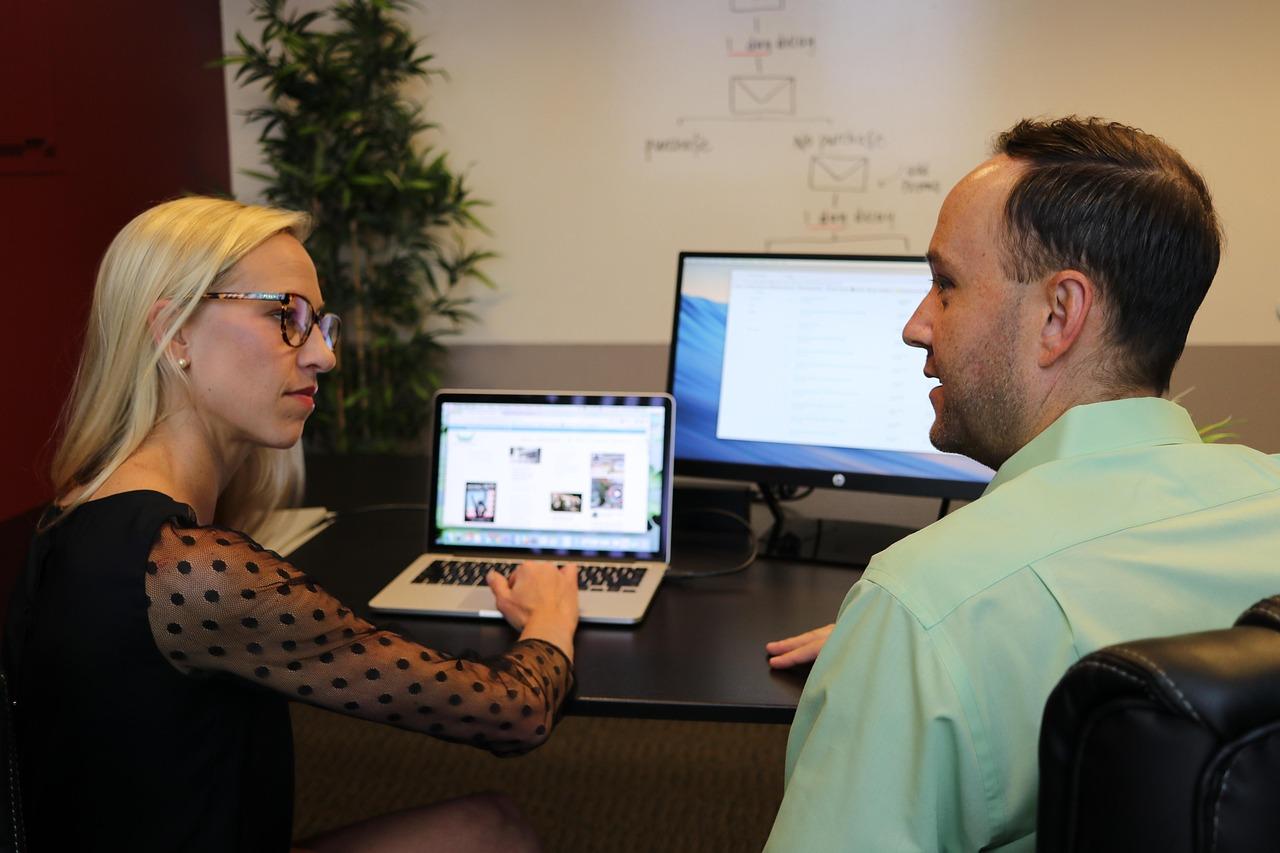
Maintaining the security of client websites is an ongoing responsibility that requires diligence and a proactive approach. Regular updates to both the website’s software and its content are crucial in mitigating security vulnerabilities. Many remote developers adopt a structured schedule for updating websites, ensuring that each component, from the core CMS to plugins and themes, is current. This not only enhances security but also optimizes performance and user experience.
One of the key strategies involves implementing automatic updates wherever possible. By enabling this feature, developers can ensure that essential security patches are applied promptly without manual intervention. However, for certain critical updates or major version changes, a more hands-on approach is warranted. Here are some practices that remote developers often follow:
- Regular Backups: Scheduling automatic backups before updates ensures that if anything goes awry, a restore point is readily available.
- Change Logs Review: Keeping an eye on update change logs allows developers to understand the implications of new updates, ensuring compatibility and security.
- Testing Staging Environments: Before rolling out changes on live sites, testing updates in a staging environment helps identify potential issues without affecting the client’s website.
In addition to software updates, monitoring the website for potential security threats is equally important. Remote developers often use security plugins that offer real-time scanning and alerts for suspicious activity. This provides an additional layer of defense against cyber attacks.
Moreover, clear communication with clients about the importance of regular maintenance can foster a collaborative relationship. By offering monthly or quarterly reports on website health, updates, and security measures taken, developers can reassure clients that their assets are in safe hands. This transparency builds trust and encourages clients to prioritize ongoing maintenance as a part of their investment.
| Maintenance Task | Frequency | Status |
|---|---|---|
| Core CMS Update | Monthly | Pending |
| Plugin Update | Bi-weekly | Completed |
| Security Scan | Weekly | Healthy |
| Backup | Weekly | Completed |

Building Trust and Transparency Through Regular Reporting and Feedback
In the landscape of remote development, establishing a solid foundation of trust and transparency with clients is paramount. Regular reporting and consistent feedback loops are not just best practices; they are essential components that pave the way for a successful partnership. Developers who prioritize these elements create an environment where clients feel informed and engaged, fostering deeper relationships and ultimately enhancing project outcomes.
When it comes to managing client websites, clear communication can make all the difference. Here are some effective strategies that remote developers can implement:
- Weekly Progress Reports: Send out concise updates at the end of each week, summarizing completed tasks, upcoming goals, and any challenges faced.
- Regular Feedback Sessions: Schedule bi-weekly or monthly calls to discuss progress, gather client input, and adjust priorities as needed.
- Visual Dashboards: Utilize tools that provide real-time visibility into project status, allowing clients to track progress without needing constant updates.
Transparency is also about being upfront regarding challenges. Acknowledging hurdles not only builds credibility but also invites collaboration in finding solutions. For example, if a particular plugin isn’t performing as expected, communicating this to the client can lead to brainstorming alternatives and reinforce trust in the developer’s expertise.
To further enhance the client experience, consider implementing a simple reporting table that summarizes key metrics and progress. Below is a basic example of how such a table might look:
| Task | Status | Comments |
|---|---|---|
| Website Design Mockup | Completed | Approved by client. |
| SEO Optimization | In Progress | Pending additional content from client. |
| Load Testing | Scheduled | To be conducted next week. |
By fostering a culture of openness through these practices, remote developers can not only safeguard their workflow but can also enhance client satisfaction and loyalty. The goal is to make clients feel like partners in the process, ultimately leading to successful project completions and ongoing collaborations.

Setting Boundaries: Balancing Flexibility and Professionalism in Remote Work
In the realm of remote work, especially for developers managing client websites, establishing clear boundaries is critical for maintaining both flexibility and professionalism. The distinction between work and personal life can easily blur when your office is just a few steps away from your living room. Here are some essential strategies to help remote developers navigate this delicate balance:
- Define Your Working Hours: Clearly outline your availability to clients and stick to these hours. This not only helps in managing client expectations but also allows you to carve out personal time.
- Create a Dedicated Workspace: Establish a specific area in your home that’s dedicated solely to work. This physical separation can psychologically reinforce the boundaries between work and personal life.
- Utilize Communication Tools Wisely: Leverage tools like Slack or Trello to keep communication organized. Set notifications to ensure that you’re not constantly bombarded with messages outside of your working hours.
Maintaining professionalism while being adaptable is vital when dealing with clients. Here’s how developers can ensure they remain professional without sacrificing flexibility:
- Set Clear Expectations: From the outset, communicate project timelines, deliverables, and your preferred methods of communication. This transparency fosters trust and respect.
- Be Proactive with Updates: Regularly update clients on project status, even if there’s no immediate progress to report. This keeps them engaged and reassured without needing to constantly ask for information.
- Establish a Feedback Loop: Encourage clients to provide feedback at various stages of the project. This collaborative approach not only enhances the final product but also strengthens your professional relationship.
| Boundary Strategy | Benefits |
|---|---|
| Defined Working Hours | Improved work-life balance |
| Dedicated Workspace | Enhanced focus and productivity |
| Clear Communication | Stronger client relationships |
| Regular Updates | Increased client satisfaction |
by establishing and maintaining these boundaries, remote developers can enjoy the flexibility that remote work offers while delivering a high standard of professionalism. Striking this balance is not just beneficial for workflow; it ultimately leads to healthier relationships with clients and a more fulfilling work experience.

Adapting to Evolving Security Threats in the Digital Landscape
In today’s fast-paced digital world, remote developers face a multitude of security threats while managing client websites. With the rise of cyberattacks, it has become crucial for these professionals to implement robust security measures to safeguard their workflows. Here are several key strategies that ensure both their and their clients’ online assets remain secure:
- Utilizing Virtual Private Networks (VPNs): By connecting through a VPN, developers can encrypt their internet connection, making it nearly impossible for hackers to intercept data.
- Implementing Two-Factor Authentication (2FA): This adds an extra layer of security by requiring a second form of verification, thereby reducing the likelihood of unauthorized access.
- Regular Software Updates: Keeping all software, including plugins and themes, up to date is essential to patch vulnerabilities and enhance security protocols.
- Conducting Routine Security Audits: Regularly reviewing security measures helps identify potential weaknesses before they can be exploited.
Another effective way to bolster security is through the use of strong, unique passwords. Developers should encourage clients to use password managers, which generate and store complex passwords securely. This practice drastically reduces the risk of brute-force attacks.
Moreover, maintaining secure access to servers and databases is vital. Developers can achieve this by:
| Access Control Method | Description |
|---|---|
| SSH Keys | Using SSH keys instead of passwords enhances security for remote server access. |
| IP Whitelisting | Permitting access only from specific IP addresses minimizes unauthorized entry. |
| Role-Based Access Control | Assigning user roles ensures that individuals have the minimum level of access required for their tasks. |
Developers should also communicate effectively with their clients about security practices. Educating clients on recognizing phishing attempts and safe browsing habits fosters a collaborative approach toward greater security. By building a culture of security, both developers and clients can work together to create a resilient digital presence.
leveraging the power of security plugins can automate many security tasks and provide real-time monitoring. These tools can detect vulnerabilities, automate backups, and provide alerts for suspicious activities, allowing developers to focus on delivering high-quality work without compromising security.
Frequently Asked Questions (FAQ)
Q&A: How Remote Developers Secure Their Workflow When Managing Client Websites
Q1: Why is website security a top priority for remote developers?
A: Great question! Website security is crucial for remote developers because they often handle sensitive client information and data. A breach can lead to loss of trust, financial repercussions, and even legal issues. By prioritizing security, developers not only protect their clients but also uphold their own reputations in the industry.
Q2: What are some common threats that remote developers face?
A: Remote developers encounter various threats, including malware, phishing attacks, and DDoS attacks. Each of these can compromise a client’s website, disrupt services, and damage the overall user experience. Understanding these threats is the first step in effectively managing and securing workflows.
Q3: How do remote developers manage passwords securely?
A: Managing passwords is a critical aspect of workflow security. Many remote developers use password managers to generate and store strong passwords securely. This reduces the risk of using weak or reused passwords, which can be a major vulnerability in client websites. Additionally, implementing two-factor authentication (2FA) adds an extra layer of protection.
Q4: What role does regular software updates play in securing client websites?
A: Regular software updates are essential! Many updates contain patches for security vulnerabilities. By keeping their tools, plugins, and platforms up to date, remote developers can protect client websites from known threats and exploits. It’s a proactive measure that saves a lot of trouble down the road.
Q5: How do remote developers ensure secure communication with clients?
A: Secure communication is vital for protecting sensitive information. Remote developers often opt for encrypted messaging platforms and secure email services. They also establish clear communication protocols with clients, which might include using project management tools that offer built-in security features.
Q6: Can you explain the importance of backups in a developer’s workflow?
A: Absolutely! Regular backups are like insurance for a website. They allow remote developers to restore a site quickly in case of a breach, data loss, or even accidental deletion. By implementing automated backup solutions, developers can ensure that they have the latest versions of websites ready to recover at any moment.
Q7: What other best practices should remote developers follow to secure their workflow?
A: Beyond the basics, remote developers should regularly conduct security audits and vulnerability assessments. Using firewalls and secure hosting services is also recommended. Additionally, educating clients about security best practices can further reinforce a secure workflow. By fostering a culture of security, everyone involved is more aware and vigilant.
Q8: How do remote developers balance security with workflow efficiency?
A: Balancing security and efficiency is all about integrating security measures seamlessly into the workflow. Developers can automate many security processes, such as updating software and running backups, which minimizes disruption. By making security a natural part of their routine, they don’t sacrifice productivity while keeping client websites safe.
Q9: Why should clients care about the security measures remote developers implement?
A: Clients should care because the security of their website directly impacts their business. A secure website protects their brand reputation and builds customer trust. By understanding and supporting the security measures their developers implement, clients can ensure a robust defense against threats that could harm their online presence.
Q10: What is the takeaway for anyone considering hiring remote developers for their website management?
A: When hiring remote developers, look for those who prioritize security in their workflow. Ask them about their security practices and how they protect client data. Remember, a proactive approach to security not only safeguards your website but also gives you peace of mind, allowing you to focus on growing your business.
Final Thoughts
securing your workflow as a remote developer managing client websites is not just a necessity; it’s an investment in your reputation and your clients’ peace of mind. By implementing robust security measures, embracing best practices, and fostering open communication, you can create a safe and efficient working environment that benefits everyone involved.
Remember, your clients trust you with their digital presence, and protecting that trust is paramount. So, whether you’re using the latest security tools, regularly updating your skills, or maintaining clear lines of communication, every step you take towards securing your workflow enhances your credibility and your ability to deliver exceptional results.
So, why wait? Start making these changes today and watch your client relationships flourish. The digital landscape is ever-evolving, and by staying one step ahead in security, you not only safeguard your projects but also position yourself as a forward-thinking developer in a competitive market. Let’s secure that workflow and build a brighter, safer future for web development together!