
In the ever-evolving digital landscape, building a stunning website has never been more crucial for businesses, creatives, and anyone looking to make their mark online. With a myriad of tools at your fingertips, two platforms often rise to the top of the conversation: Canva and WordPress. But which one truly reigns supreme when it comes to creating a captivating website? Canva promises an intuitive and visually appealing experience, perfect for those who prioritize design over technical know-how. On the other hand, WordPress boasts unparalleled versatility and functionality, catering to both beginners and seasoned developers alike. In this showdown, we’ll dive deep into the strengths and weaknesses of each platform, helping you decide which one aligns best with your vision and goals. So, whether you’re a small business owner, a blogger, or an aspiring designer, let’s explore the ultimate question: Canva or WordPress— which is better for your website?
Understanding the Basics of Canva and WordPress for Website Creation
When it comes to website creation, both Canva and WordPress offer unique features that cater to different aspects of web design. Canva excels in providing a user-friendly interface that allows users to create stunning graphics and visual content with ease. Its drag-and-drop functionality makes it accessible even for those with minimal design experience. On the other hand, WordPress stands as a versatile content management system (CMS) that powers over 40% of the internet, offering robust tools for building and managing complex websites.
Canva’s Strengths:
- Design Focus: Ideal for creating eye-catching graphics, social media posts, and marketing materials.
- Templates Galore: Thousands of customizable templates for various design needs.
- Collaborative Tools: Allows teams to work together seamlessly on projects.
In contrast, WordPress provides a comprehensive platform for managing content, with capabilities that extend far beyond visual design. From blogs to e-commerce sites, its flexibility accommodates a variety of website types. It also boasts a vast library of plugins, enabling users to enhance functionality without needing to code. This makes WordPress not just a website builder, but a full-fledged development hub for online businesses.
WordPress’s Advantages:
- SEO Capabilities: Built-in tools and plugins like Yoast SEO help optimize your site for search engines.
- Extensive Plugin Library: Hundreds of plugins to add features like payment gateways, analytics, and more.
- Community Support: A large community of users and developers for troubleshooting and advice.
When deciding between the two, it’s essential to consider the purpose of your website. If your primary goal is to create visually appealing graphics for social media or marketing collateral, Canva may be the better choice. However, for a fully functional website that requires regular content updates, user interaction, and advanced features, WordPress is the superior option.
| Feature | Canva | WordPress |
|---|---|---|
| Ease of Use | Drag-and-drop simplicity | More complex, requires learning curve |
| Design Features | Rich graphic design tools | Limited to themes and plugins |
| Website Types | Primarily visual content | Blogs, e-commerce, portfolios, etc. |
| Customization | Template-based design | Highly customizable through coding |
The Design Flexibility of Canva Compared to WordPress
When it comes to design flexibility, Canva and WordPress each offer unique benefits tailored to different types of users. Canva is widely appreciated for its intuitive drag-and-drop interface, making it incredibly easy for anyone to create visually appealing graphics and layouts. This accessibility allows users with little to no design experience to produce high-quality images, infographics, and even simple web designs quickly and efficiently. The ability to customize templates or start from scratch gives users the freedom to express their creativity without the steep learning curve often associated with design software.
On the other hand, WordPress shines in terms of scalability and functionality. While it may not offer the same level of design simplicity as Canva, it compensates with robust customization options through themes and plugins. Users can modify their website’s appearance with pre-built themes, or venture into deeper customization by editing CSS and HTML. This makes WordPress a powerful platform for those looking to build a fully functional website that goes beyond just attractive visuals.
Consider this comparison of design flexibility features:
| Feature | Canva | WordPress |
|---|---|---|
| Ease of Use | High | Moderate |
| Template Variety | Vast | Varied (depends on theme) |
| Customization Depth | Basic | Advanced |
| Graphic Design Tools | Extensive | Limited (depends on plugins) |
| Integration with Other Tools | Moderate | High (with plugins) |
Ultimately, the choice between these two platforms comes down to your specific needs. If you prioritize quick, visually appealing designs and need to create marketing materials, Canva is likely the better option. However, if your goal is to build a comprehensive website with dynamic functions like e-commerce capabilities, a blog, or user-generated content, WordPress will provide the flexibility necessary to expand and grow.
For those who want to leverage the strengths of both platforms, integrating Canva designs into a WordPress website can create a harmonious blend of visual appeal and functionality. This strategy allows users to harness the ease of Canva for graphic creation while utilizing WordPress’s powerful website management tools. Ultimately, understanding the strengths of each platform will help you make an informed decision that aligns with your vision.

Evaluating Ease of Use: Which Platform is More User-Friendly?
When comparing Canva and WordPress for website creation, ease of use often becomes a pivotal factor in decision-making. Both platforms cater to different user needs, but their approaches to user-friendliness vary significantly.
Canva is celebrated for its intuitive drag-and-drop interface. Users, regardless of their design skills, can easily create stunning visuals and layouts. The platform offers a wide array of templates tailored for various purposes—from social media graphics to presentations—making it effortless to kickstart a project. Key features contributing to its user-friendliness include:
- Simple Navigation: The interface is clean, with easily accessible tools and options.
- Template Variety: Users can choose from thousands of pre-designed templates, minimizing the need for original design skills.
- Real-Time Collaboration: Canva supports team collaboration, allowing multiple users to work on a design simultaneously.
On the other hand, WordPress has a steeper learning curve, especially for those unfamiliar with web development concepts. While its flexibility and customization options are unparalleled, they do come with added complexity. Here’s how WordPress stacks up in terms of usability:
- Rich Plugin Ecosystem: Users can enhance their site’s functionality with plugins, but managing them can be overwhelming.
- Themes and Customization: Although WordPress offers a variety of themes, customizing them may require some technical skills.
- Content Management: While it excels in content management, navigating the admin dashboard can be daunting for new users.
In a direct comparison of user-friendliness, it’s clear that Canva caters to those seeking a quick and effective way to create visually appealing content without extensive technical knowledge. Conversely, WordPress is ideal for users who prioritize flexibility and scalability, especially for larger and more complex websites. Below is a comparative overview:
| Feature | Canva | WordPress |
|---|---|---|
| Ease of Use | High | Moderate |
| Customization | Limited | Extensive |
| Learning Curve | Minimal | Steeper |
| Collaboration | Easy | Possible (but complex) |
Ultimately, the choice between these two platforms hinges on the user’s specific needs. If you’re looking for a straightforward solution for graphic design, Canva shines with its user-friendly interface. However, if you envision a robust website with expansive features, and you’re willing to invest time into learning, WordPress may just be your best bet.
SEO Capabilities: How do Canva and WordPress Stack Up?
When it comes to optimizing your website for search engines, SEO capabilities can make a significant difference in your online success. Both Canva and WordPress offer unique features that cater to different needs, but how do they really compare in this crucial aspect?
WordPress is widely recognized as one of the best platforms for SEO. Its extensive range of plugins, such as Yoast SEO and All in One SEO Pack, provide users with powerful tools to optimize their content effectively. Here are some of the standout features:
- Customizable Permalinks: WordPress allows you to create SEO-friendly URLs that enhance search engine visibility.
- Meta Tags Management: Easily edit title tags and meta descriptions to better reflect your content.
- Responsive Design: Many WordPress themes are mobile-friendly, which is crucial for ranking higher on search engines.
- Rich Snippets: Plugins help you implement schema markup, improving how your results appear in search engine results pages.
On the other hand, Canva primarily serves as a graphic design tool rather than a complete website builder. While it excels in creating visually appealing content, its SEO features are somewhat limited when compared to WordPress. Canva does provide some basic options:
- Image Optimization: You can create optimized images that load quickly, enhancing user experience.
- Social Media Integration: Easily share your designs across social platforms to drive traffic back to your website.
- Brand Consistency: Maintain a cohesive look which can indirectly support your SEO efforts by improving brand recognition.
In terms of sheer SEO effectiveness, WordPress clearly holds the upper hand due to its robust features and integration capabilities. To illustrate this further, let’s look at a quick comparison:
| Feature | WordPress | Canva |
|---|---|---|
| SEO Plugins | Yes | No |
| Custom URL Structures | Yes | No |
| Schema Markup | Yes | No |
| Image Optimization Tools | Advanced | Basic |
Ultimately, while Canva can assist in creating attractive visuals for your website, when it comes to full-blown SEO capabilities, WordPress is clearly the champion. If your primary goal is to enhance your site’s visibility and rank higher in search results, opting for WordPress would be a strategic choice.
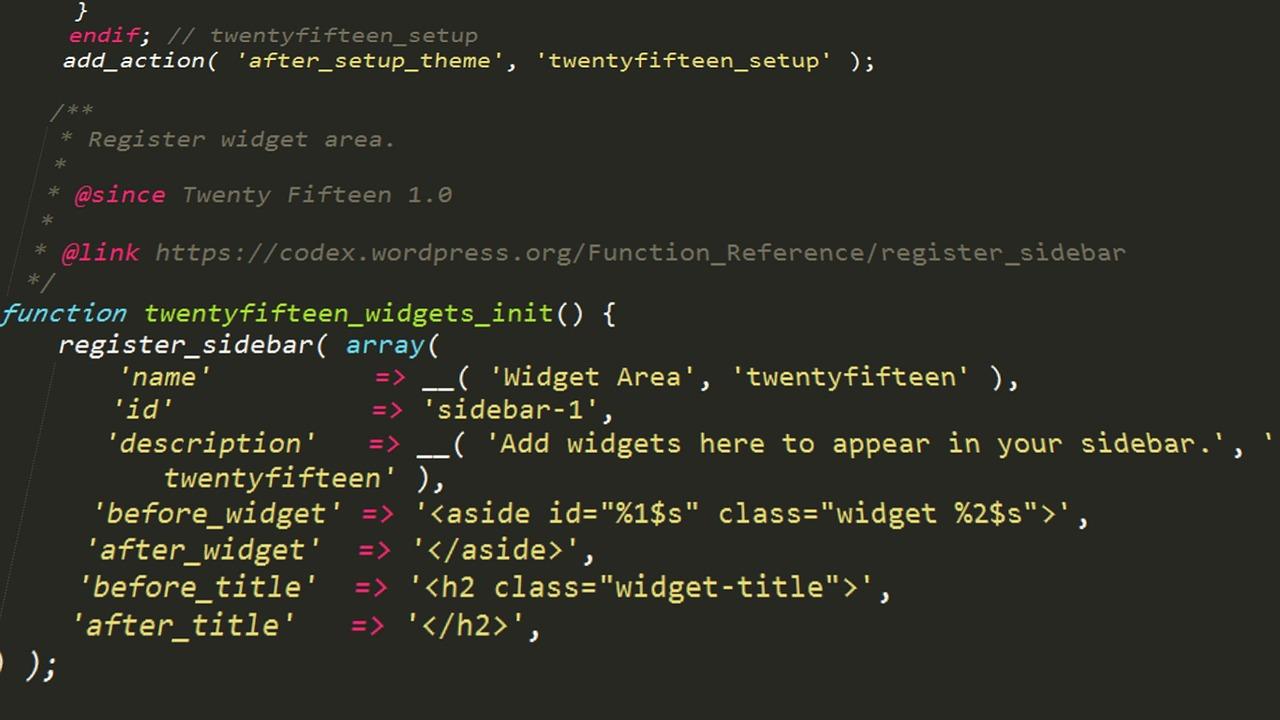
Customization and Functionality: The Power of Plugins vs. Templates
When it comes to building a website, the ability to customize and enhance functionality can make all the difference. Both Canva and WordPress offer unique approaches to this, but their methods vary significantly. Canva provides a user-friendly interface that allows for quick design with templates, while WordPress thrives on its vast ecosystem of plugins and themes, offering depth and versatility.
With Canva, users can utilize a range of templates to create visually appealing graphics, but the customization is largely confined within the parameters of these templates. While you can modify colors, fonts, and layouts, the options are somewhat limited compared to the robust capabilities found in WordPress. This can be an advantage for users seeking simplicity and speed, allowing them to put together a stunning design without delving too deeply into technical details.
On the other hand, WordPress excels in its extensive library of plugins that can transform a basic website into a fully functional powerhouse. Here are some key aspects that highlight WordPress’s customization capabilities:
- Functionality Extensions: Plugins allow you to add features like ecommerce, SEO tools, and social media integration.
- Design Flexibility: Themes can be altered extensively through customizable options, enabling users to create a unique brand identity.
- Scalability: As your website grows, you can easily integrate more sophisticated plugins to meet evolving needs.
To illustrate the difference in functionality, consider the following comparison of essential features:
| Feature | Canva | WordPress |
|---|---|---|
| Design Templates | Extensive but fixed | Highly customizable themes |
| Functionality Add-ons | Limited | Thousands of plugins available |
| User Control | Basic controls | Full control over design and features |
Ultimately, the choice between the two platforms boils down to the specific needs of the user. For those seeking a straightforward, design-focused approach, Canva might just be the ticket. However, for businesses or individuals looking for a long-term solution with room for growth and deeper functionality, WordPress provides a robust framework supported by a community of developers constantly innovating through plugins. Therefore, understanding your priorities will guide you in choosing the platform that best aligns with your vision.
Cost Comparison: Which Option Gives You More Bang for Your Buck?
When it comes to building a website, budget is often a leading factor in the decision-making process. Both Canva and WordPress offer unique pricing structures that cater to different needs and preferences, so let’s break them down to see which option truly delivers more value for your investment.
Canva offers a straightforward pricing model with a free tier that allows you to create stunning graphics and simple web pages. However, if you want to unlock premium features, you’ll need to consider their subscription plans:
| Plan | Price | Features |
|---|---|---|
| Free | $0 | Basic templates, limited storage |
| Pro | $12.99/month | Advanced features, premium images, and templates |
| Enterprise | Contact for pricing | Custom solutions for teams |
On the flip side, WordPress has a more complex pricing structure largely depending on your hosting choices, domain fees, and additional plugins. Here’s a simplified overview:
| Cost Element | Average Price |
|---|---|
| Hosting | $5 – $30/month |
| Domain Registration | $10 – $15/year |
| Premium Themes | $30 – $100 (one-time) |
| Plugins | Varies (from free to $1,000+) |
While Canva presents an attractive entry point for budget-conscious creators, WordPress’s potential for scalability and customization might justify the initial higher costs. Consider the long-term vision for your website—if you envision growth, more intricate features, or e-commerce capabilities, investing in WordPress could yield greater returns over time.
Ultimately, the question of value comes down to your specific needs and goals. If your top priority is speed and ease of use with visually appealing designs, Canva could be your ideal choice. On the other hand, if you aim for a robust, customizable platform capable of growing alongside your ambitions, WordPress is likely to give you more bang for your buck.

Support and Community: Finding Help When You Need It Most
When navigating the world of web design and content creation, having a supportive community can make all the difference. Whether you’re leaning towards Canva or WordPress, tapping into the resources available can help elevate your project and ease your journey. Here’s where you can find the help you need:
- Official Forums: Both Canva and WordPress boast vibrant communities in their official forums. These platforms are filled with users ready to share tips, troubleshoot issues, and celebrate successes.
- Social Media Groups: Facebook and LinkedIn host numerous groups dedicated to both tools. Join conversations, post questions, and connect with like-minded individuals who can provide invaluable insights.
- YouTube Tutorials: The visual nature of platforms like YouTube means you can find countless tutorials that guide you step-by-step through common challenges and advanced techniques for both Canva and WordPress.
If you find yourself stuck or in need of specific advice, consider seeking help from professional services. Many experienced designers and developers offer their expertise to help you tailor your site, whether you choose the user-friendly drag-and-drop capabilities of Canva or the extensive customization options of WordPress.
Additionally, numerous blogs and online resources are dedicated to comparing the two platforms. These articles often break down the pros and cons in a way that’s easy to digest. Here’s a quick comparison:
| Feature | Canva | WordPress |
|---|---|---|
| Ease of Use | Intuitive drag-and-drop interface | Steeper learning curve but highly customizable |
| Design Flexibility | Limited to templates | Endless customization with themes and plugins |
| SEO Capabilities | Basic | Advanced with plugins |
In moments of uncertainty, remember that both platforms have extensive documentation and support articles. Whether it’s a specific question about functionality or a general inquiry about best practices, these resources are invaluable. Don’t hesitate to reach out, engage with the community, and leverage the expertise that surrounds you. Your journey towards creating a stunning website can be more enjoyable and successful with the right support behind you.
Best Use Cases for Canva and WordPress: Which Fits Your Needs?
When it comes to creating compelling content for your website, both Canva and WordPress offer unique strengths that cater to different needs. Understanding these strengths can help you decide which platform suits your project best.
Canva excels in visual design. If you’re looking to create stunning graphics, infographics, or social media posts, Canva’s user-friendly interface and vast library of templates make it a go-to choice. Here are some scenarios where Canva shines:
- Social Media Graphics: Quickly design eye-catching posts tailored for various platforms.
- Marketing Materials: Create brochures, flyers, and posters that grab attention and convey your message effectively.
- Branding Elements: Design logos and business cards that reflect your brand’s identity.
On the other hand, WordPress is a powerhouse for content management. If your focus is on building a robust website or blog with a variety of content types, WordPress is the way to go. Consider these use cases where WordPress truly excels:
- Blogging: Easily publish and manage regular blog posts with a plethora of plugins to enhance functionality.
- E-commerce: Utilize WooCommerce to set up an online store with seamless product management.
- Portfolio Sites: Showcase your work through customizable layouts and galleries that are easy to navigate.
| Feature | Canva | WordPress |
|---|---|---|
| User-Friendliness | Highly intuitive for design | Requires some learning curve for advanced features |
| Visual Designs | Excellent for creating graphics | Limited to themes and page builders |
| Content Management | Not focused on content | Powerful tools for managing all types of content |
Ultimately, the choice between Canva and WordPress hinges on your specific needs. If you require stunning visuals quickly, Canva is unmatched. Alternatively, if your goal is to build an engaging website with rich content, WordPress is your best bet. Consider your project requirements, and align your choice with your long-term goals to maximize your online presence.

Making the Final Decision: Choosing the Right Platform for Your Website
When it comes to building a website, the decision between platforms like Canva and WordPress can be daunting. Each has its unique strengths, and the right choice ultimately depends on your specific needs and goals. For those looking for a visually appealing site without much technical hassle, Canva might seem like an attractive option. It offers a user-friendly interface and a plethora of design templates that make getting started easy.
On the flip side, if you’re aiming for scalability and customization, WordPress shines in this regard. It hosts a vast library of plugins and themes that allow you to tailor your website to your exact specifications. Here are some factors to consider when making your decision:
- Ease of Use: Canva’s drag-and-drop feature is incredibly intuitive, making it a great option for beginners. WordPress has a steeper learning curve but offers greater flexibility as you grow.
- Customization: WordPress offers extensive customization options, allowing for unique designs and functionalities through coding and plugins, while Canva is more limited to preset templates.
- SEO Capabilities: Optimizing your site for search engines is crucial. WordPress has powerful SEO tools and plugins, while Canva’s capabilities in this area are minimal.
- Cost: Both platforms have free options, but costs can add up with premium features. WordPress offers a range of pricing and functionalities that can suit varied budgets, while Canva’s pricing is straightforward but may limit some features.
| Feature | Canva | WordPress |
|---|---|---|
| Ease of Use | Very user-friendly | Moderately complex |
| Customization | Limited options | Highly customizable |
| SEO Tools | Basic | Advanced |
| Cost | Free/Paid templates | Free/Paid plugins and themes |
Ultimately, your choice should reflect your long-term vision for your website. If you’re looking for something simple and quick, Canva might be your go-to. However, if you envision a site with room to grow and evolve, investing the time to master WordPress is likely the better route. Consider your goals, your audience, and the features that matter most to you before making that crucial decision.
Tips for Getting Started with Your Chosen Platform
Starting with your chosen platform can feel daunting, but with a little guidance, you’ll find your rhythm in no time. Both Canva and WordPress have their unique strengths, so your first step is to familiarize yourself with the features each platform offers. Here are some essential tips to help you hit the ground running:
- Explore Templates: Canva offers a plethora of customizable templates that are perfect for beginners. Take advantage of these to create visually appealing graphics and layouts quickly.
- Utilize Tutorials: Both platforms provide a wealth of tutorials. WordPress, for instance, has extensive documentation and community forums where you can learn tips and tricks from experienced users.
- Start Small: Begin with a simple project to avoid feeling overwhelmed. Create a basic website or a social media graphic, and as you gain confidence, gradually incorporate more complex features.
- Engage with the Community: Join online groups or forums related to Canva or WordPress. Engaging with a community can provide support, inspiration, and valuable insights.
As you dive deeper into your chosen platform, consider organizing your workflow. For example, with WordPress, setting up a content calendar can help streamline your content creation process. Here’s a simple table to illustrate how you can structure your topics and timelines:
| Week | Content Topic | Platform Feature to Utilize |
|---|---|---|
| 1 | Introduction to Website Creation | WordPress Dashboard |
| 2 | Designing with Canva | Canva Templates |
| 3 | Content Optimization | SEO Plugins (WordPress) |
| 4 | Marketing Your Site | Social Media Graphics (Canva) |
don’t shy away from experimentation. Both platforms offer flexibility, allowing you to test different styles, formats, and techniques. Whether you’re designing a stunning graphic in Canva or configuring a new plugin on WordPress, the ability to experiment will help you discover what resonates best with your audience.
Frequently Asked Questions (FAQ)
Q&A: Canva vs WordPress – Which Is Better for Websites?
Q1: What is Canva, and how does it compare to WordPress for website creation?
A1: Canva is primarily known as a graphic design tool, but it has expanded to include website design features. It’s user-friendly and perfect for creating visually appealing web pages without needing any coding skills. On the other hand, WordPress is a powerful content management system (CMS) that offers tremendous flexibility and scalability for building websites, from simple blogs to complex e-commerce platforms. If you want quick, beautiful designs, Canva might be your go-to, but if you’re looking for functionality and customization, WordPress has the edge.
Q2: Which platform is easier for beginners to use?
A2: For absolute beginners, Canva is typically easier to navigate. Its drag-and-drop interface makes designing a breeze, allowing you to create stunning visuals in no time. However, WordPress has made significant strides in usability with its block editor, and many find it intuitive after a short learning period. If your focus is primarily on design with minimal content management, Canva shines. But if you’re keen on learning and growing your website over time, WordPress is worth the investment in time.
Q3: Can I use Canva for blogging or e-commerce?
A3: While you can create a blog or an online store with Canva, it’s not ideal for these purposes. Canva’s website builder lacks robust blogging features and e-commerce plugins that WordPress offers. For a blog or e-commerce site with features like SEO optimization, user comments, or product management, WordPress is the clear winner. It’s built to grow with your needs, providing a comprehensive platform for content-rich sites and online stores.
Q4: What about pricing? Which is more budget-friendly?
A4: Canva offers a free version with basic features, but to unlock more advanced tools and templates, you’ll need to upgrade to Canva Pro. This can add up if you’re creating multiple designs. WordPress itself is free, but you’ll need to pay for hosting, and potentially for premium themes and plugins. In the long run, if you want a fully functional website, WordPress can be more cost-effective and scalable, especially as your site grows.
Q5: How do SEO capabilities compare between Canva and WordPress?
A5: SEO is crucial for getting your site noticed, and here’s where WordPress really excels. It has a range of powerful SEO plugins like Yoast SEO that help optimize your content for search engines. Canva, while it allows you to create visually appealing pages, lacks the comprehensive SEO tools that WordPress provides. If you want your website to rank well on search engines, WordPress is the smarter choice.
Q6: Can I switch from Canva to WordPress later?
A6: Yes, you can switch from Canva to WordPress, but it may not be a seamless process. While you can export your Canva designs and use them on WordPress, you would still need to rebuild the website structure and functionality. If you think you might want to expand your site in the future, starting with WordPress might save you time and effort down the line.
Q7: which platform should I choose for my website?
A7: It ultimately depends on your needs. If you want something quick, visually stunning, and easy to set up, Canva is a fantastic option. However, if you’re serious about building a robust website with long-term potential, rich content, and scalability, WordPress is the way to go. Remember, building a website is an investment in your brand or business, and choosing the right platform can make all the difference.
In Summary
As we wrap up our comparison of Canva and WordPress, it’s clear that both platforms bring unique strengths to the table, catering to different needs and preferences. If you’re looking for a user-friendly design tool that allows you to create stunning visuals and simple web pages quickly, Canva might be your go-to. On the other hand, if you’re after a robust, customizable platform for building a fully-featured website that can grow with your business, WordPress is hard to beat.
Ultimately, the best choice depends on your specific goals. Are you a small business owner wanting to establish a strong online presence with minimal fuss? Canva could be your best friend. Or perhaps you’re a blogger or entrepreneur looking to create a dynamic, scalable website that showcases your brand? In that case, WordPress is likely the way to go.
Whichever path you choose, remember that both tools can help you make a powerful impact online. So take a moment to reflect on your needs, explore the features of each platform, and don’t hesitate to experiment. After all, the right website is just a few clicks away, and your online journey is only just beginning. Happy building!