
In today’s digital landscape, securing your website is more important than ever. If you’re using WordPress, you might be wondering whether a security plugin is really necessary. With cyber threats lurking around every corner, the stakes are high, and keeping your site safe should be a top priority. But is relying on a security plugin the best route, or can you achieve solid protection through other means? In this article, we’ll dive into the pros and cons of using a WordPress security plugin, exploring four crucial actions you can take with and without these tools. Whether you’re a seasoned developer or a casual blogger, understanding these options will empower you to make informed decisions about your website’s security. So, let’s unravel the mystery and help you determine the best path for protecting your online presence!
Understanding the Importance of WordPress Security
In the digital landscape, where threats lurk around every corner, understanding the significance of security for your WordPress site is paramount. WordPress powers over 40% of the internet, making it a prime target for hackers and malicious entities. Ignoring security measures can lead to devastating consequences, including data breaches, loss of revenue, and damage to your brand’s reputation.
Utilizing a security plugin can provide a robust layer of protection. Here’s what you can accomplish with a security plugin:
- Real-time Threat Monitoring: Security plugins often come with features that monitor your site for vulnerabilities and suspicious activities around the clock.
- Automated Backups: Many plugins offer backup solutions, ensuring that your data is safe and can be restored quickly in the event of an attack.
- Firewall Protection: A dedicated security plugin can implement a firewall that blocks malicious traffic before it reaches your site.
- Malware Scanning: Regular scans for malware and other security threats can safeguard your website and provide peace of mind.
However, not every site owner opts for a security plugin. For those who prefer a more hands-on approach, here are some essential practices to maintain security without a plugin:
- Keep WordPress Updated: Regularly updating your WordPress version, themes, and plugins eliminates vulnerabilities in outdated software.
- Strong Passwords and User Permissions: Enforce strong passwords and limit user access to minimize the risk of unauthorized entries.
- Regular Manual Backups: Schedule routine backups manually. Store copies in secure locations to ensure data safety.
- Secure Hosting Environment: Choose a reputable hosting provider that prioritizes security and offers features like SSL certificates and DDoS protection.
Ultimately, whether you choose to utilize a security plugin or employ manual practices, it’s crucial to proactively defend your website. The cost of neglecting security can be astronomically high, both financially and reputationally. A comprehensive approach to security can enhance your site’s performance and user trust, paving the way for sustained success.
| Feature | With Security Plugin | Without Security Plugin |
|---|---|---|
| Real-time Monitoring | ✔️ | ❌ |
| Automated Backups | ✔️ | 🔄 Manual Required |
| Firewall Protection | ✔️ | ❌ |
| Malware Scanning | ✔️ | 🔄 Manual Checks Required |
Essential Features of Security Plugins You Should Know
When considering the protection of your WordPress site, it’s crucial to understand the essential features that security plugins offer. These tools are designed to safeguard your digital presence against a variety of threats, ensuring that your website remains safe and functional.
One of the most beneficial features is real-time monitoring. Security plugins continuously scan your site for any unauthorized activity or vulnerabilities, alerting you immediately to potential issues. This proactive approach allows you to respond swiftly, minimizing damage and downtime. Additionally, many plugins provide firewall protection that blocks harmful traffic before it even reaches your site, acting as a shield against attempts to breach your security.
Another key aspect is malware scanning and removal. A security plugin can thoroughly analyze your website’s files and databases for malicious code. If any threats are detected, these plugins often offer tools to clean and remove the harmful content automatically, saving you time and effort. Remember, manual detection can be tedious and may leave your site vulnerable to further attacks.
Moreover, security plugins typically include login protection features. This may encompass limiting login attempts, activating two-factor authentication, or even implementing CAPTCHA. These measures significantly reduce the risk of brute-force attacks, which are all too common. Additionally, some plugins allow you to customize login URLs, making it harder for attackers to locate your login page.
You can also benefit from regular backups included in many security plugins. Having a backup means that in the event of a cyber attack or data loss, you can restore your site to its previous state with minimal hassle. Establishing a routine backup schedule can save you from extensive recovery efforts and potential data loss.
Here’s a concise table summarizing these essential features:
| Feature | Description |
|---|---|
| Real-time Monitoring | Continuous scanning for unauthorized activity. |
| Firewall Protection | Blocks harmful traffic before it reaches your site. |
| Malware Scanning | Identifies and removes malicious code. |
| Login Protection | Limits login attempts and implements two-factor authentication. |
| Regular Backups | Automatically creates backup copies of your site. |
Incorporating these features into your website’s security strategy can make a significant difference in how you manage potential threats. By understanding and utilizing these capabilities, you empower yourself to maintain a secure WordPress environment.
What You Can Achieve With a Security Plugin
When you incorporate a security plugin into your WordPress site, you’re unlocking a treasure trove of protective features that can significantly enhance your website’s safety and performance. Here’s what you can accomplish:
- Threat Detection and Prevention: Security plugins actively scan your site for malware, vulnerabilities, and suspicious activity. With real-time alerts, you’re notified of potential threats before they escalate, allowing for immediate action.
- Firewall Protection: A robust security plugin often includes a firewall that acts as a barrier between your website and malicious traffic. This helps block harmful requests and unauthorized access attempts, keeping your site secure.
- Regular Backups: Many security plugins offer automated backup features, ensuring your data is regularly saved and easily restorable in the event of a breach or data loss. This peace of mind is invaluable for business continuity.
- User Authentication: Enhanced login security measures, such as two-factor authentication and login attempt monitoring, protect your site from brute force attacks. This makes it significantly harder for hackers to gain access.
Without a security plugin, you’ll find yourself relying solely on manual monitoring and basic protections. This could leave your site exposed to the following risks:
| Risk | Impact |
|---|---|
| Malware Infection | Site downtime and loss of data |
| Data Breach | Compromised customer information |
| SEO Penalties | Decreased search engine rankings |
| Reputation Damage | Loss of customer trust |
In essence, a security plugin transforms the way you manage your site’s safety. By automating security tasks and providing comprehensive monitoring, you can focus more on creating great content and engaging with your audience, rather than worrying about potential threats lurking in the shadows.
Investing in a security plugin means investing in your website’s longevity. The features it brings not only protect your site but also enhance your overall user experience. With increased security, you’re not just safeguarding your data; you’re also building trust with your visitors, which is crucial for any successful online venture.
The Risks of Skipping Out on a Security Plugin
When it comes to protecting your WordPress site, skipping a security plugin can be a risky gamble. Many website owners underestimate the potential threats lurking online, believing that their sites are too small or insignificant to attract the attention of hackers. However, the reality is that vulnerabilities exist in every corner of the web. Without a security plugin, your site is left exposed to a variety of dangers that could lead to severe consequences.
One of the most significant risks of forgoing a security plugin is the increased likelihood of falling victim to malware attacks. Hackers often deploy malicious software that can compromise your site, steal sensitive data, or even hijack control entirely. This not only jeopardizes your users’ information but can also damage your reputation as a trustworthy website. A security plugin actively scans for malware and quarantines any suspicious files, providing a critical line of defense.
Moreover, without a security plugin, your site becomes vulnerable to brute force attacks. These attacks involve automated scripts that attempt to guess your login credentials repeatedly. Security plugins typically include features like login limiters, two-factor authentication, and IP blacklisting, which significantly enhance your website’s protection against unauthorized access. Without these measures, a determined hacker can easily penetrate your defenses.
Another overlooked risk is the absence of regular backups. Many security plugins offer automated backup options, ensuring that you have a recent copy of your website at all times. If a disaster occurs—be it a hack or a server failure—having a backup allows you to restore your site quickly and efficiently. Without this feature, you may end up losing all your hard work.
Lastly, consider the overall peace of mind that comes from knowing your website is secure. Investing in a security plugin means investing in the safety and reliability of your online presence. It allows you to focus on creating content and engaging with your audience rather than worrying about potential hacks or breaches. With the digital landscape becoming increasingly treacherous, safeguarding your site is not just an option; it’s a necessity.
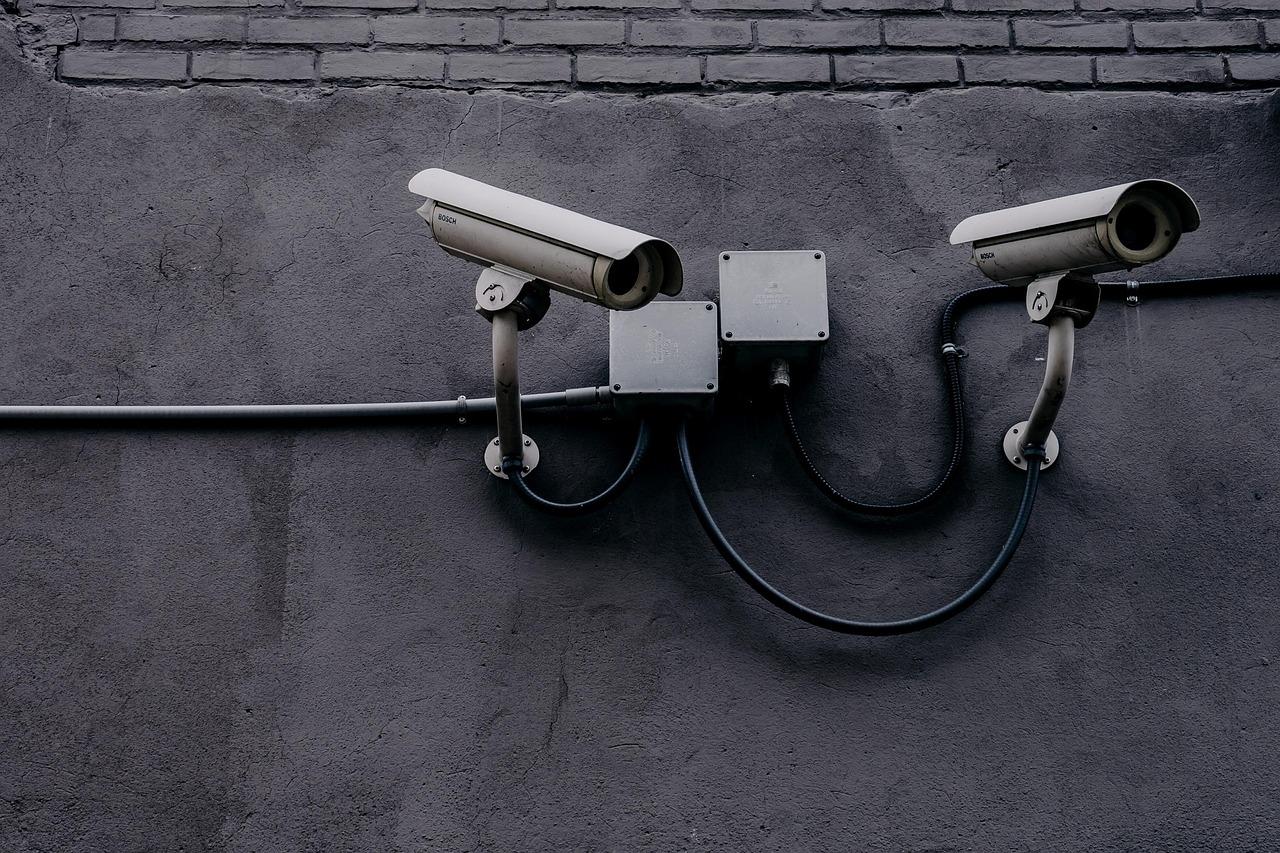
Simple Security Measures You Can Take Without a Plugin
When it comes to securing your WordPress site, there are several straightforward measures you can implement without relying on a security plugin. These methods not only enhance your website’s security but also empower you to take control of your digital space.
First and foremost, ensure that you are using strong passwords for all accounts associated with your site. Simple passwords can be easily cracked by attackers. Instead, opt for complex combinations of letters, numbers, and symbols. Consider using a password manager to keep track of various credentials safely. Regularly updating these passwords, especially after any security scares, is also crucial.
Another effective measure is to change the default admin username. The default “admin” username is a common target for hackers. By changing it to something less predictable, you add an additional layer of protection. Additionally, you can create a new user with administrative privileges and then delete the old admin account, ensuring that your site remains secure.
Implementing two-factor authentication (2FA) can significantly bolster your site’s security. This method requires a second form of verification, such as a code sent to your mobile device, whenever you log in. This way, even if someone obtains your password, they won’t be able to access your site without that second factor.
regularly back up your website. While this may not prevent unauthorized access, it ensures that you can restore your site quickly in the event of a breach. Use a reliable backup system, whether it’s manual or automated, and store backups in multiple locations, such as cloud storage and an external hard drive.
By adopting these strategies, you can significantly enhance the security of your WordPress site without the need for plugins. Small, consistent actions can lead to a more secure online presence.
How to Choose the Right Security Plugin for Your Site
Choosing the right security plugin for your site can feel overwhelming, especially with so many options available. Yet, making an informed decision is crucial to safeguarding your online presence. Here are some key factors to consider:
- Compatibility: Ensure the plugin is compatible with your current WordPress version and any other plugins you are using. Incompatible plugins can cause site malfunctions or conflicts.
- User Reviews: Look for plugins that are highly rated by other users. Reviews can provide insights into the plugin’s effectiveness and reliability.
- Features: Consider what features are most important to you. Do you need firewall protection, malware scanning, or login attempt monitoring? Make a list of must-have features and compare plugins.
- Support and Updates: Opt for plugins that receive regular updates and offer customer support. A well-maintained plugin is more likely to stay ahead of emerging security threats.
Another vital aspect to think about is the cost structure. While there are many free options available, some premium plugins offer advanced features and higher levels of support. Below is a simple comparison of popular security plugins:
| Plugin Name | Free Version | Premium Version | Key Features |
|---|---|---|---|
| Wordfence | Yes | Yes | Firewall, Malware Scanner |
| iThemes Security | Yes | Yes | Brute Force Protection, Two-Factor Authentication |
| Sucuri Security | Yes | Yes | Website Monitoring, Malware Cleanup |
Don’t forget to consider the user interface. A well-designed, intuitive UI can make managing your site’s security much easier. You don’t want to struggle with complicated settings when you could be focusing on your content.
keep your long-term goals in mind. If you plan to scale your website or add more features in the future, choose a security plugin that can grow with you. A flexible solution will save you time and hassle down the road.
Balancing Convenience and Protection: Smart Security Practices
When it comes to securing your WordPress site, finding the perfect balance between convenience and protection is key. While security plugins can offer powerful features to safeguard your site, there are also practical steps you can take that don’t rely on these tools. Understanding this balance can help you maintain both a user-friendly experience and a robust defense against threats.
Using Security Plugins: These tools provide a wide range of functionalities that can boost your website’s security. Here’s what they typically offer:
- Real-time monitoring: Keep an eye on suspicious activities and vulnerabilities as they occur.
- Automated backups: Ensure your site can be restored quickly in case of an attack.
- Firewall protection: Prevent unauthorized access and filter out malicious traffic.
- Malware scanning: Detect and remove harmful software that could compromise your site.
Without Security Plugins: You can still implement several effective measures to keep your site safe while maintaining convenience. Consider the following practices:
- Regular updates: Keep WordPress, themes, and plugins up to date to patch vulnerabilities.
- Strong passwords: Use complex passwords and change them regularly to fend off unauthorized access.
- Two-factor authentication: Add an extra layer of security by requiring a second form of identification.
- Limit login attempts: Protect against brute force attacks by restricting the number of login attempts.
To visualize the differences, consider the following table that outlines the advantages of using security plugins versus going plugin-free:
| Security Plugins | No Plugins |
|---|---|
| Comprehensive security features | Manual control of security settings |
| Easy setup and maintenance | More time-intensive management |
| Automatic updates and backups | Requires personal diligence |
| Centralized monitoring | Diversified protection strategies |
By weighing your options and integrating both approaches, you can create a security strategy that not only protects your site effectively but also maintains the convenience expected by your users. The goal is to create a seamless environment where security measures are barely noticeable but ever-present, ensuring your website remains secure without compromising user experience.
Real-Life Success Stories: How Security Plugins Made a Difference
The Bottom Line: Is a Security Plugin Worth It for You?
In today’s digital landscape, the question of whether to invest in a security plugin for your WordPress site is more relevant than ever. With cyber threats evolving daily, having a solid defense mechanism is not just a luxury—it’s a necessity. So, what can a security plugin bring to the table that manual measures might lack?
First and foremost, automated updates. Security plugins often come loaded with options to automatically update your WordPress core, themes, and plugins. This means you can rest easy knowing that your site is protected from vulnerabilities without having to remember to do it yourself. On the other hand, if you choose to forgo a plugin, you’ll need to stay vigilant and regularly monitor your site for updates manually, which can be time-consuming and prone to oversight.
Another significant benefit is real-time monitoring. Security plugins can continuously scan your website for suspicious activity, malware, and unauthorized logins. This proactive approach means that threats can be identified and mitigated before they cause substantial harm. Without a security plugin, you may not even be aware of a breach until it’s too late, leaving your site and your visitors exposed to potential risks.
Consider also the firewall protection that many security plugins offer. A good firewall acts as a shield that filters out malicious traffic before it even reaches your site. This level of protection is challenging to replicate manually and can significantly enhance your website’s security posture. Without it, you may find your site vulnerable to a myriad of attacks, including DDoS and SQL injection.
If budget is a concern, you might think that handling security yourself could save you money. However, the potential costs of a data breach—including lost revenue, damage to your brand, and recovery expenses—can far outweigh the investment in a reliable security plugin. Additionally, many plugins offer tiered pricing plans, allowing you to choose a level of service that fits your needs and budget.
Ultimately, the choice between a security plugin and manual security measures boils down to your site’s specific needs and your willingness to invest time and resources into its protection. However, the peace of mind that comes with a robust security plugin often makes it a worthwhile investment for anyone serious about safeguarding their online presence.

Empowering Yourself with Knowledge: Staying Secure on WordPress
When it comes to securing your WordPress site, knowledge is your best weapon. Understanding the potential vulnerabilities and taking proactive measures can significantly enhance your site’s security, whether you opt for a security plugin or not. Here are some key insights to empower you on your security journey:
- Regular Updates: Keeping your WordPress core, themes, and plugins updated is crucial. Updates often include security patches that protect against emerging threats. Make it a habit to check for updates regularly.
- Strong Passwords: Using complex passwords for your admin and user accounts can deter unauthorized access. Consider using a password manager to generate and store your passwords securely.
- Limit Login Attempts: By controlling the number of failed login attempts, you can prevent brute-force attacks. This can be done through security plugins or server settings, ensuring that your site remains safe from intruders.
- Implement SSL: Securing your site with SSL encrypts user data during transmission, making it harder for hackers to intercept sensitive information. Most hosting providers offer free SSL certificates to help you get started.
While security plugins can offer an array of features to bolster your site’s safety, there are also effective measures you can implement independently. For instance, you can regularly back up your site using manual methods or built-in tools provided by your hosting service. This ensures that, in the event of a security breach, your data is retrievable without extensive loss.
Now, let’s take a look at a comparison of actions you can take both with and without security plugins:
| Action | With Security Plugin | Without Security Plugin |
|---|---|---|
| Malware Scanning | Automatic scanning and alerts | Manual checks using online scanners |
| Firewall Protection | Built-in web application firewall | Server-level security configurations |
| Login Security | Two-factor authentication | Manual implementation of 2FA |
| Security Audits | Scheduled security audits | Self-conducted security reviews |
Ultimately, the decision to use a security plugin should weigh your needs against the resources available to you. Both methods of enhancing security—plugin and manual—offer valuable benefits. By understanding the options at your disposal, you can tailor a security strategy that best fits your WordPress site, ensuring its protection against the ever-evolving landscape of cyber threats.
Frequently Asked Questions (FAQ)
Q&A: Do I Need a WordPress Security Plugin?
Q1: What exactly is a WordPress security plugin?
A: Great question! A WordPress security plugin is a tool designed to protect your website from various threats, such as hackers, malware, and spam. Think of it as a security system for your online presence, providing features like firewalls, malware scanning, and login attempt monitoring.
Q2: What are some things I can do with a security plugin that I can’t do without one?
A: With a security plugin, you unlock a treasure trove of protective features! Here are a few standout capabilities:
- Real-time Scanning: Security plugins continuously monitor your site for vulnerabilities and malware, alerting you immediately if something is amiss.
- Firewall Protection: These plugins often include a web application firewall that blocks harmful traffic before it even reaches your site.
- Brute Force Attack Prevention: They can limit login attempts, making it harder for hackers to guess your password.
- Security Audits: Many plugins offer reports and alerts about your site’s security posture, providing peace of mind and actionable insights.
Q3: Are there effective ways to secure my WordPress site without using a plugin?
A: Absolutely! While a security plugin is a great asset, you can still take significant steps to bolster your website’s security without one:
- Strong Passwords: Using complex passwords for all accounts, especially admin logins, can vastly improve your site’s security.
- Regular Updates: Keeping your WordPress core, themes, and plugins updated ensures you’re protected against known vulnerabilities.
- Backup Solutions: Implement a regular manual backup system. If something goes wrong, you can restore your site quickly.
- Limit User Access: Only give necessary permissions to users. The fewer people with admin access, the lower the risk.
Q4: So, do I really need a security plugin if I follow these best practices?
A: While you can indeed enhance your site’s security with best practices, a security plugin acts as a comprehensive shield. Think of it as a multi-layered approach to protection. Even experts sometimes miss things; plugins can automate and enhance security measures that are easy to overlook. If your website is a business or holds sensitive information, investing in a security plugin is a smart move!
Q5: What should I look for in a good WordPress security plugin?
A: When selecting a security plugin, keep an eye out for these features:
- User-friendly Interface: A plugin that’s easy to navigate will save you time.
- Frequent Updates: The best plugins are continually updated to address new threats.
- Comprehensive Features: Look for scanning, firewalls, and login protection.
- Good Support: A responsive support team can make all the difference if you run into issues.
Q6: what’s the takeaway? Should I invest in a security plugin?
A: In today’s digital landscape, security is non-negotiable. While you can certainly implement various best practices on your own, a security plugin adds an essential layer of protection that acts proactively against threats. If you care about your website’s safety and want to focus on creating content rather than worrying about potential attacks, investing in a security plugin is absolutely worth it!
Concluding Remarks
while the question “Do I need a WordPress security plugin?” may seem straightforward, the answer depends on your unique circumstances and goals for your website. With the right security plugins, you gain access to powerful tools that can actively protect your site from threats, automate essential tasks, and provide peace of mind. On the other hand, opting for a more hands-on approach without plugins means you need to be vigilant and proactive in securing your site, which can be time-consuming and requires a solid understanding of best practices.
Ultimately, investing in a WordPress security plugin could save you from potential headaches down the road, including data breaches and costly downtime. So, weigh your options carefully. Whether you choose to embrace the convenience of a plugin or dive into manual security measures, remember that protecting your website is not just a luxury—it’s a necessity in today’s digital landscape.
Take a moment to assess your needs, consider the risks, and make an informed decision that best suits your website. Your online presence deserves the best protection possible, so choose wisely and keep your digital assets safe! Happy blogging!